PowerEdge T360、R360: LCの言語が英語以外に設定されていると、BIOSドライバーのロード ページでPOSTが応答を停止します
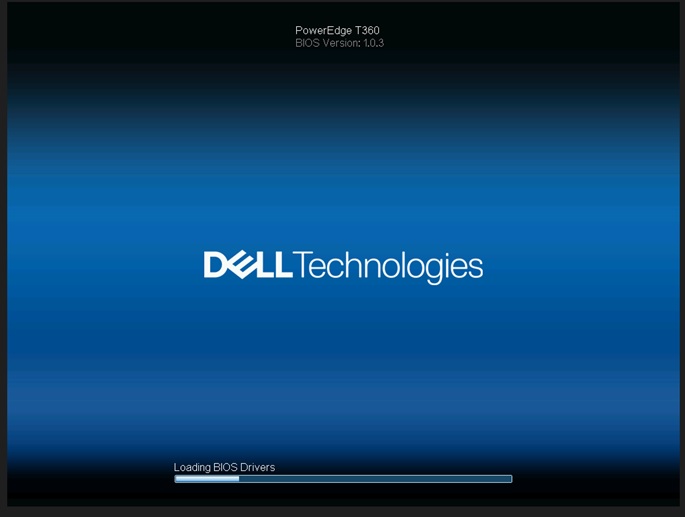
Summary: ライフサイクル(LC)言語が英語以外の言語に設定されている場合、システムは[Loading BIOS Drivers]画面で応答を停止します。
This article applies to
This article does not apply to
This article is not tied to any specific product.
Not all product versions are identified in this article.
Symptoms
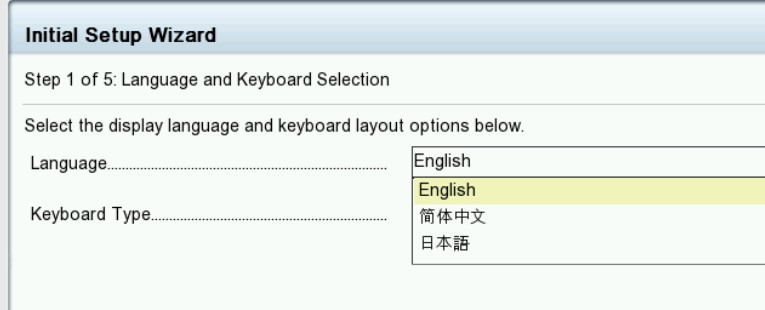
システムは「loading BIOS Drivers」画面で停止します。T360およびR360のライフサイクル言語が英語以外に設定されている場合、ライフサイクル ログにPST0210イベントが表示されます。

Cause
BIOSは現在の言語の文字列を取得します。現在の言語の文字列は、ライフサイクルが英語以外に設定されているため、MEタイプ「string」を取得するように定義されていません。
Resolution
BIOSバージョン1.1.2以降
で修正済み 回避策: NVRAMをクリアします。
機能を復元するには、ライフサイクル言語をデフォルトの英語に戻します。『Dell PowerEdge R360 (T360)設置およびサービス マニュアル』の第9章を参照してください。ジャンパーとコネクター:
NVRAM_CLRhttps://www.dell.com/support/home/en-us/product-support/product/poweredge-r360/docs
で修正済み 回避策: NVRAMをクリアします。
機能を復元するには、ライフサイクル言語をデフォルトの英語に戻します。『Dell PowerEdge R360 (T360)設置およびサービス マニュアル』の第9章を参照してください。ジャンパーとコネクター:
NVRAM_CLRhttps://www.dell.com/support/home/en-us/product-support/product/poweredge-r360/docs
Affected Products
PowerEdge R360, PowerEdge T360Products
PowerEdge R360, PowerEdge T360Article Properties
Article Number: 000221245
Article Type: Solution
Last Modified: 19 May 2026
Version: 5
Find answers to your questions from other Dell users
Support Services
Check if your device is covered by Support Services.