PowerEdge T360、R360:如果 LC 语言设置为非英语,开机自检将在加载 BIOS 驱动程序页面停止响应
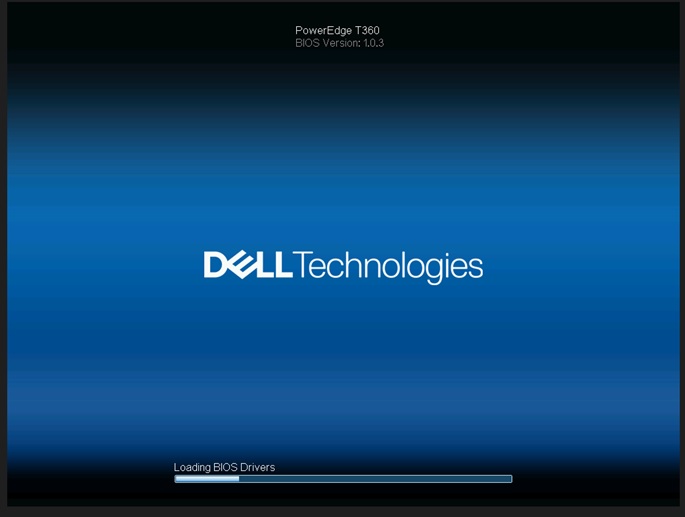
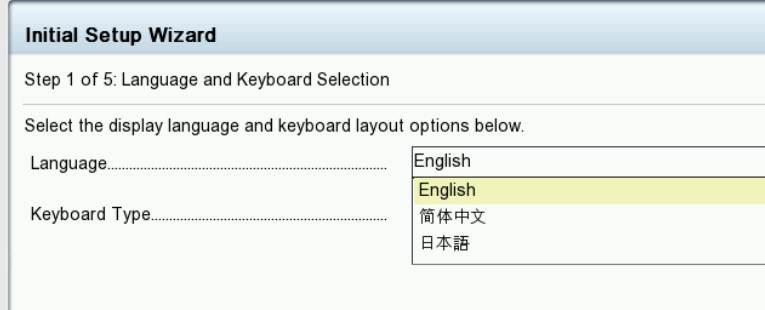
Summary: 如果生命周期 (LC) 语言设置为非英语语言,系统会在“Loading BIOS Drivers”屏幕上停止响应。
This article applies to
This article does not apply to
This article is not tied to any specific product.
Not all product versions are identified in this article.
Symptoms
系统在出现“loading BIOS Drivers”屏幕时停止。当 T360 和 R360 的生命周期语言设置为非英语时,生命周期日志显示PST0210事件。

Cause
BIOS 获取当前语言的字符串。由于生命周期设置为非英语,当前语言的字符串未定义为获取 ME 类型“字符串”。
Resolution
已在 BIOS 版本 1.1.2 或更高版本
中修复 解决方法:清除 NVRAM。
要还原功能,请将生命周期语言更改回默认英语。请参阅戴尔 PowerEdge R360 (T360) 安装和服务手册第 9 章:跳线和连接器:
NVRAM_CLRhttps://www.dell.com/support/home/en-us/product-support/product/poweredge-r360/docs
中修复 解决方法:清除 NVRAM。
要还原功能,请将生命周期语言更改回默认英语。请参阅戴尔 PowerEdge R360 (T360) 安装和服务手册第 9 章:跳线和连接器:
NVRAM_CLRhttps://www.dell.com/support/home/en-us/product-support/product/poweredge-r360/docs
Affected Products
PowerEdge R360, PowerEdge T360Products
PowerEdge R360, PowerEdge T360Article Properties
Article Number: 000221245
Article Type: Solution
Last Modified: 19 May 2026
Version: 5
Find answers to your questions from other Dell users
Support Services
Check if your device is covered by Support Services.