PowerEdge: R7525 IO sequential read throughput drops when testing with over 10 SSD drives simultaneously
Summary: PowerEdge R7525 with PowerEdge RAID Controller (H345, H745) experiences a significant I/O throughput drop during sequential read testing with over 10 SSD drives in non-RAID mode.
This article applies to
This article does not apply to
This article is not tied to any specific product.
Not all product versions are identified in this article.
Symptoms
See Figure 1, which shows sequential read throughput with 10 SATA SSDs. Each SSD achieved 530 MB/s,
Totaling 5.3 GB/s
See Figure 2, which shows sequential read throughput with 12 SATA SSDs. 4 SSDs achieved 430 MB/s, the other 8 achieved 220 MB/s,
Totaling 3.5 GB/s
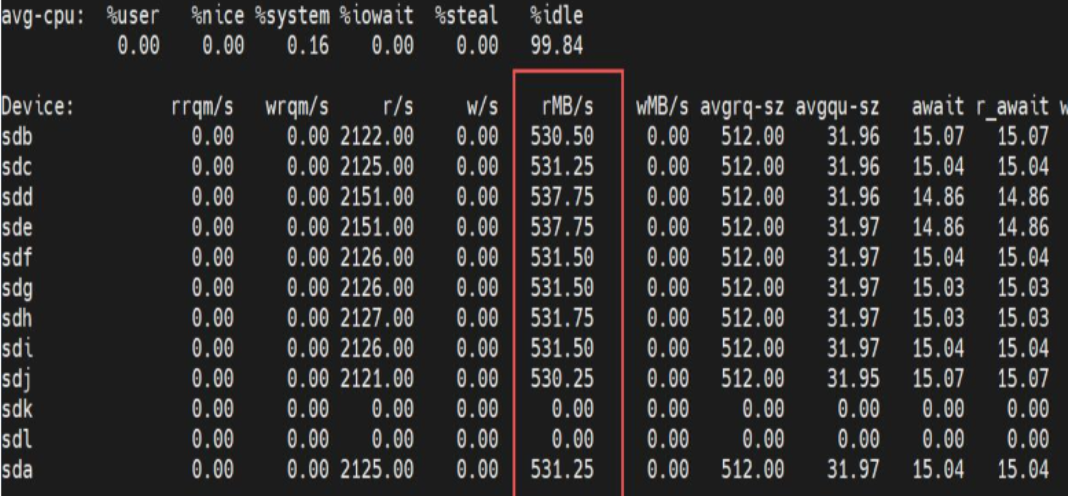
Figure 1: Sequential Read throughput on 10 SATA SSDs
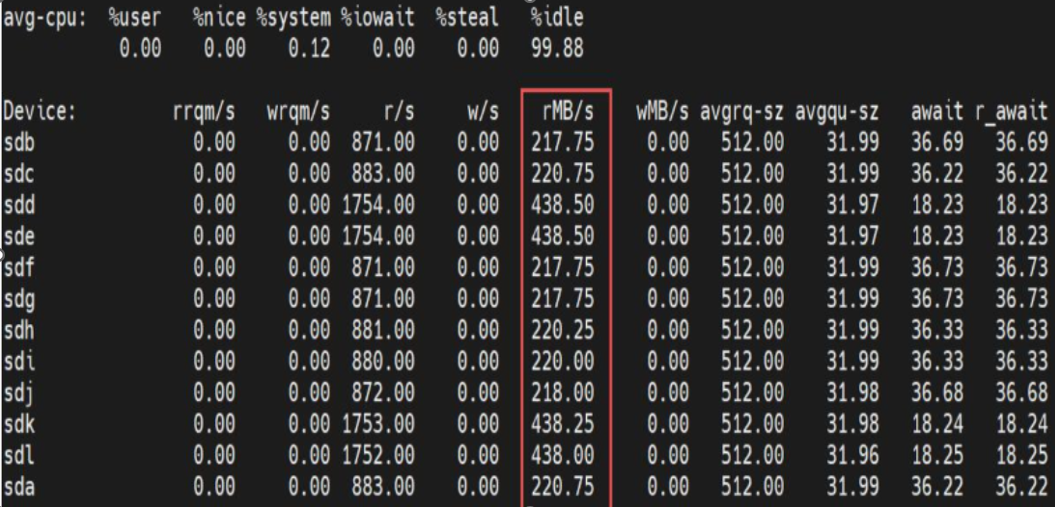
Figure 2: Sequential Read throughput on 12 SATA SSDs
Cause
The default BIOS setting is not optimized for I/O performance.
Red Hat Enterprise Linux (RHEL) 8.3 has storage performance improvements that are unavailable in Red Hat Enterprise Linux 7.x.
PERC H345 and H745 are PCIe Gen3 x8 devices. The maximum throughput is 7GB/s.
Red Hat Enterprise Linux (RHEL) 8.3 has storage performance improvements that are unavailable in Red Hat Enterprise Linux 7.x.
PERC H345 and H745 are PCIe Gen3 x8 devices. The maximum throughput is 7GB/s.
Resolution
Install Red Hat Enterprise Linux 8.3 or newer for I/O performance testing.
Follow these instructions for BIOS SETUP tuning:
- Boot into BIOS Setup and press Alt-F2 to load the default setting.
- Navigate to 'Processor Settings'. Disable 'Virtualization Technology', set 'MADT Core Enumeration' to 'Round Robin', and 'Numa Nodes Per Socket' to 4 (See Figure 4).
- Go to 'System Profile settings'. Set 'System Profile' to Custom, 'CPU Power Management" to 'Maximum Performance', 'C State' to 'Disabled' and 'Determinism Slider' to 'Performance Determinism' (See Figure 5).
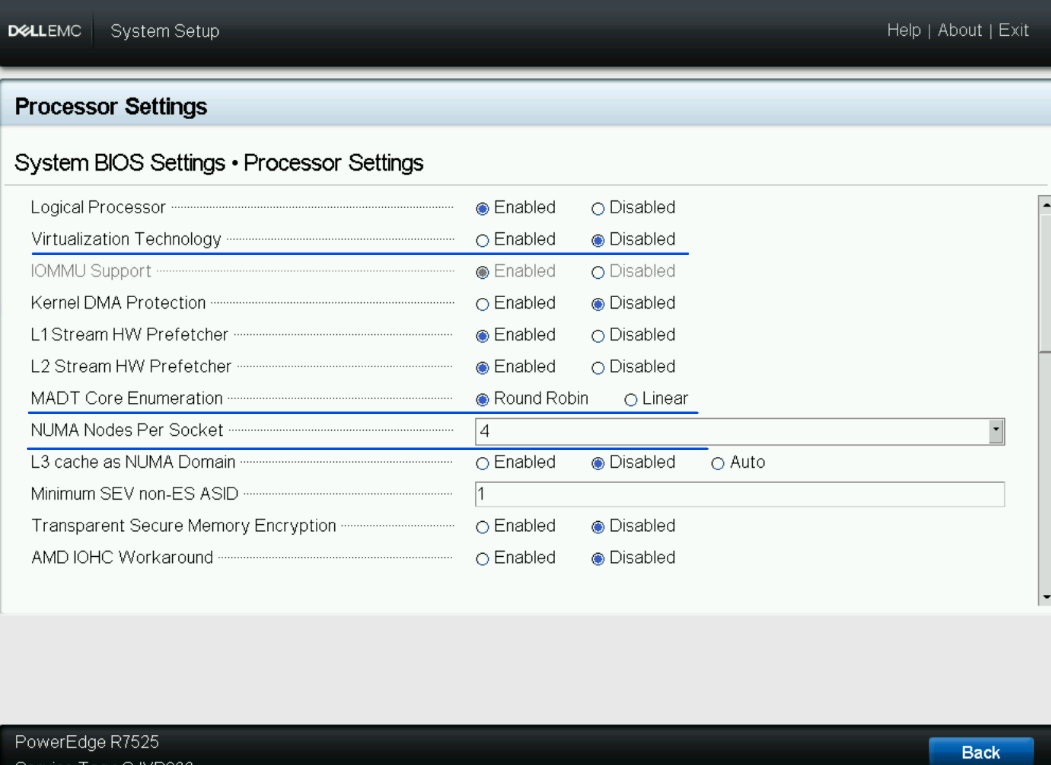
Figure 3: BIOS Setup: Processors Settings
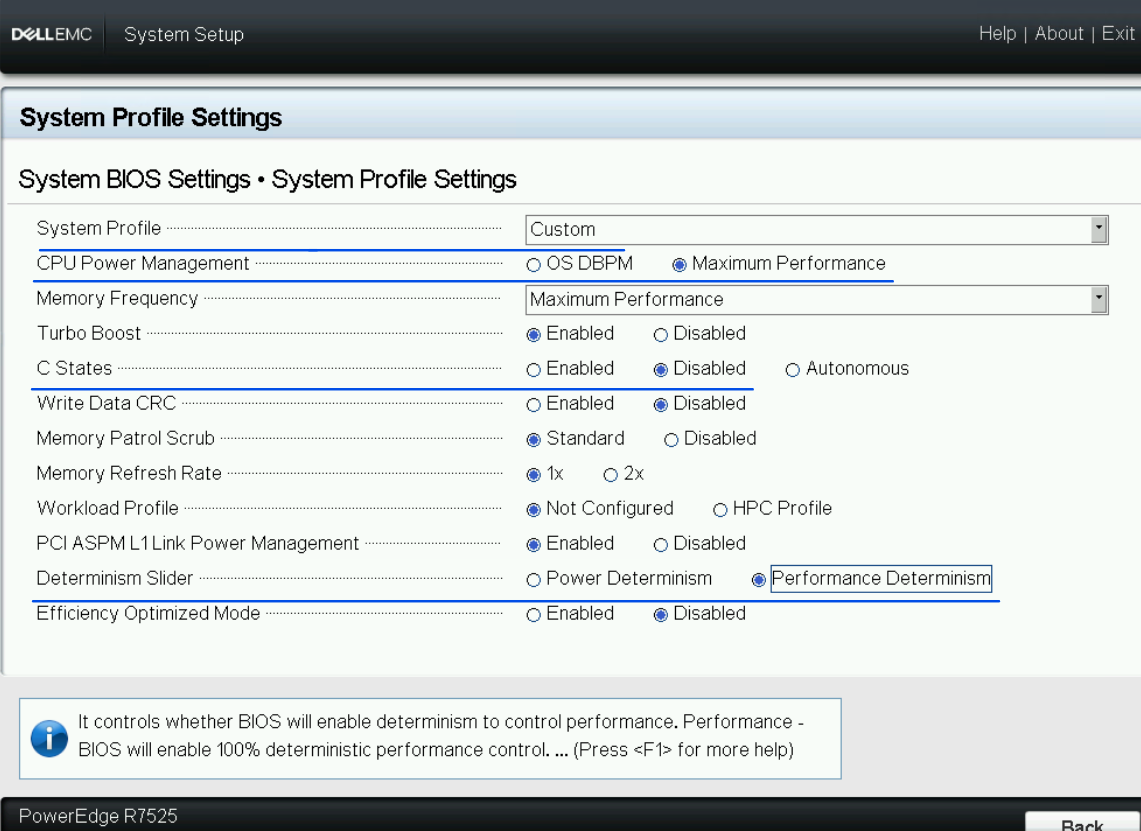
Figure 4: BIOS Setup: System Profile Settings
Affected Products
PowerEdge RAID Controller H345, PowerEdge RAID Controller H745, PowerEdge R7525Products
Red Hat Enterprise Linux Version 8Article Properties
Article Number: 000221862
Article Type: Solution
Last Modified: 19 May 2026
Version: 3
Find answers to your questions from other Dell users
Support Services
Check if your device is covered by Support Services.