XPS 14 9440 Taskbar Becomes Small on Internal OLED Display
Summary: Learn about what to do when an XPS 14 9440 makes the taskbar resolution appear small on an internal display while connected to an external display.
This article applies to
This article does not apply to
This article is not tied to any specific product.
Not all product versions are identified in this article.
Symptoms
The taskbar may become smaller on the internal OLED panel when using the USB Type-C port to connect to an external 4K or 5K monitor. The taskbar becomes smaller after closing the internal display lid and then opening it again. When the external monitor resolution is higher than the internal resolution and the display is switched, this issue occurs.
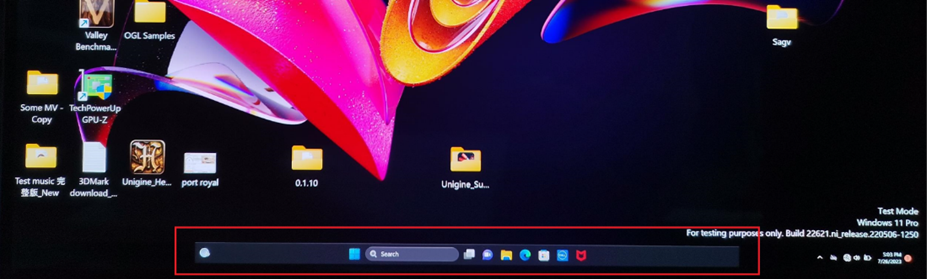
Affected Platforms:
- XPS 14 9440
Cause
The resolution syncs unexpectedly between the internal panel and the external monitor when the display source switches back to the internal panel.
Resolution
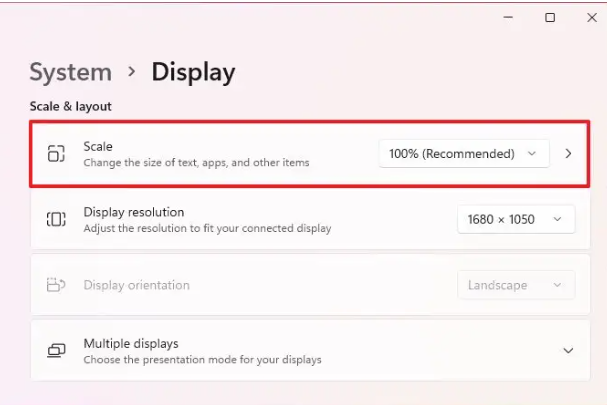
Go to the Display settings in Windows and adjust the Display resolution or Scale. For more information about how to access Display settings, reference View display settings in Windows
Affected Products
XPS 14 9440Article Properties
Article Number: 000222228
Article Type: Solution
Last Modified: 20 May 2026
Version: 6
Find answers to your questions from other Dell users
Support Services
Check if your device is covered by Support Services.