VxRail: Event Code VXR108130 - vLCM enablement was failed
Summary: VxRail appliance dials home to the Dell backend with event code VXR108130. This indicates that the VxRail Manager vLCM enablement operation failed.
This article applies to
This article does not apply to
This article is not tied to any specific product.
Not all product versions are identified in this article.
Symptoms
Follow the vLCM enablement procedure to enable vLCM. If the operation fails, the VxRail manager calls out event VXR108130.
Cause
This event code indicates "VxRail Manager vLCM enablement operation failed."
Resolution
If a customer has manually upgraded the host driver to a later version than the cluster-matched version, it causes a vLCM enablement validation failure.

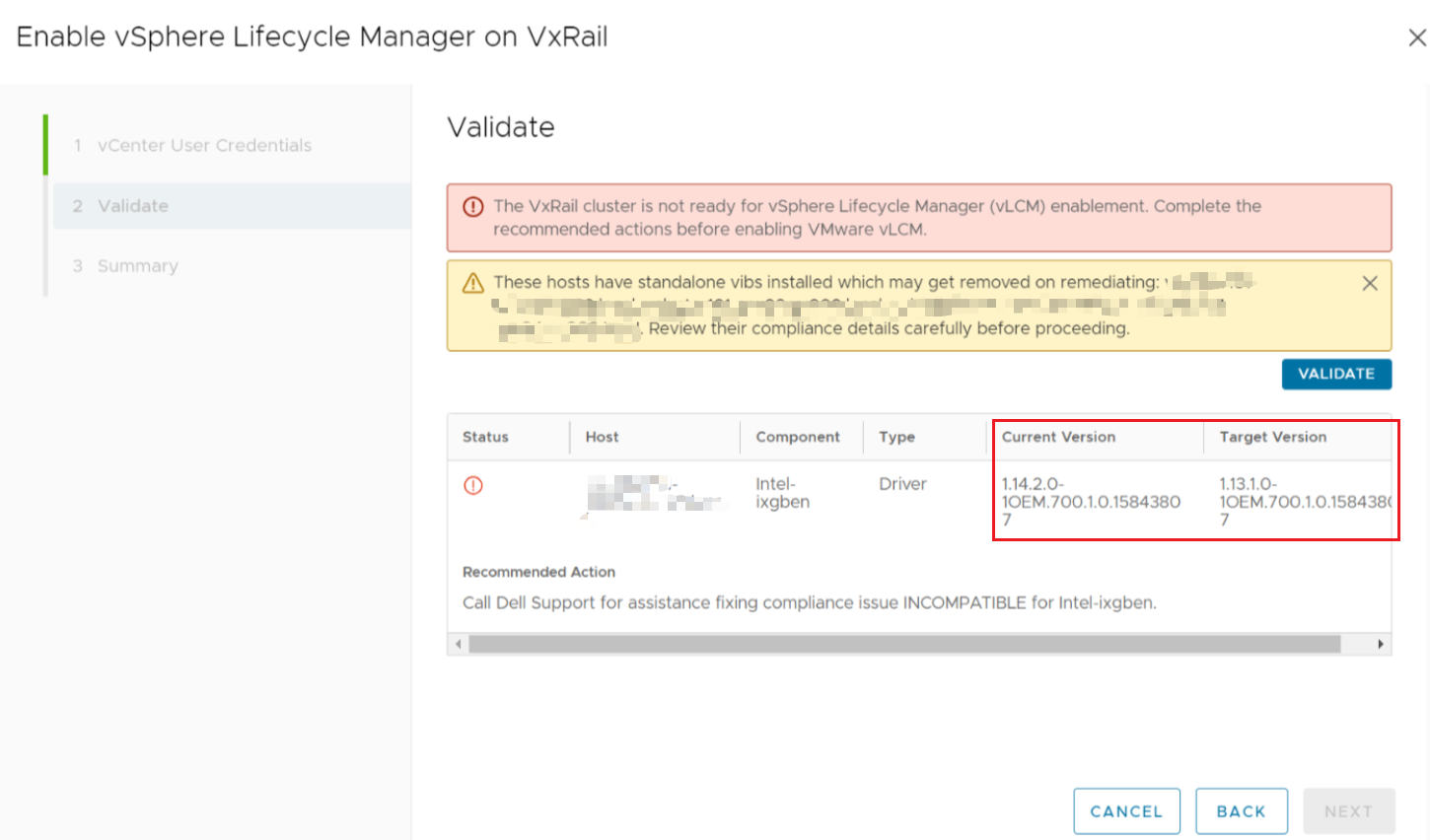 Figure 1. vLCM Not Ready.
In this situation, follow the steps below to downgrade the driver to the cluster-matched version.
- Enable SSH access for each host to go to.
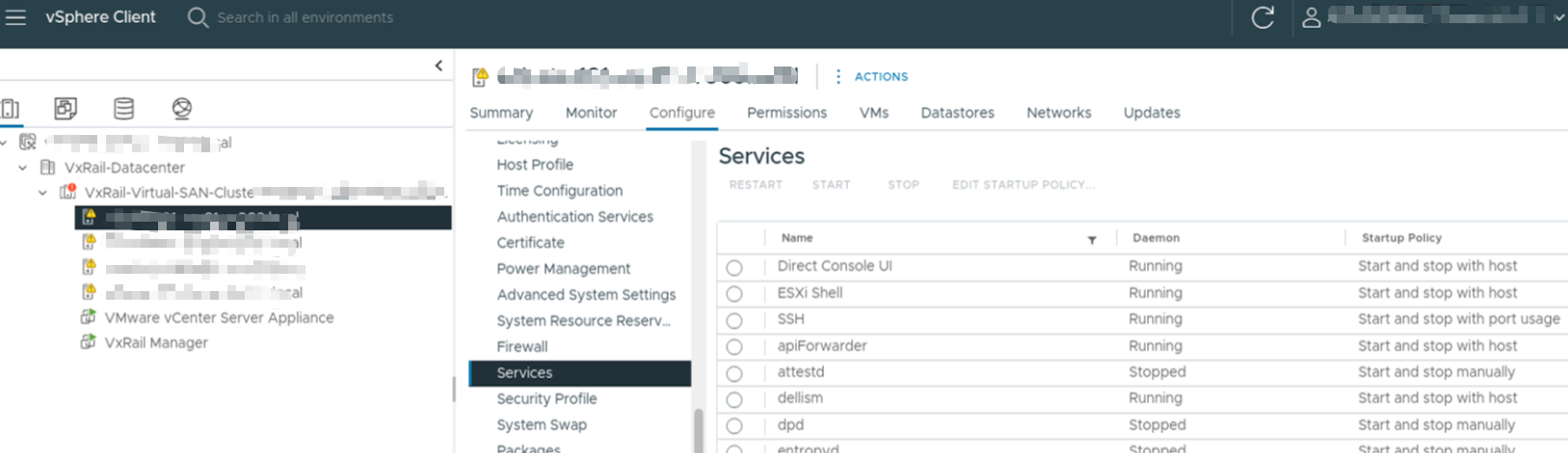
 Figure 2. vSphere Client Services
- Get the driver file from the recovery bundle in folder path
/data/store2/recovery. After extracting the recovery bundle, list the driver file bylscommand.
For example:Intel-ixgben_1.15.1.0-1OEM.800.1.0.20613240_21375148.zip.

 Figure 3. Recovery bundle driver file
- Copy the driver file to host through the
scpcommand. - Remove the current driver by:
esxcli software vib remove -n ixgben
- Reinstall the driver by:
esxcli software vib install -d /Intel-ixgben_1.15.1.0-1OEM.800.1.0.20613240_21375148.zip
- Reboot the host by:
esxcli system shutdown reboot -r 'replace driver'
Example output of steps 4, 5, and 6: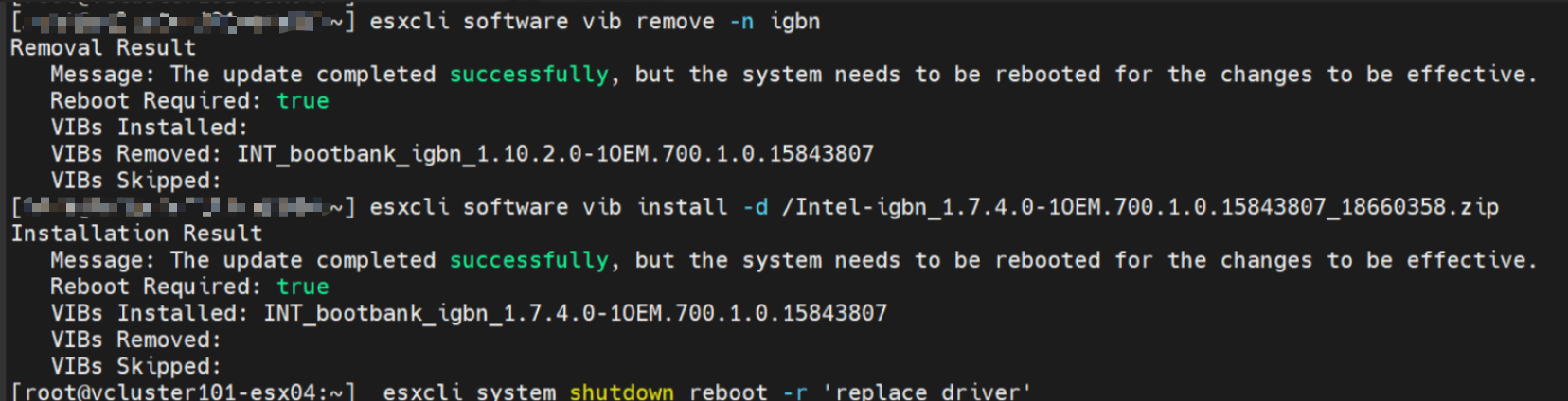
Figure 4. Driver removal and installation
7. If all preceding steps have been configured, restore the SSH access setting that was altered in step 1.
8. Retry vLCM enablement on the vSphere UI.
For assistance troubleshooting the issue, contact Dell Technical Support or your Authorized Service Representative. Quote this knowledge base article ID by using the following option: Contact Technical Support | Dell US
Affected Products
VxRailArticle Properties
Article Number: 000223446
Article Type: Solution
Last Modified: 12 May 2026
Version: 2
Find answers to your questions from other Dell users
Support Services
Check if your device is covered by Support Services.