Brocade B-Series: Unable to Launch Webtools for the switch when an HTTPS CA certificate is installed on the switch.
Summary: Unable to launch Webtools.
This article applies to
This article does not apply to
This article is not tied to any specific product.
Not all product versions are identified in this article.
Symptoms
Launching the Webtools fails with the error "Impossible to launch the Application"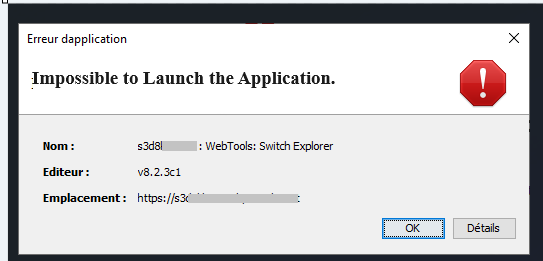
The Webtools Application for the switch fails to launch, though there is a valid CA certificate installed on the switch with a valid expiration date.
seccertmgmt show -all

--------------------------------------------------------------------------------------------------------------------

Protocol   Client CA                 Server CA                 SW                        CSR     PVT Key Passphrase

--------------------------------------------------------------------------------------------------------------------

FCAP       Empty                     NA                        Empty                     Empty   Empty   Empty

RADIUS     Empty                     Empty                     Empty                     Empty   Empty   NA

LDAP       Empty                     Empty                     Empty                     Empty   Empty   NA

SYSLOG     Empty                     Empty                     Empty                     Empty   Empty   NA

HTTPS      NA                        Exist                     Exist                     Exist   Exist   NA
Validity of the certificates can be verified with the below commands:
> seccertmgmt show -ca -server https
> seccertmgmt show -cert https
Cause
Switches running on FOS 9.x and below uses java and the java NLP file to launch Webtools.
Adding certificates to the Java truststore is necessary when launching WebTool using Java. This ensures secure communication between your workstation (the client) and the Brocade switch hosting Web Tools (the server).
Resolution
Resolution:
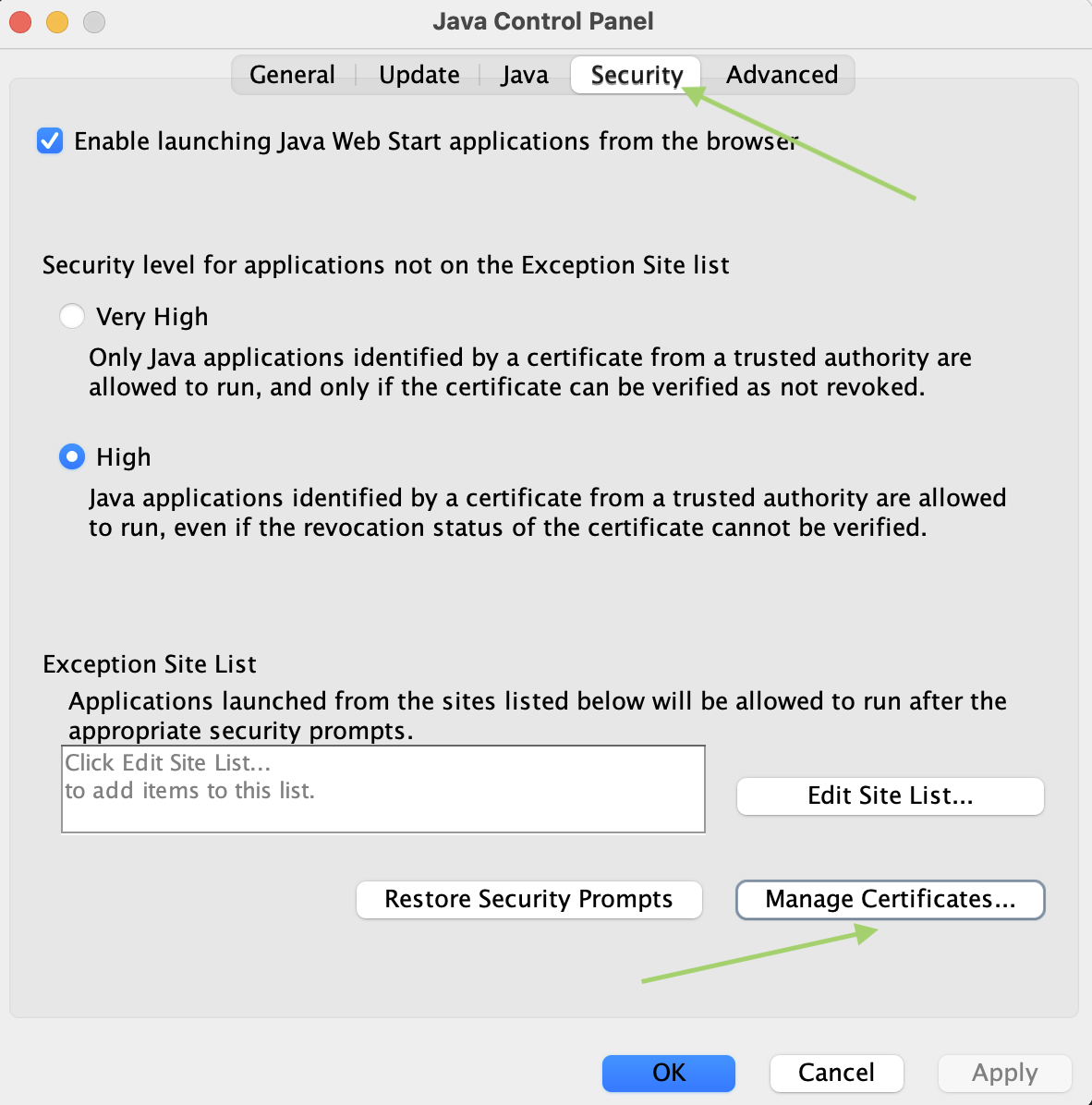
Import the CA and the signed switch certificate into java. This can be done using the java control panel.
Import the CA and the signed switch certificate into java. This can be done using the java control panel.
Affected Products
BrocadeArticle Properties
Article Number: 000225460
Article Type: Solution
Last Modified: 30 May 2025
Version: 2
Find answers to your questions from other Dell users
Support Services
Check if your device is covered by Support Services.