XPS 13 Plus 9320 Problemen met de capacitieve touchfunctierij
Summary: Dit artikel bevat informatie over de problemen met de capacitieve touchfunctierij op de XPS 13 Plus 9320.
This article applies to
This article does not apply to
This article is not tied to any specific product.
Not all product versions are identified in this article.
Symptoms
De rij met capacitieve aanraakfuncties reageert mogelijk niet wanneer de computer onder overmatige hitte wordt gebruikt of nadat u uit de slaapstand bent gehaald. De automatische helderheidsfunctie op de rij met capacitieve aanraakfuncties past zich mogelijk ook niet correct aan de omgeving met achtergrondverlichting aan.
| Donkere omgeving - BIOS 2.14.0 (links) en BIOS 2.16.1 (rechts) |
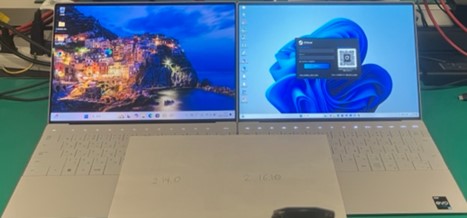 |
| Bright Environment - BIOS 2.14.0 (links) en BIOS 2.16.1 (rechts) |
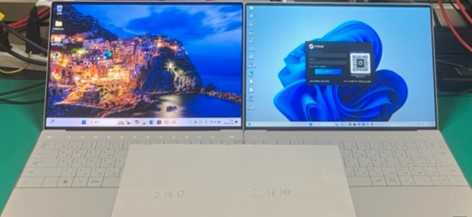 |
Betreffende platform:
- XPS 13 Plus 9320
Betreffende BIOS-versies:
- 2.15.0
- 2.16.1
Cause
Het BIOS en de ingebouwde controller moeten worden aangepast om zelfinitialisatie toe te voegen na het ontwaken uit de slaapstand.
Resolution
Bijwerken naar BIOS-versie 2.17.0 of hoger op de computer lost het probleem op. Raadpleeg Dell BIOS- en UEFI-updates voor het downloaden en installeren van het BIOS.
Affected Products
XPS 13 Plus 9320Article Properties
Article Number: 000248665
Article Type: Solution
Last Modified: 22 May 2026
Version: 5
Find answers to your questions from other Dell users
Support Services
Check if your device is covered by Support Services.