How To Access .AMDX and .ADML Files for Use with Dell Command Update
Summary: This article provides information about how to obtain the .ADMX and .ADML templates for managing Dell Command | Update (DCU) settings using group policy.
This article applies to
This article does not apply to
This article is not tied to any specific product.
Not all product versions are identified in this article.
Instructions
Affected Products:
- Dell Command | Update
How to find .ADMX and .ADML files:
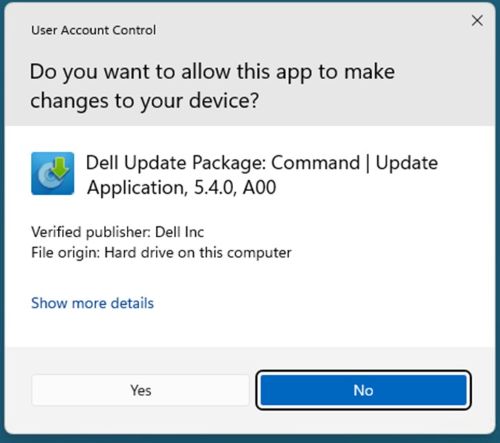
- Run DCU application package with administrator rights
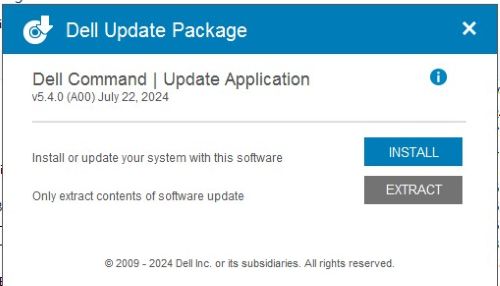
- Click extract
- Choose the destination folder
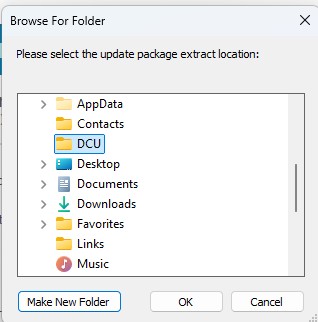 Note: Our example uses the DCU directory.
 - Once finished, click CLOSE
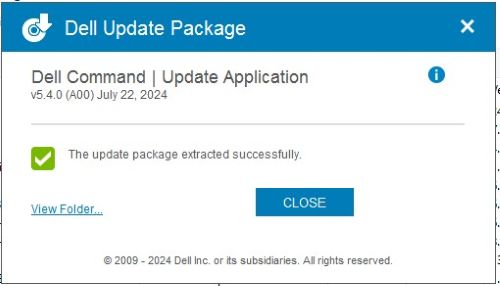
- Go to where the files were extracted location
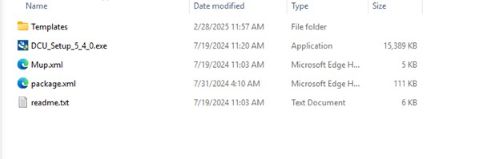
- DCU .ADMX files are found in the
\Templatesdirectory
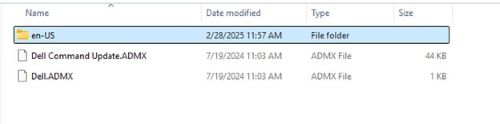
- DCU .ADML files are found in the
\Templates\en-USdirectory

Affected Products
Dell Command | UpdateArticle Properties
Article Number: 000293701
Article Type: How To
Last Modified: 05 Jun 2026
Version: 3
Find answers to your questions from other Dell users
Support Services
Check if your device is covered by Support Services.