NWUI: Error "page can't be found"
Summary:
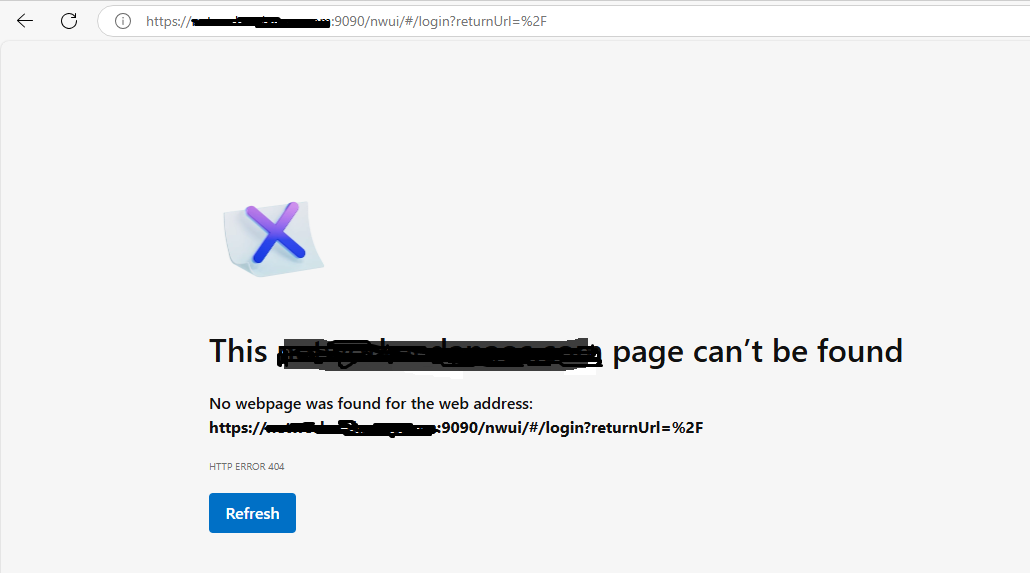
The NetWorker Web User Interface (NWUI) reports an error "This page can't be found."
This article applies to
This article does not apply to
This article is not tied to any specific product.
Not all product versions are identified in this article.
Symptoms
- The following error is observed in a web browser accessing NWUI:
/nsr/authc/logs/nwui.logerror stack:
at java.security.KeyStore.load(KeyStore.java:1449)
        at sun.security.ssl.TrustStoreManager$TrustAnchorManager.loadKeyStore(TrustStoreManager.java:365)
        at sun.security.ssl.TrustStoreManager$TrustAnchorManager.getTrustedCerts(TrustStoreManager.java:313)
        at sun.security.ssl.TrustStoreManager.getTrustedCerts(TrustStoreManager.java:55)
        at sun.security.ssl.TrustManagerFactoryImpl.engineInit(TrustManagerFactoryImpl.java:49)
- The Java
cacertskeystore contains the following NetWorker certificates:
# /opt/nre/java/latest/bin/keytool -list -keystore  /opt/nre/java/latest/lib/security/cacerts -storepass changeit | grep -A1 emc
emcnwuiserv, Mar 6, 2025, trustedCertEntry,
Certificate fingerprint (SHA-256): DB:A2:36:8C:30:93:87:5C:F9:26:5C:F8:31:19:8A:7B:FF:2E:18:BB:24:B0:B4:65:13:2F:CF:18:0D:25:2F:15
--
emcauthctomcat, Feb 26, 2025, trustedCertEntry,
Certificate fingerprint (SHA-256): DB:A2:36:8C:30:93:87:5C:F9:26:5C:F8:31:19:8A:7B:FF:2E:18:BB:24:B0:B4:65:13:2F:CF:18:0D:25:2F:15
--
emcnwuiauthc, Mar 6, 2025, trustedCertEntry,
Certificate fingerprint (SHA-256): DB:A2:36:8C:30:93:87:5C:F9:26:5C:F8:31:19:8A:7B:FF:2E:18:BB:24:B0:B4:65:13:2F:CF:18:0D:25:2F:15
Cause
The emcnwuimonitoring certificate is missing from the Java cacerts keystore. Rerunning the NWUI configuration script nwui_configure.sh does not update the Java cacerts with the emcnwuimonitoring certificate. The Java cacerts keystore may be corrupted.
Resolution
- Reinstall NetWorker Runtime Environment (NRE), NRE can be obtained through: https://www.dell.com/support/product-details/product/networker/drivers
- After uninstalling NRE, rename
/opt/nreprior to the installation. For example,
# rpm -qa | grep nre
# rpm -e nre-8.0.21-1.x86_64
# mv /opt/nre /opt/nre_old
# rpm -ivh nre-linux-8.0.22.rpm
NOTE: Any CA signed certificates that were previously imported into the
cacerts keystore, must be reimported into the new cacerts file. This is typically done for replacing NWUI self-signed certificates with CA signed certificates. If the NWUI server is installed on the NetWorker server, importing a CA certificate into cacerts would also be required if LDAPS is integrated with NetWorker, and when the authc service is using CA signed certificates. These configuration options are configured by the backup administrator. See Additional Info for details.
- Rerun the
/opt/nwui/scripts/nwui_configure.shscript. This inserts theemcnwuimonitoringalias in Javacacerts.
Example:
Specify the directory where the Java Standard Edition Runtime Environment (JRE) software is installed [/opt/nre/java/latest]:

Specify the host name of the NetWorker Authentication Service host [linux1.lab.local]:

Specify the host name of the NetWorker Server to be Managed by NWUI [linux1.lab.local]:

Specify the AUTHC port for Networker Server which is managed by NWUI [9090]:

The NetWorker Web UI Server requires a keystore file to configure encryption and to provide SSL support.
EMC recommends that you specify a password that has a minimum of nine characters,
with at least one upper case letter, one lower case letter, one number and one special character.

Do you want to use the existing keystore /nsr/nwui/monitoring/app/conf/nwui.keystore [y]? n

The installation process will create a new keystore file.

Specify the keystore password:
Confirm the password:

A database already exists in /nsr/nwui/monitoring/nwuidb, do you want to retain this database [y]? n

/nsr/nwui/monitoring/nwuidb already exists, is it okay to remove it [n]? y

The installation completed successfully.
- Launch NWUI. In the browser's address bar, enter -
https://<NWUI-server>:9090/nwui
Additional Information
Article Properties
Article Number: 000294522
Article Type: Solution
Last Modified: 25 Feb 2026
Version: 3
Find answers to your questions from other Dell users
Support Services
Check if your device is covered by Support Services.