NetWorker :Client 64bit OS installation with NMDA 32bit Domino Recovery Failure.
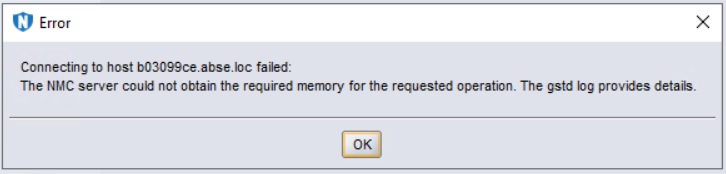
Summary: The NetWorker Management Console (NMC) is not able to run Domino recoveries and/or view the 'Lotus' option when using the Modify Client Wizard.
This article applies to
This article does not apply to
This article is not tied to any specific product.
Not all product versions are identified in this article.
Symptoms
NetWorker Client version: (64bit) 19.11.0.3 Build 80
NMDA Client version: (32bit) 19.11.0.3 Build 80
Client OS : Microsoft Windows Server 2016
The NMDA Domino backups are working fine without issues but, the NMC cannot run recoveries-.
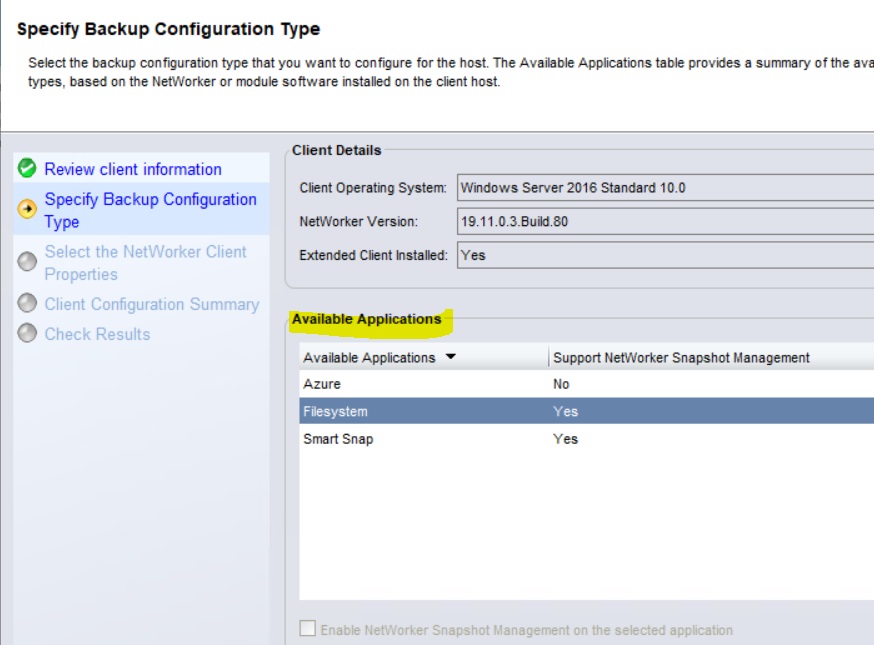
The Modify Client Wizard does not show 'Lotus'-
Cause
NetWorker Client 64bit installation with NMDA 32bit installation for 32bit Domino Lotus Application is missing the 'JAR' files:
The following files were incorrectly copied:
nsrdasv.exe
nsrdaprobe.exe
nsrdocrc.exe
nsrnotesrc.exe
From
"C:\Program Files (x86)\EMC NetWorker\nsr\bin"
To
"C:\Program Files\EMC NetWorker\nsr\bin"Resolution
Copy the following two 'JAR' files-.
nmlra.jar
nmlra_res.jar
From
"C:\Program Files (x86)\EMC NetWorker\nsr\bin"
To
"C:\Program Files\EMC NetWorker\nsr\bin"Restart the NetWorker Services on the Domino Client.
Additional Information
Issue is not relevant for NetWorker Client 64bit installation with NMDA 64bit installation for 32bit Domino Lotus Application.
Article Properties
Article Number: 000303385
Article Type: Solution
Last Modified: 14 Jul 2025
Version: 1
Find answers to your questions from other Dell users
Support Services
Check if your device is covered by Support Services.