Alienware Area-51 BIOS Overclock Settings Do Not Match Intel Extreme Tuning Utility
Summary: Learn about when customized overclock settings in the BIOS of an Alienware Area-51 laptop do not match the values of the Intel Extreme Tuning Utility.
This article applies to
This article does not apply to
This article is not tied to any specific product.
Not all product versions are identified in this article.
Symptoms
From the BIOS, if Overclock is enabled, Customization is selected, and Core Ratio Limit Override/Core Voltage Override is set to an appropriate value, the values differ from those seen in the Advanced Tuning column of the Intel Extreme Tuning Utility.
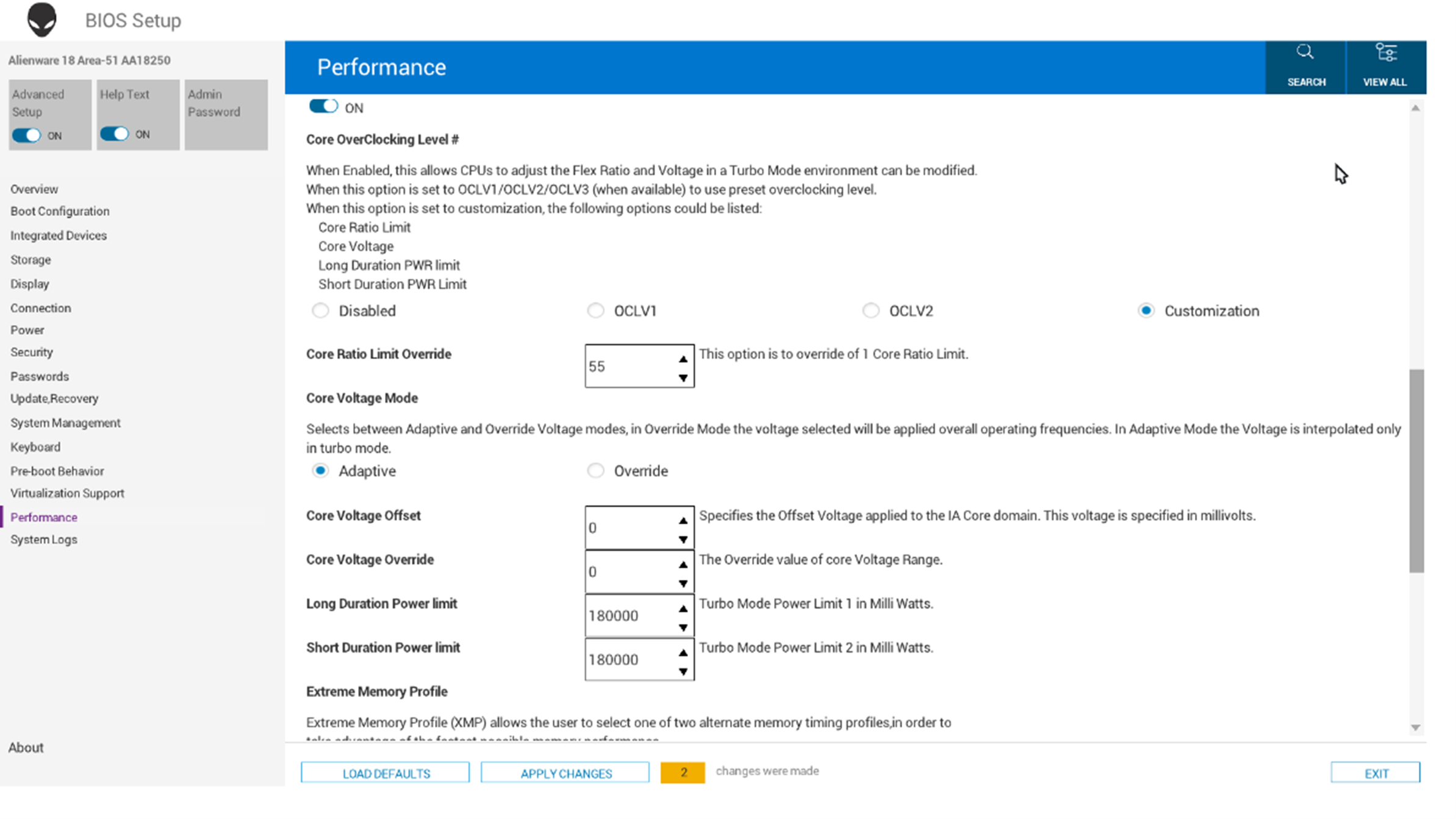
Affected Platforms:
- Alienware 16 Area-51 AA16250
- Alienware 18 Area-51 AA18250
Cause
The OCLV2 settings from the BIOS are used instead of the Customization settings.
Resolution
Note: Before starting the update, perform the following:
- Back up all personal data. For more information, refer to Back Up and Recovery.
- Ensure that power remains connected to the desktop.
Updating the BIOS to version 1.10.1 or later on the computer resolves the issue. To download and install the BIOS, refer to the BIOS Update Guide.
Affected Products
Alienware 16 Area-51 AA16250, Alienware 18 Area-51 AA18250Article Properties
Article Number: 000305938
Article Type: Solution
Last Modified: 22 May 2026
Version: 4
Find answers to your questions from other Dell users
Support Services
Check if your device is covered by Support Services.