PPDM 가상 머신이 부팅되지 않음 경고: dracut-initqueue: 시작 시간 초과 스크립트
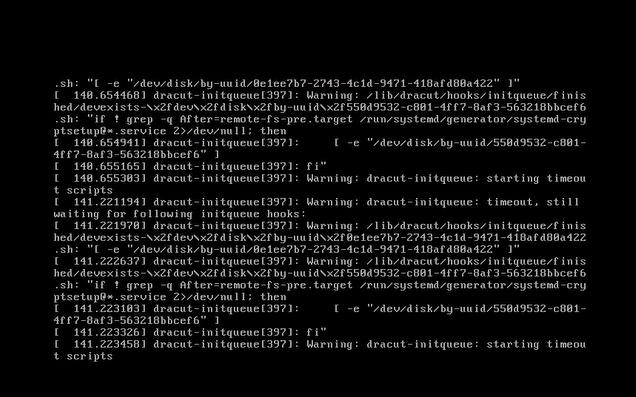
Summary: SCSI(Small Computer System Interface) 컨트롤러를 "LSI Logic Parallel"에서 변경한 후 PPDM(PowerProtect Data Manager)이 "Warning: dracut-initqueue: starting timeout scripts"와 함께 부팅되지 않음
This article applies to
This article does not apply to
This article is not tied to any specific product.
Not all product versions are identified in this article.
Symptoms
PowerProtect Data Manager의 부팅 문제
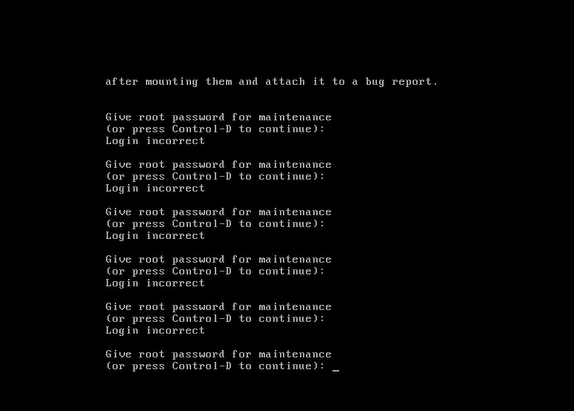
PPDM 가상 머신이 콘솔에 다음 경고 메시지와 함께 부팅되지 않습니다. "Warning: dracut-initqueue: starting timeout scripts"
Cause
문제의 근본 원인
이 문제의 근본 원인은 PPDM SCSI 컨트롤러의 구성과 관련이 있습니다.
- PPDM SCSI 컨트롤러가 "LSI Logic Parallel"이 아닌 다른 컨트롤러로 변경되었습니다.
컨트롤러 구성의 이러한 변경으로 인해 PPDM 부팅 문제가 발생했습니다.
Resolution
PPDM 부팅 문제 해결 방법
PPDM 부팅 문제를 해결하려면 PPDM SCSI 컨트롤러를 "LSI Logic Parallel"로 변경합니다.
이 작업은 vSphere에서 PPDM 가상 머신의 설정을 수정하여 수행할 수 있습니다.
이렇게 변경한 후에는 PPDM 인스턴스가 문제 없이 부팅되어야 합니다.
Affected Products
PowerProtect Data ManagerArticle Properties
Article Number: 000357133
Article Type: Solution
Last Modified: 23 May 2026
Version: 3
Find answers to your questions from other Dell users
Support Services
Check if your device is covered by Support Services.