戴尔自动化平台:NativeEdge Windows 虚拟机卡在开机自检时
Summary: 本文介绍了运行 Windows 的 NativeEdge 虚拟机 (VM) 在关闭后在启动过程中可能出现的问题。有时,由于特定的 Windows 配置设置,虚拟机可能会在 POST 期间停止响应。
This article applies to
This article does not apply to
This article is not tied to any specific product.
Not all product versions are identified in this article.
Symptoms
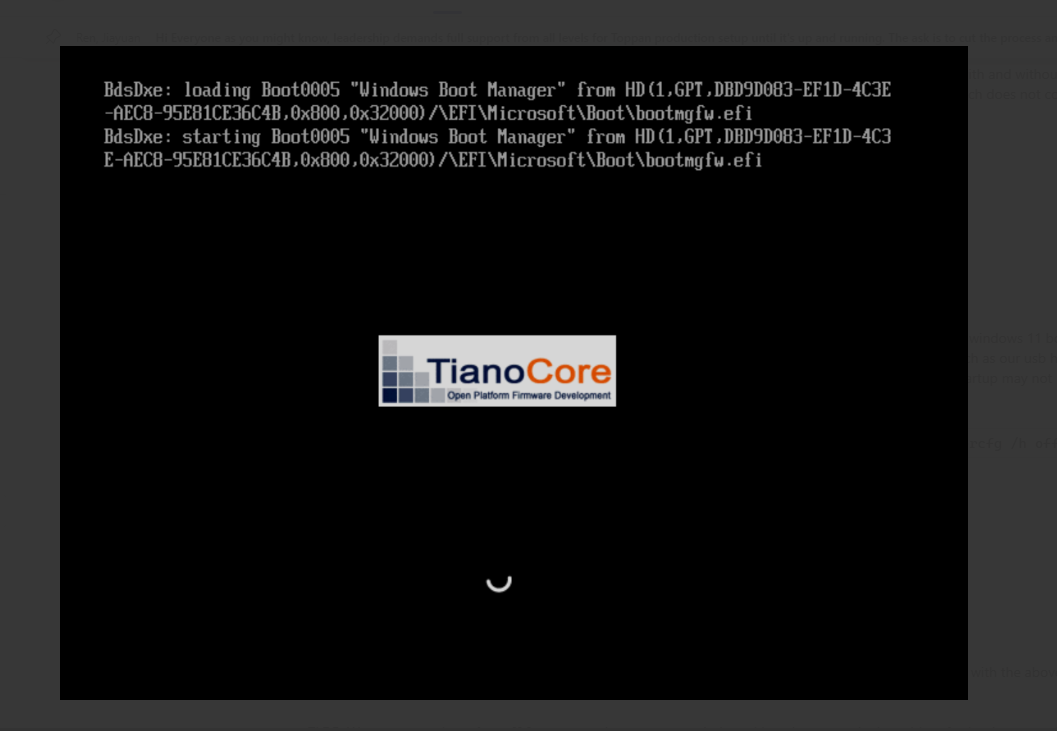
关闭或关闭 NativeEdge 虚拟机后,它可能无法继续过去 POST 并停在 Windows Boot Manager 屏幕上。
Cause
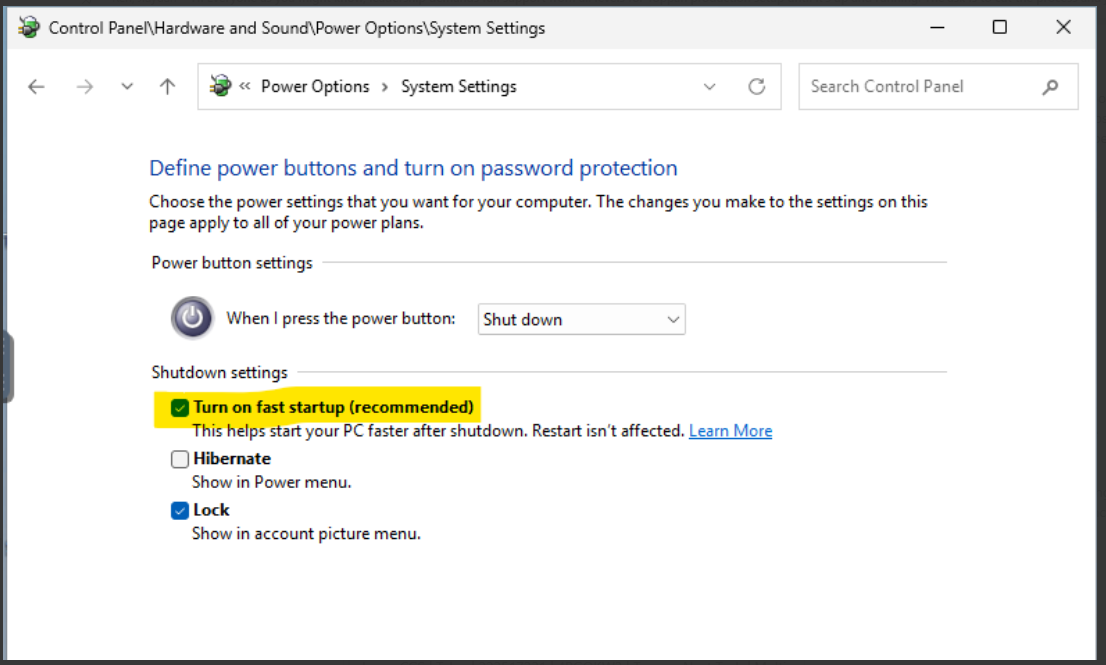
在 Windows 电源选项中启用 快速启动 选项时观察到这种情况。此问题已经发生,但并不限于包含可能无法正确响应 PCI 重置事件的外部 USB 控制器的系统。
Resolution
解决方法
可能需要初始重新启动 NativeEdge 端点以清除虚拟机状态。建议的操作是禁用 启用快速启动 选项。这是通过以下方式完成的:控制面板→硬件和声音→系统设置→电源选项。
Affected Products
Dell Automation Platform, Dell Distributed Private Cloud, Dell Automation Platform Components, NativeEdgeArticle Properties
Article Number: 000433637
Article Type: Solution
Last Modified: 13 Mar 2026
Version: 2
Find answers to your questions from other Dell users
Support Services
Check if your device is covered by Support Services.