How to Deploy Dell Command Update Using Dell Management Portal
Summary: Learn how to publish Dell Command Update to Microsoft Intune with the Dell Management Portal (DMP).
This article applies to
This article does not apply to
This article is not tied to any specific product.
Not all product versions are identified in this article.
Instructions
An IT administrator may publish Dell Command Update to Microsoft Intune by using the Dell Management Portal.
Affected Software:
- Dell Command Update
- Dell Management Portal
- Microsoft Intune
- In a web browser, go to the Dell Management Portal.
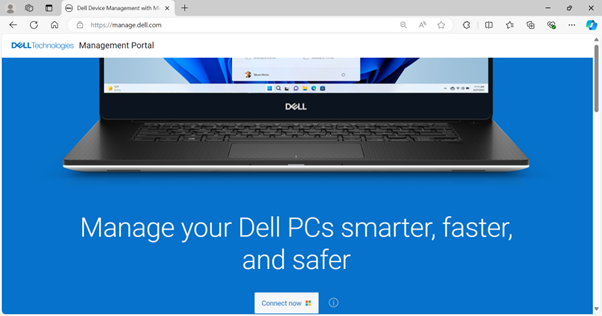
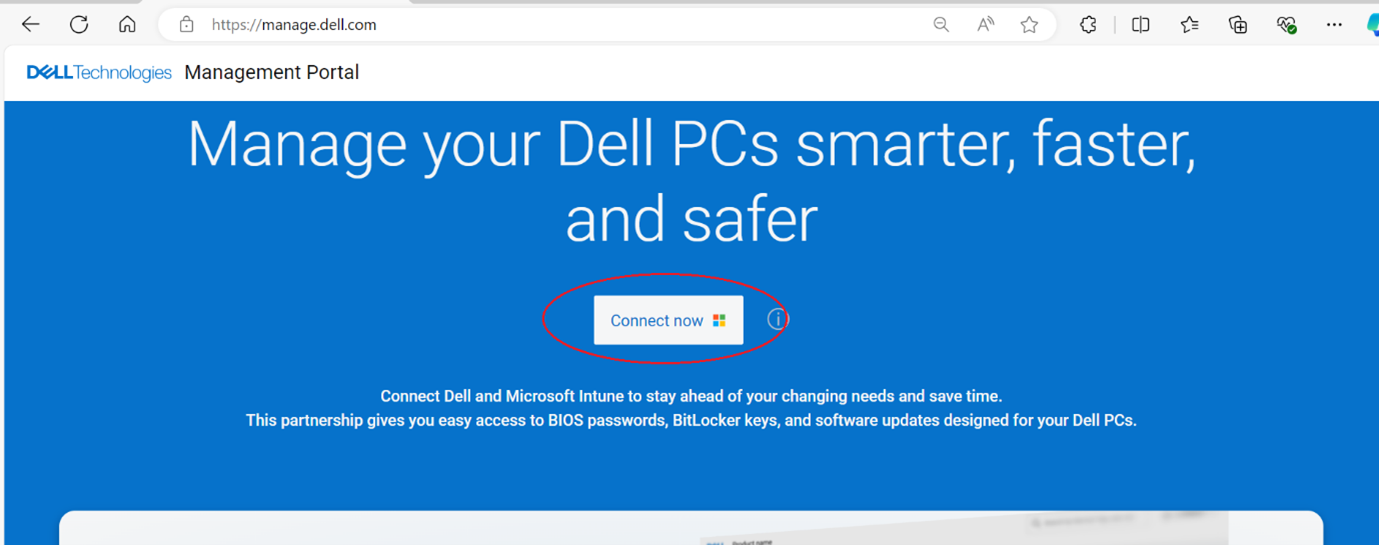
- Click the Connect Now button.
- Sign in with your Microsoft 365 account.
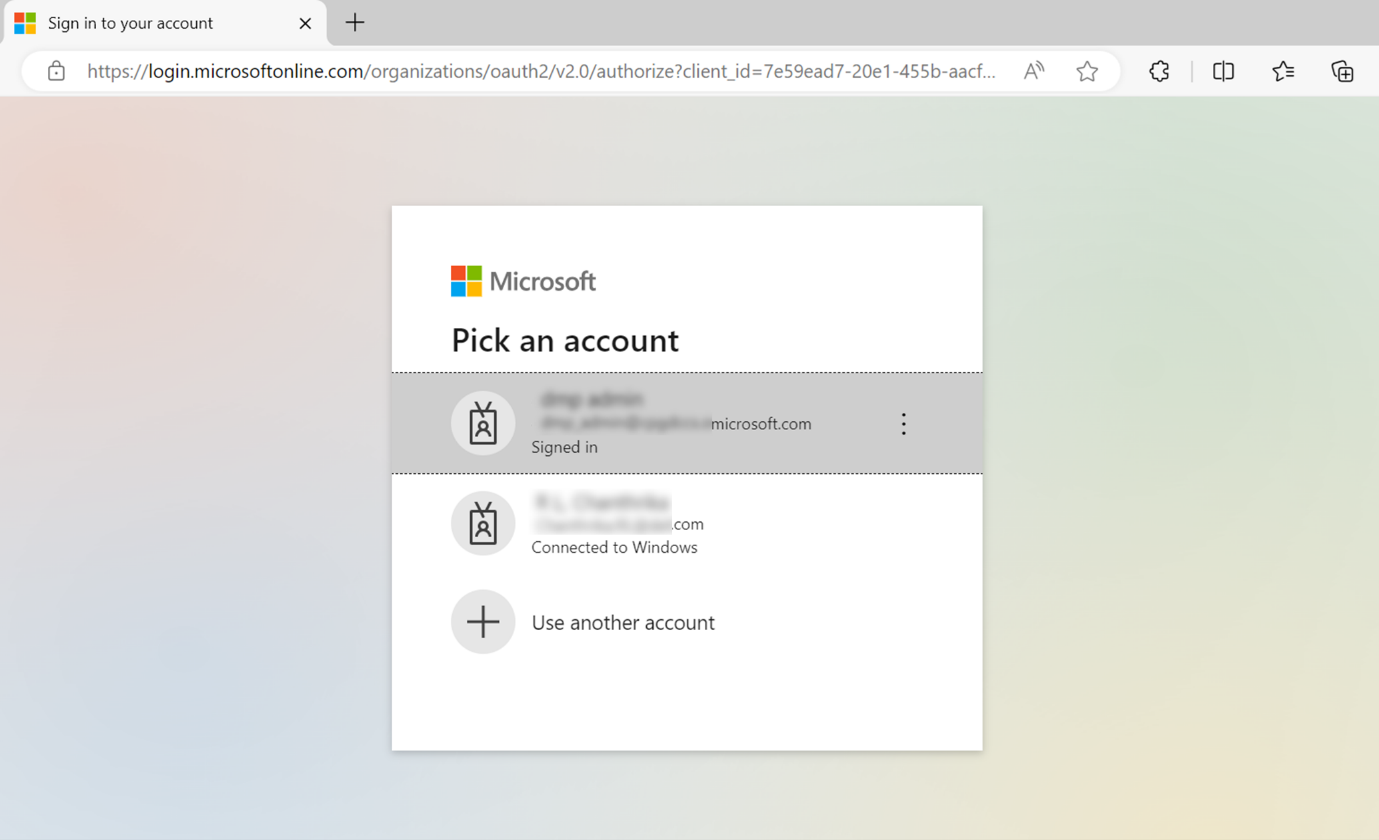
Note:- A valid Microsoft 365 subscription with Intune licensing is required to activate Dell Management Portal. For more information on subscriptions and licensing for Microsoft Intune, refer to Microsoft Intune licensing
.
- If this is your first time using the Dell Management Portal, you are prompted to accept permission for your organization. For more information about permissions and the process to activate Dell Management Portal, refer to How to Connect Dell Management Portal to Microsoft Intune.
- A valid Microsoft 365 subscription with Intune licensing is required to activate Dell Management Portal. For more information on subscriptions and licensing for Microsoft Intune, refer to Microsoft Intune licensing
- The Dashboard page is displayed upon signing in. Click the Apps tab.
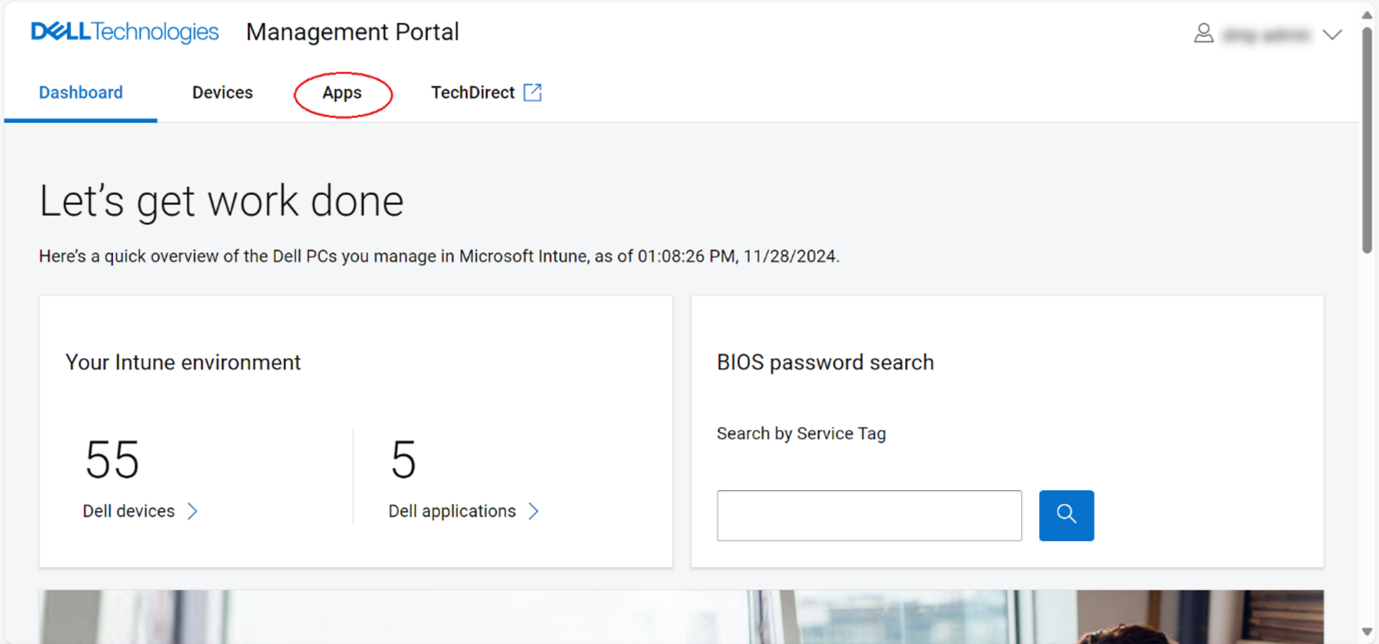
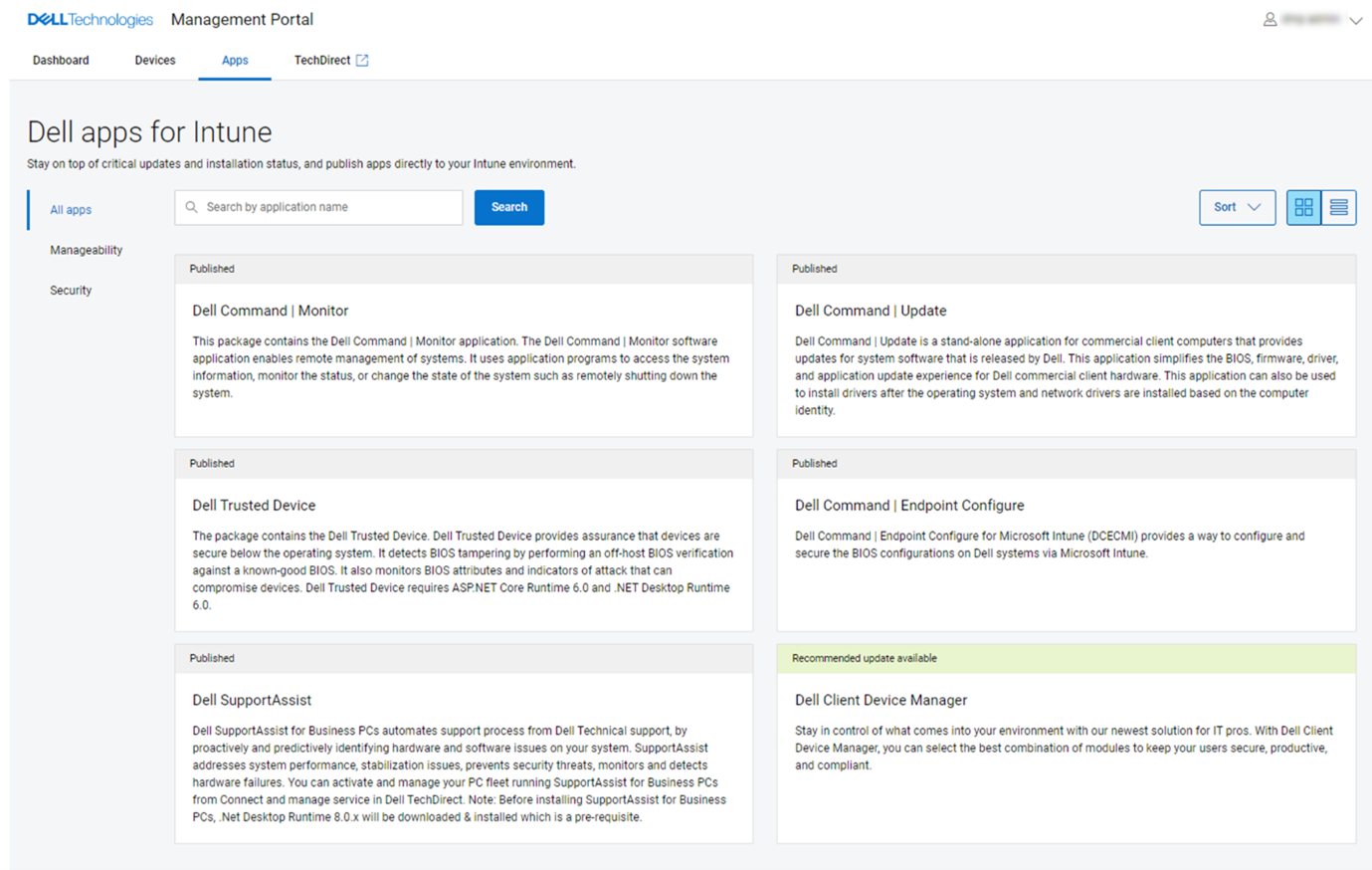
- From the Apps page, click Dell Command | Update from the list of available applications.
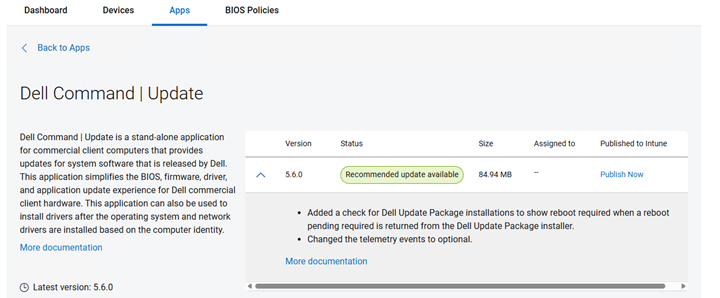
- Click Publish Now.
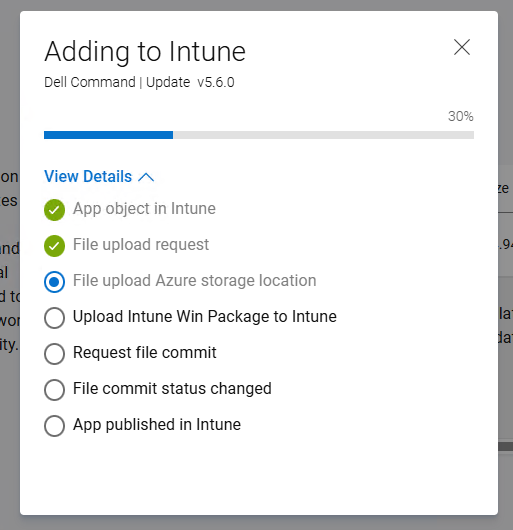
- The Dell Command Update application publishing process is initiated. Optionally, check the progress by clicking View Details.
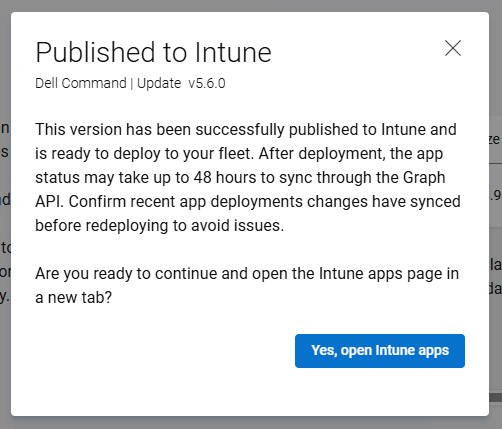
- The summary is displayed once the Dell Command Update application is published successfully to Microsoft Intune. Click Yes, open Intune apps to go to the Intune page and view the published application.
- The details of the published Dell Command Update application in Intune are displayed.
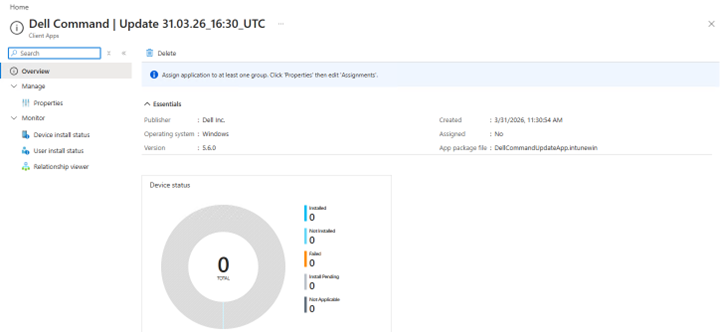
- Click Properties to view more information.
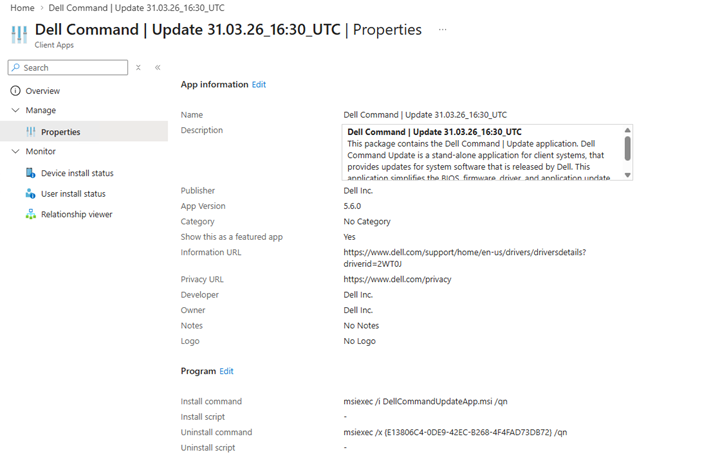
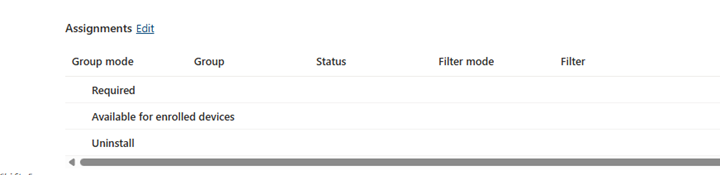
- Click the Edit option in the Assignments section at the bottom of the Properties page to edit device or user assignments.
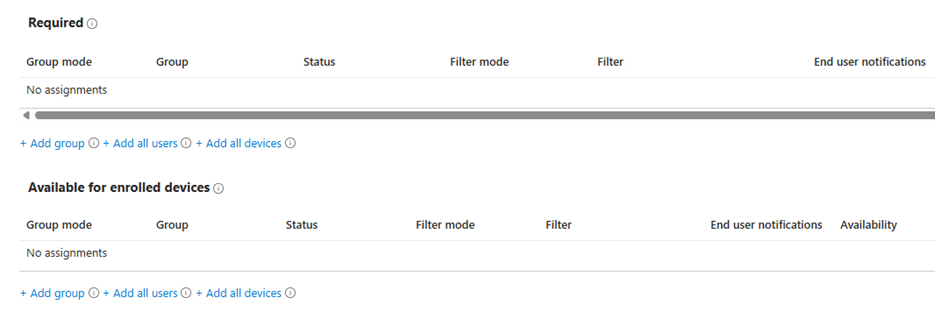
- Click the Add group option to select a device or user group to assign the Dell Command Update application to. The device or user groups available are determined by Required or Available options and by IT administrator requirements.
Note: For more information about assigning apps, refer to Assign Apps to Groups With Microsoft Intune
Affected Products
Dell Command | UpdateArticle Properties
Article Number: 000447089
Article Type: How To
Last Modified: 24 May 2026
Version: 2
Find answers to your questions from other Dell users
Support Services
Check if your device is covered by Support Services.