PowerProtect Data Manager: Failed to apply software license
Summary: In PowerProtect Data Manager (PPDM) versions 20.1.0.14, 20.1.0.17, or 20.1.0.1-10, an error could appear when applying the PPDM software license. This article provides a workaround procedure to apply the software license. ...
This article applies to
This article does not apply to
This article is not tied to any specific product.
Not all product versions are identified in this article.
Symptoms
In PPDM versions 20.1.0.14, 20.1.0.17, or 20.1.0.1-10, the following error may appear when applying the PPDM software license.
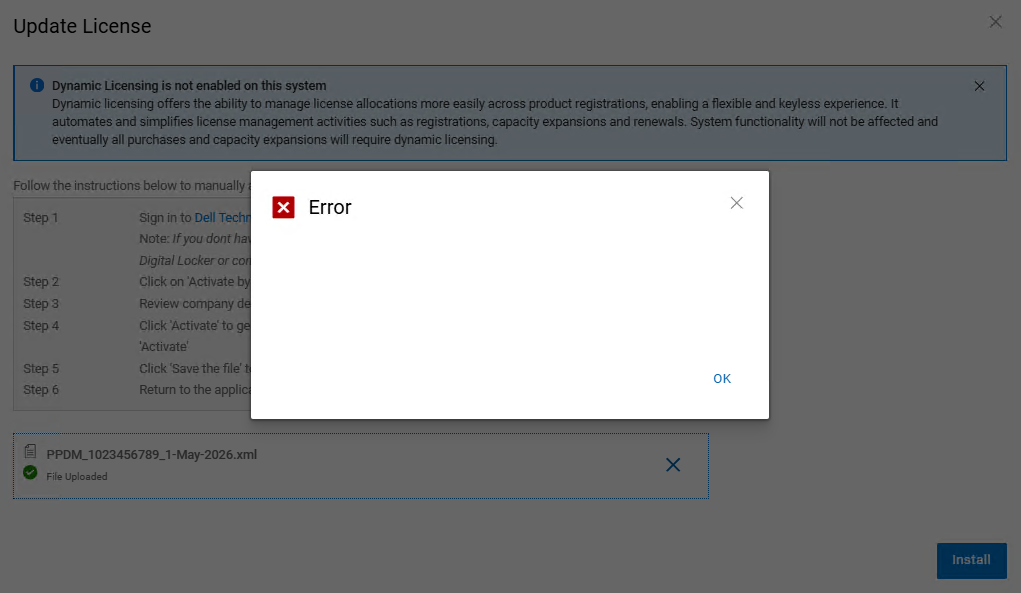
Figure 1. Error when applying for the PPDM license
In the PPDM web server (nginx) access log, an HTTP bad request (Error 400) is reported. The error is similar to the following:
<Client IP> - - [02/May/2026:00:03:02 +1000] "PUT /apply-legacy-license/d9008614-6927-4a40-819f-f9ea86eb9b5d HTTP/1.1" 400 435 "https://<PPDM FQDN>/" "Mozilla/5.0 (Windows NT 10.0; Win64; x64) AppleWebKit/537.36 (KHTML, like Gecko) Chrome/147.0.0.0 Safari/537.36 Edg/147.0.0.0" "-"
Cause
The Dell Engineering team has found the cause of the issue, and the permanent resolution is in the PPDM version 20.2.
Resolution
Engage the Dell PPDM Support team with this Knowledge Base Article (KBA) to apply the license key in the command line.
For Support Engineers to apply the PPDM license in the command line, the PPDM license file must be uploaded into the PPDM server. For example, it can be uploaded to the /tmp directory with WinSCP:
admin@ppdm:/> ls -la /tmp/PPDM_1023456789_1-May-2026.xml
-rw------- 1 admin admin 4005 May  1 21:52 /tmp/PPDM_1023456789_1-May-2026.xml
admin@ppdm:/>
Article Properties
Article Number: 000459526
Article Type: Solution
Last Modified: 22 May 2026
Version: 3
Find answers to your questions from other Dell users
Support Services
Check if your device is covered by Support Services.