Avamar Exchange failing with error: avexvss: Object reference not set to an instance of an object
Resumen: Avamar Exchange backup failing with error: avexvss Error <0000>: Object reference not set to an instance of an object.
Síntomas
Avamar Exchange DAG backup failure lists the following errors:
avexvss Error <0000>: Object reference not set to an instance of an object.
avexvss Error <0000>:    at ps_calls.is_db_mounted_by_guid(String msg_parms)
avexvss Error <13247>: Failed to execute PowerShell command: Get-MailboxDatabase XXXXXXX-XXXXXXX-XXXXXXXXX-XXXXXXX
Causa
Since Avamar version 7, a new validation has been introduced to check the Exchange "AvamarBackupUser" account group membership with Active Directory before the backup/restore starts.
This backup failure seems to be caused due to a problem with that validation check in certain environments (possibly slow AD).
Credentials in the dataset are not proper.
Resolución
Credentials should be removed In the dataset options. This should be done when service accounts are running as the "AvamarBackupUser" service account or customer service account and not running as the "Local System" account.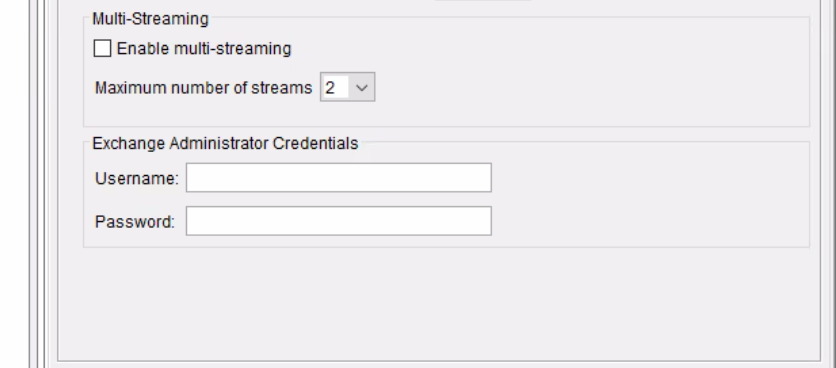
If running as the "Local System" account, then double-check the account and password defined in the dataset.
The validation check can be skipped with the avexvss.cmd flag "disable-membership-check" set to "true."
If the backup account has been correctly configured using the "Avamar Exchange Backup User Configuration Tool," the backup or restore should start with no further issues.
To apply the flag, follow this procedure:
- Browse to the "Avamar DAG" shared var folder.
- Edit the file avexvss.cmd with notepad.
- Add the following flag.
--disable-membership-check=true
- Save and close the file.
- Browse to the local var folder on each Exchange node, and create the file avexvss.cmd if it does not already exist, and add the same flag.
- Run the backup again.
If the issue persists, open a service request with Support and quote this KB number: 528519