什么是个人电脑 Game Pass 以及如何获得支持
Resumen: 本文介绍戴尔设备上个人计算机、Game Pass 和 Xbox 应用程序的支持范围。
Este artículo se aplica a:
Este artículo no se aplica a:
Este artículo no está vinculado a ningún producto específico.
En este artículo no se identifican todas las versiones de los productos.
Instrucciones
什么是 PC 版 Game Pass?
PC 版 Game Pass 专为 PC 玩家设计。玩高质量的 PC 游戏,包括第一天的新游戏,并获得 EA Play 会员资格、Riot Games 福利、折扣和优惠等。自 2025 年 6 月 1 日起,每台戴尔设备均提供 3 个月的 PC 版 Game Pass。*
*PC 版 Game Pass:除非取消订阅,否则将按常规月度价格自动继续订阅。受 制于 xbox.com/subscriptionterms 
PC 版 Game Pass 促销优惠:
戴尔客户可以在 Windows 11 开箱即用体验 (OOBE) 期间或通过 Microsoft Store 申领 3 个月的 PC 版 Game Pass 订阅。
如何通过 Microsoft Store 申领 3 个月的 PC 版 Game Pass 订阅:
- 选择任务栏上的 Microsoft Store 图标,或者在任务栏上的 搜索框中 键入“Microsoft Store”,然后从结果中选择它。
- 使用您的 Microsoft Store 帐户 (MSA)(如果尚未登录)登录到 Microsoft Store。
- 单击左下角的“库”按钮。
- 选择“包含在设备中”选项卡。
- 点击“PC Game Pass |3 个月订阅。
- 输入有效的支付工具,然后单击“订阅”。
- 您可以随时取消。只需转到 account.microsoft.com
如何在 Windows 全新体验 (OOBE) 期间申领 3 个月的 PC 版 Game Pass 订阅:
您的 3 个月 PC 版 Game Pass 订阅将在 Windows 全新体验 (OOBE) 期间自动显示。要申领 3 个月的 PC 版 Game Pass,您必须在 OOBE 期间登录您的 Microsoft 帐户。
- 单击“Claim”开始该流程。
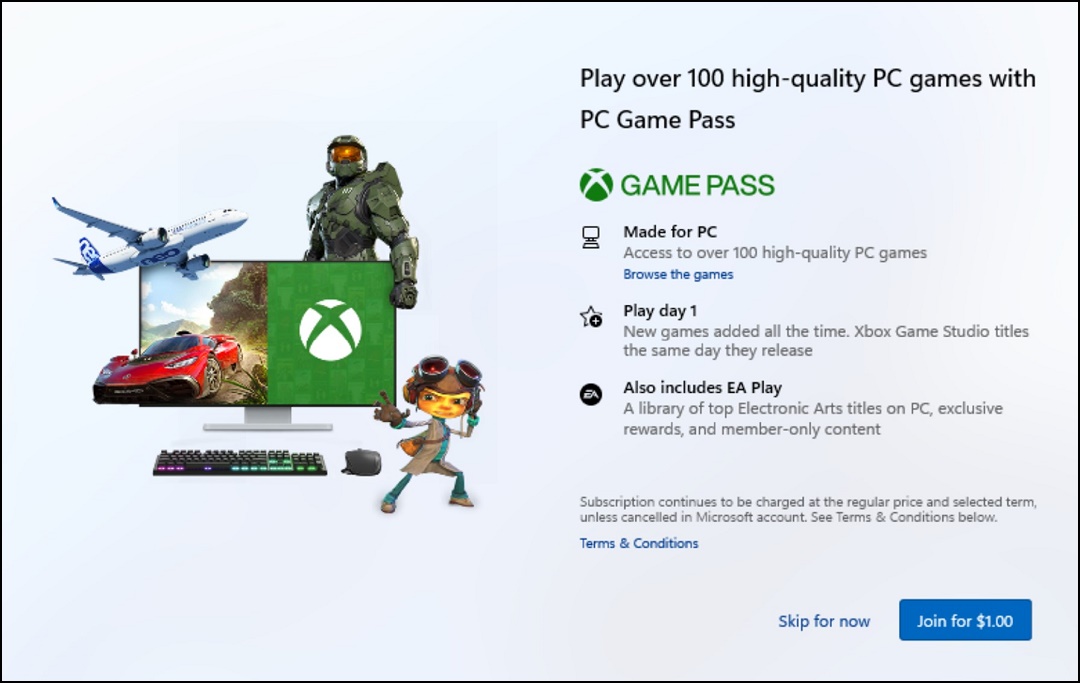
- 输入付款方式,然后单击“下一步”。

- 确认付款方式,然后单击“立即购买”。

访问 PC 版 Game Pass 游戏:
单击“开始”,然后单击“Xbox”图标。单击“Game Pass”以通过 Game Pass 发现和下载新游戏。
如果尚未安装 Xbox 应用程序,您可以从 Microsoft Store
Productos afectados
Alienware, Dell All-in-One, Dell Pro All-in-One, Dell Pro Max Micro, Dell Pro Max Slim, Dell Pro Max Tower, Dell Pro Micro, Dell Pro Slim, Dell Pro Tower, Dell Slim, Dell Tower, Inspiron, OptiPlex, Vostro, XPS, G Series, G Series, Alienware
, Dell Laptops, Dell Plus, Dell Pro, Dell Pro Max, Dell Pro Plus, Dell Pro Premium, Inspiron, Latitude, Dell Pro Rugged, Vostro, XPS, Fixed Workstations, Mobile Workstations, Dell Pro Max Micro XE FCM2250, Dell Pro Max Slim XE FCS1250, Dell Pro Max Tower T2 XE FCT2250, Dell Pro Max 16 XE MC16250, Dell Pro Micro Plus XE QBM1250, Dell Pro Slim Plus XE5 QBS1250, Dell Pro Tower Plus XE5 QBT1250
...
Propiedades del artículo
Número de artículo: 000207179
Tipo de artículo: How To
Última modificación: 16 jul 2025
Versión: 9
Encuentra las respuestas que necesitas con la ayuda de otros usuarios de Dell
Servicios de asistencia
Comprueba si tu dispositivo está cubierto por los servicios de asistencia.