VxRail: Add Disk wizard fails at 30% Adding disks to create new disk group failed on host <ST>
Résumé:
Using the VxRail plug-in to add a new disk group (DG) on the node, reports the following error: Adding disks to create a new disk group failed on host at the 30% of progress.
Cet article concerne
Cet article ne concerne pas
Cet article n’est associé à aucun produit spécifique.
Toutes les versions du produit ne sont pas identifiées dans cet article.
Symptômes
Using the VxRail plug-in to add a new disk group on a node, reports the following error at the 30% of progress.
Adding disks to create new disk group failed on host <HOSTNAME>
There are no details about the error and the three disks are correctly reported in the iDRAC. We can see the disks in the VxRail physical view as well.
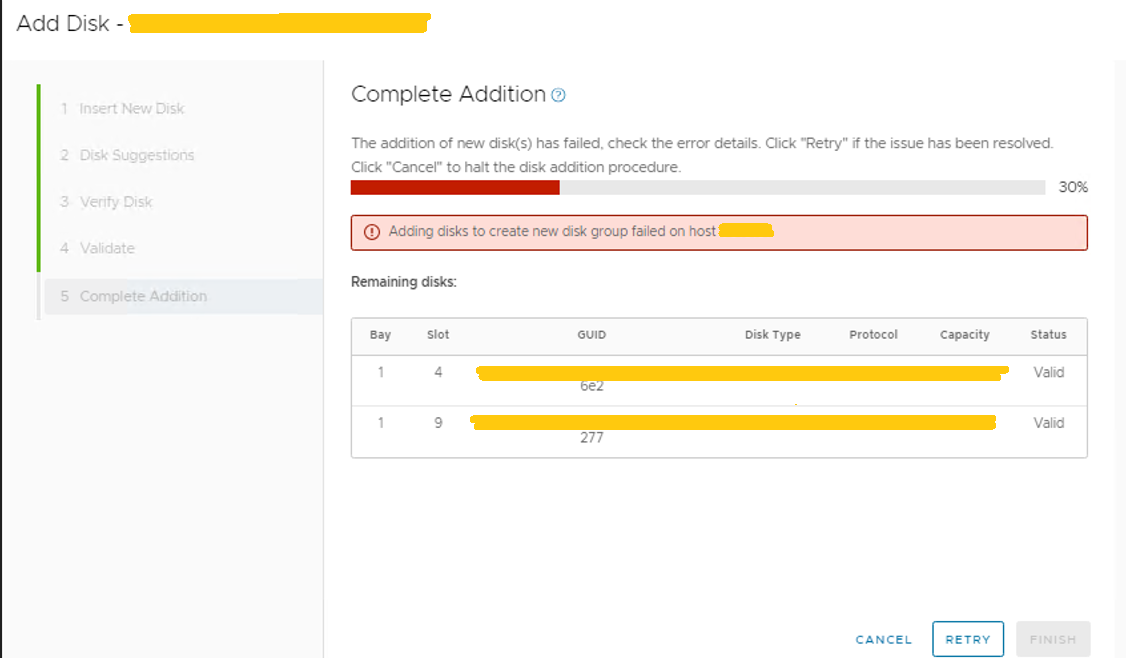
The DG was partially created and may be listed in disk management as unhealthy and the health status of all the disks are: Unknown
Removing the DG from disk management is not possible, but this option works to copy the VSAN DISK GROUP UUID.

Remove the DG with the ESXCLI command:
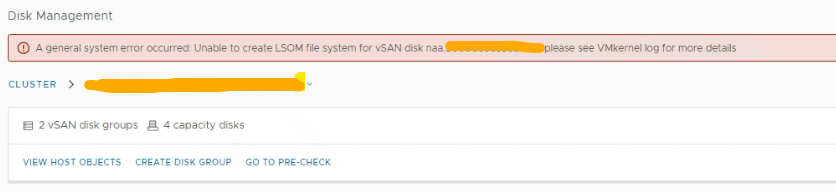
esxcli vsan storage remove -u <VSAN DISK GROUP UUID>Recreation fails again, and reports this error:
A general system error ocurred: Unable to create LSOM file system for the vSAN disk naa.... please see VMkernel.log for more details.
Cause
This is a lack of available memory on the ESXi host.
Check that the time synchronization is correct between nodes and vCenter.
Confirm that the issue was due to a lack of memory resources in the node.
vmkernel.log: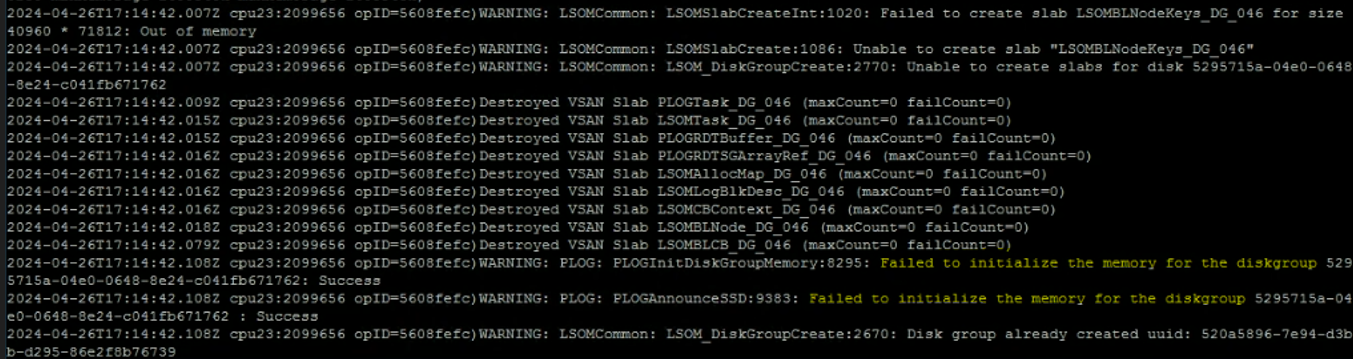
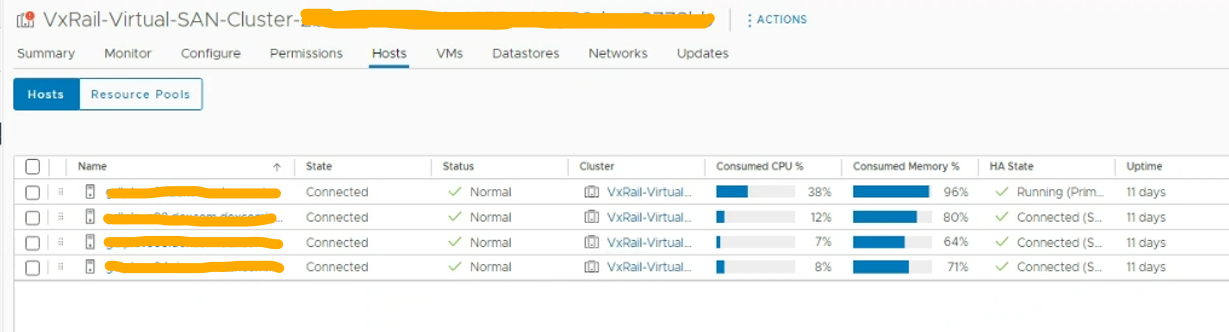
The below shows the ESXi host has consumed over 96% of memory.
Check that the time synchronization is correct between nodes and vCenter.
Confirm that the issue was due to a lack of memory resources in the node.
vmkernel.log:
Failed to initialize the memory for the diskgroup.
The below shows the ESXi host has consumed over 96% of memory.
Résolution
To work around this issue, migrate virtual machines or power off virtual machines to free up memory on the node.
Remove the unhealthy new DG with:
Remove the unhealthy new DG with:
esxcli vsan storage remove -u <VSAN DISK GROUP UUID>
Try again to add disks with the VxRail plug-in.
Produits concernés
VMware VSANPropriétés de l’article
Numéro d’article: 000224541
Type d’article: Solution
Dernière modification: 22 avr. 2025
Version: 2
Trouvez des réponses à vos questions auprès d’autres utilisateurs Dell
Services de support
Vérifiez si votre appareil est couvert par les services de support.