How to Package and Upload Microsoft Visual C++ Redistributable x64 for use in Microsoft Intune
Summary: This article provides information about packaging and uploading Microsoft Visual C++ Redistributable x64 for use in Microsoft Intune as a prerequisite for Dell Software solutions.
Ez a cikk a következő(k)re vonatkozik:
Ez a cikk nem vonatkozik a következő(k)re:
Ez a cikk nem kapcsolódik egyetlen konkrét termékhez sem.
Ez a cikk nem azonosítja az összes termékverziót.
Instructions
Affected Products:
- Dell Pro AI Studio
Package Microsoft Visual C++ Redistributable x64 with Microsoft Win32 Content Prep Tool and upload Microsoft Visual C++ Redistributable x64 for use in Microsoft Intune as a prerequisite for Dell software solutions by following these steps:
Prerequisites
- Download the Microsoft Win32 Content Prep Tool
from Microsoft's GitHub and extract it to a temporary folder (for example:
C:\Temp) - Download Microsoft Visual C++ Redistributable x64 and place it in a temporary folder (for example,
C:\Temp\App). - In the temporary folder, create a folder called Output (for example,
C:\Temp\Output).
Using Microsoft Win32 Content Prep Tool to create an .intunewin file:
- Right-click the Windows start menu and select Terminal.
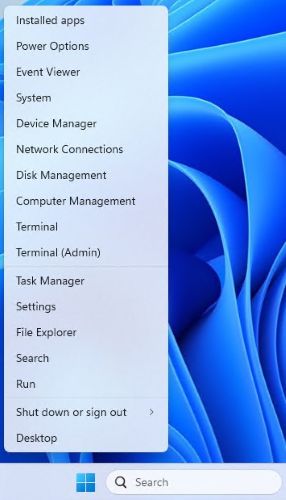
- Change the directory in the Terminal to where you extracted your files into (for example, Type
cd C:\Temp\and press Enter.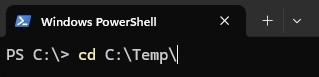
- Type
.\IntuneWinAppUtil.exe -c C:\Temp\App\ -s C:\Temp\App\VC_redist.x64.exe -o C:\Temp\Output\and press Enter
Uploading VC_redist.x64.intunewin to Microsoft Intune:
- Open a browser and go to https://intune.microsoft.com/
- Click Apps

- Click All Apps

- Click Create

- In the Select App type pane, under App Type pick Windows app (Win32) and then click Select.
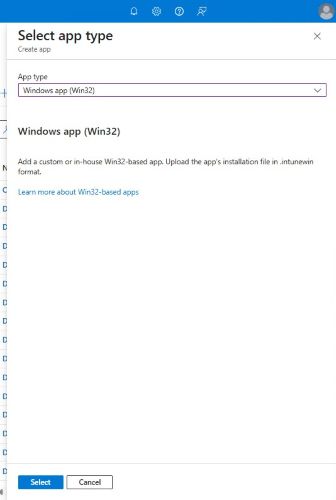
- Click Select app package file and locate the
VC_redist.x64.intunewincreated in Step 3. Then click OK.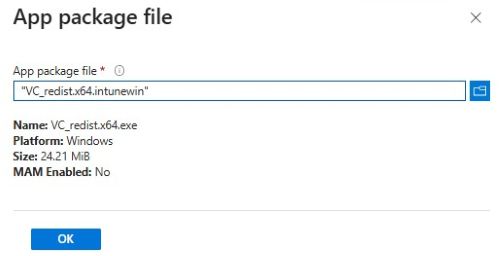
- On the App information page enter Name, Description, Publisher, and any other additional details. Then click Next.

- On the program page input the information listed below and then, click Next.
- Install Command:
VC_redist.x64.exe /install /quiet /norestart - Uninstall Command:
VC_redist.x64.exe /uninstall /quiet /norestart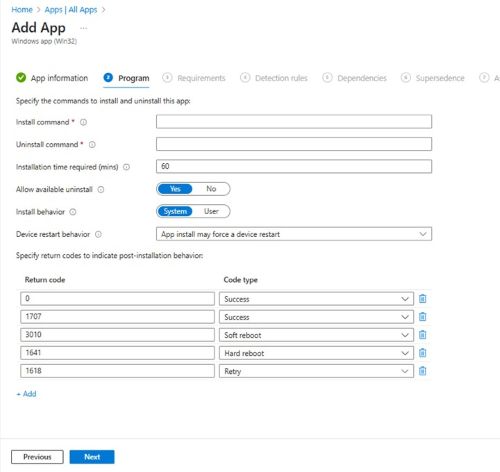
- Install Command:
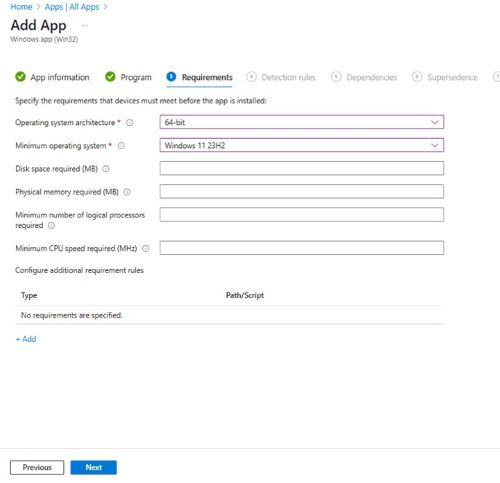
- On the Requirements screen set any needed requirements for Operating systems architecture and Minimum operating system, then click Next.
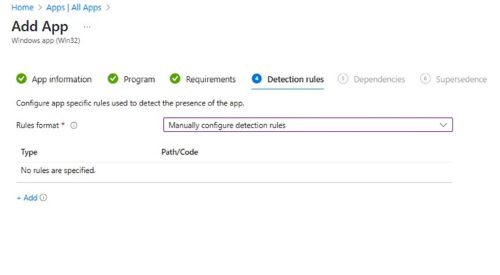
- On Detection Rules, select Manually Configure Detection Rules and then click Add
- On the Detection Rule pane, input the information below and, click OK.
- Rule Type: MSI
- MSI product code:
{2E15F519-4FDA-4834-B4EE-7EFCE7D8D4EE}Note: Verify the product code that you are using as they may be updated in newer versions.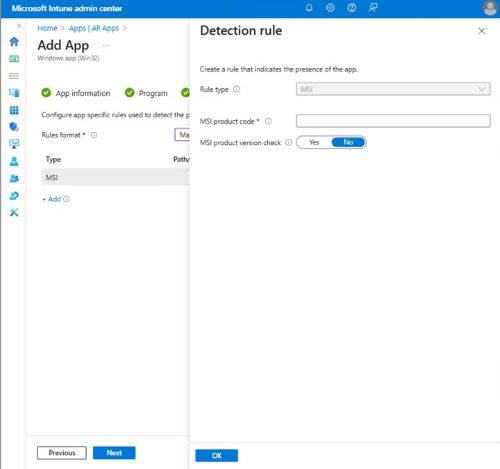
- Back on the Detection rules page, click Next.

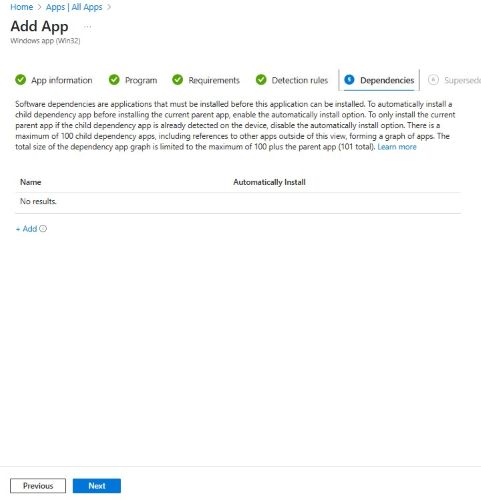
- On Dependencies click Next.
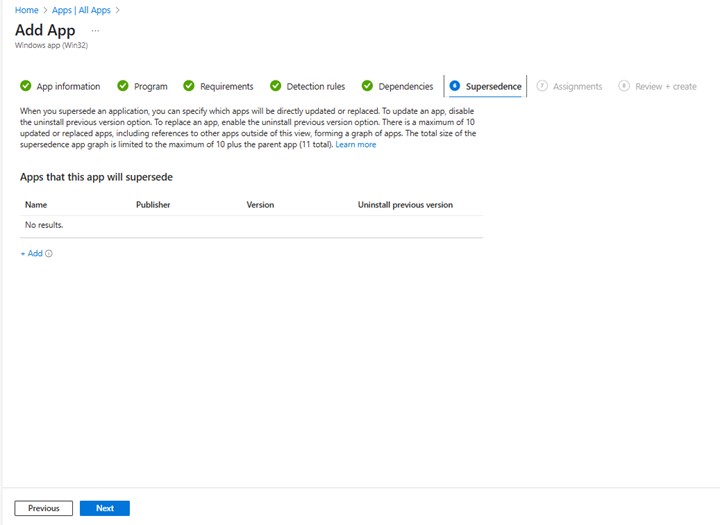
- On Supersedence click Next.
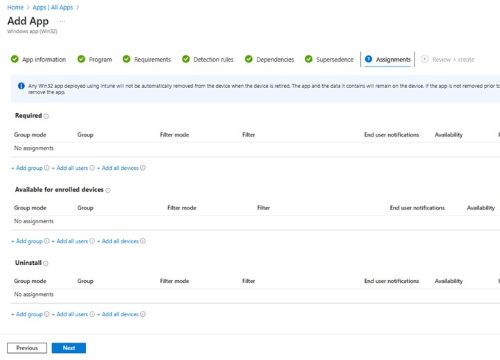
- On Assignments select any needed configurations for your environment and click Next.
- On Review + create confirm your configuration and click Create.

Érintett termékek
Dell Pro AI StudioTermékek
Dell Client Device Manager, Dell Trusted DeviceTermék tulajdonságai
Article Number: 000322809
Article Type: How To
Utoljára módosítva: 22 máj. 2025
Version: 1
Választ kaphat kérdéseire más Dell-felhasználóktól
Támogatási szolgáltatások
Ellenőrizze, hogy a készüléke rendelkezik-e támogatási szolgáltatással.