NVP: Impossibile installare il plug-in vCenter in un ambiente multihomed
Riepilogo: In un ambiente multi-homed, l'installazione del plug-in vProxy Flash o html-5 non riesce a causa delle restrizioni di rete tra le diverse VLAN con cui sono configurati il server NetWorker e vCenter. ...
Questo articolo si applica a
Questo articolo non si applica a
Questo articolo non è legato a un prodotto specifico.
Non tutte le versioni del prodotto sono identificate in questo articolo.
Sintomi
Ambiente:
- Il server NetWorker è configurato con più schede di rete (almeno due).
- Il vCenter Server è inoltre configurato con almeno due schede di rete.
- Per installare il plug-in, viene utilizzato un host esterno, che dispone anche di diverse schede di rete (come il server NW).
- vCenter può raggiungere il server NetWorker solo su una delle schede di rete.
- In questo caso si parla di ambiente "multihome".
Problema:
- Il plug-in NetWorker vSphere viene installato da NetWorker Management Console (NMC) o NetWorker Web User Interface (NWUI).
- In entrambi gli scenari, l'installazione del plug-in viene completata correttamente; Tuttavia, il server vCenter
vsphere_client_virgo.logcontiene i seguenti messaggi:
Error downloading https://xx.xx.10.22:9090/nw-plugin-package.zip. Make sure that the URL is reachable then logout/login to force another download
Error downloading https://xx.xx.10.22:9090/vcui.zip
Causa
vCenter non è in grado di raggiungere il server NetWorker sull'indirizzo IP segnalato. Comunica con NetWorker utilizzando un indirizzo IP diverso.
Per installare il plug-in, vCenter deve scaricarlo da un URL fornito da NetWorker stesso: https://NETWORKER_SERVER_IP:9090/nwrestapi/v3/global/vmware/vcenters/VCENTER_NAME/plugins
Tuttavia, in un ambiente multi-home, l'IP dipende dall'host richiedente.
Il server NetWorker localhost_access_log.DATE.txt mostra quale IP ha richiesto l'installazione del plug-in:
- Linux:
/nsr/authc/logs/localhost_access_log.DATE.txt - Windows (impostazione predefinita):
C:\Program Files\EMC NetWorker\nsr\authc-server\tomcat\logs\localhost_access_log.DATE.txt
xx.xx.10.117 - - [05/Mar/2020:15:06:10 +0100] "POST /vcui/api/system/registerPlugin HTTP/1.1" 200 119
xx.xx.10.117 - - [05/Mar/2020:15:38:39 +0100] "POST /nwrestapi/v3/global/vmware/vcenters/VCENTER_NAME/plugins HTTP/1.1" 200 108
Negli esempi mostrati in questo articolo, vediamo che ha usato IP xx.xx.10.117 come fonte nella richiesta POST per installare il plug-in. Il vCenter Server ha tentato di scaricare il plug-in dall'IP xx.xx.10.22 Invece.
In questo esempio, vCenter Server non è in grado di comunicare con il server NetWorker utilizzando xx.xx.10.22 Indirizzo.
Risoluzione
- Verificare l'indirizzo IP sul server NetWorker con cui il vCenter può comunicare.
- Aprire una shell root sul vCenter Server.
- Avviare l'installazione del plug-in NetWorker da vSphere utilizzando la riga di comando dell'API REST:
curl -kvi \
  -H 'Content-Type: application/json' \
  --user 'Administrator:PASSWORD' \
  -d '{"pluginType":"VC",
       "httpsPort":"443",
       "nwUserId":"administrator",
       "nwPassword":"PASSWORD"}' \
  'https://IP_ADDRESS:9090/nwrestapi/v3/global/vmware/vcenters/VCENTER_NAME/plugins'
Sostituire:
PASSWORDcon la password dell'account amministratore NetWorker.IP_ADDRESScon l'indirizzo IP del server NetWorker con cui vCenter può comunicare.VCENTER_NAMEcon il nome del vCenter così come è registrato in NetWorker.
Esempio:
root@vcsa [ ~ ]# curl -kvi \
>   -H 'Content-Type: application/json' \
>   --user 'Administrator:!Password1' \
>   -d '{"pluginType":"VC",
>        "httpsPort":"443",
>        "nwUserId":"administrator",
>        "nwPassword":"!Password1"}' \
>   'https://192.168.9.150:9090/nwrestapi/v3/global/vmware/vcenters/vcsa.amer.lan/plugins'
...
...
* Server auth using Basic with user 'Administrator'
> POST /nwrestapi/v3/global/vmware/vcenters/vcsa.amer.lan/plugins HTTP/1.1
> Host: 192.168.9.150:9090
...
* upload completely sent off: 114 bytes
< HTTP/1.1 200
HTTP/1.1 200
...
{
  "resultCode" : "Success",
  "data" : "Registration Success",
  "debug" : "",
  "responseString" : null
* Connection #0 to host 192.168.9.150 left intact
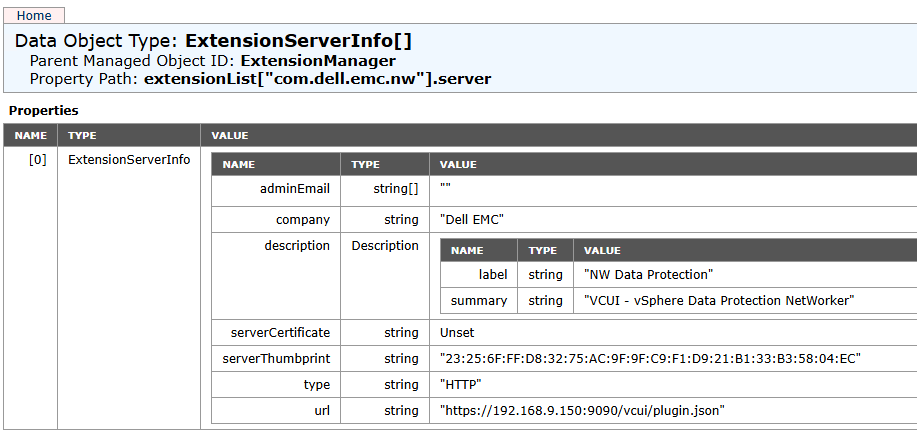
Il plug-in NetWorker è elencato in Extension Manager di vCenter Server: https://VCENTER_ADDRESS/mob/?moid=ExtensionManager&doPath=extensionList%5b%22com.dell.emc.nw%22%5d.server
NOTA: Il plug-in viene registrato con un indirizzo IP del server NetWorker con cui vCenter può comunicare. Le credenziali vCenter sono richieste quando si accede all'URL MOB (Managed Object Browser).
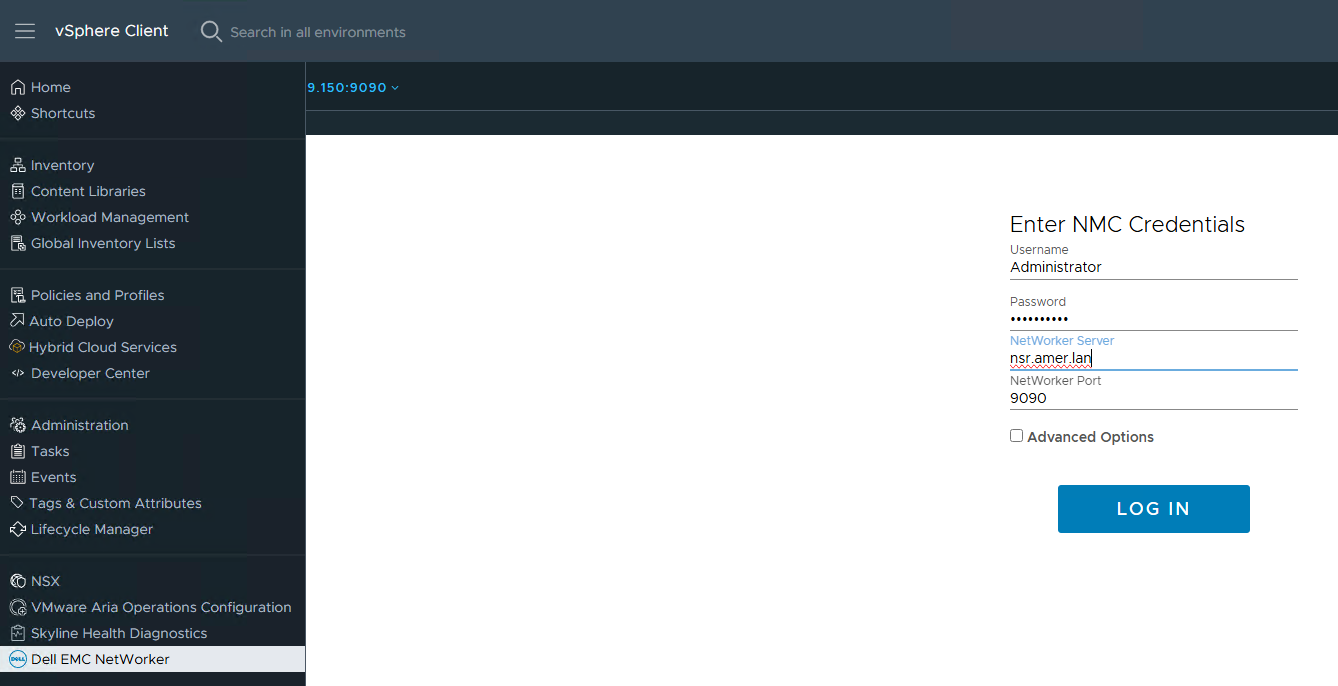
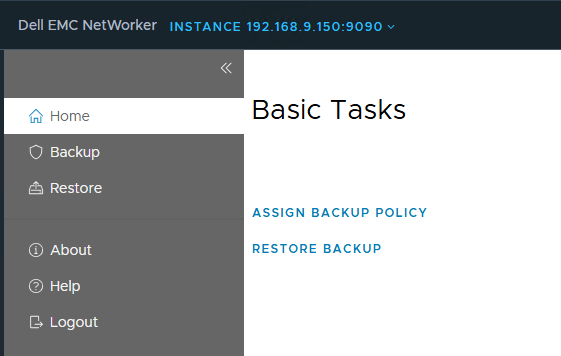
Il plug-in è accessibile da vSphere Client:
Informazioni aggiuntive
NVP-vProxy: Impossibile installare il plug-in vCenter dopo la sostituzione del certificato NetWorker
Prodotti interessati
NetWorkerProdotti
NetWorkerProprietà dell'articolo
Numero articolo: 000071227
Tipo di articolo: Solution
Ultima modifica: 09 gen 2026
Versione: 4
Trova risposta alle tue domande dagli altri utenti Dell
Support Services
Verifica che il dispositivo sia coperto dai Servizi di supporto.