How to Commit Policies for Dell Data Security Servers
Riepilogo: Learn about how to commit policies for Dell Data Security and Dell Data Protection servers by following these instructions.
Questo articolo si applica a
Questo articolo non si applica a
Questo articolo non è legato a un prodotto specifico.
Non tutte le versioni del prodotto sono identificate in questo articolo.
Istruzioni
Learn the steps to commit policies in the Dell Security Management Server (formerly Dell Data Protection Enterprise Edition Server or Dell Data Protection Virtual Edition.)
Affected Products:
- Dell Security Management Server
- Dell Security Management Server Virtual
- Dell Data Protection Enterprise Edition Server
- Dell Data Protection Virtual Edition Server
Affected Versions:
- v8.0 and Later
Policies must be saved and then committed in the Dell Security Management Server for any changes to take effect on a managed endpoint.
The policy settings of Dell Security Management Server vary between product versions v9.2.0 and Later or v8.0.0 to 9.1.X. Click the appropriate version for specific steps. For versioning information, reference How to Identify the Dell Data Security Server Version.
v9.2.0 and Later
- Sign in to the Dell Data Security administration console.
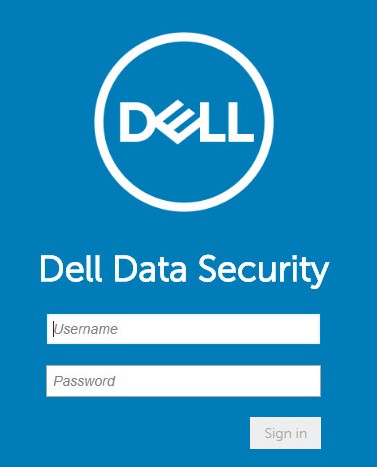 Note: For more information, reference How to Access the Dell Data Security Server Administration Console.
 - From the left menu pane, click Management and then select Commit.
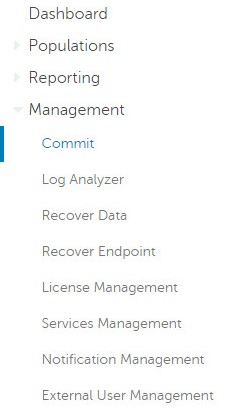
- Populate a comment detailing saved policy changes to be committed.
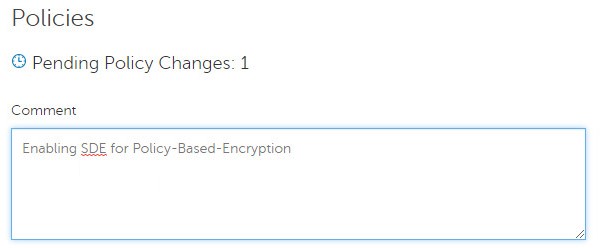
- Click Commit Policies.

v8.0.0 to 9.1.X
- Submit credentials to sign in to the Dell Data Protection administration console.
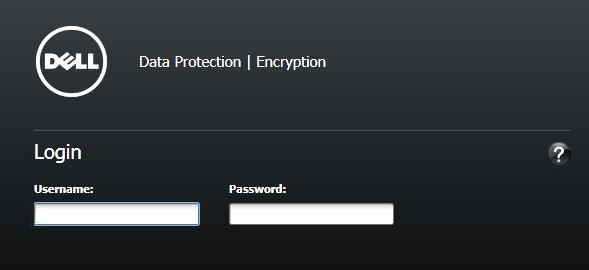 Note: For more information, reference How to Access the Dell Data Security Server Administration Console.
 - From the left pane, click Commit Policies.

- Populate a comment detailing saved policy changes and then click Apply Changes.
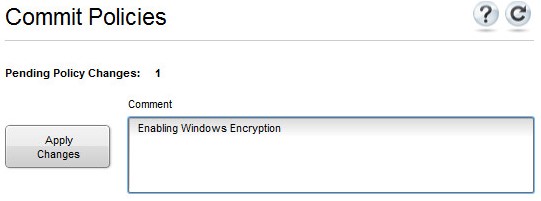 Note: A Pending Policy Change number is assigned based on the number of policies, endpoints, and domains affected.
Prodotti interessati
Dell EncryptionProprietà dell'articolo
Numero articolo: 000123779
Tipo di articolo: How To
Ultima modifica: 21 ago 2026
Versione: 16
Trova risposta alle tue domande dagli altri utenti Dell
Support Services
Verifica che il dispositivo sia coperto dai Servizi di supporto.