Dell Data Security Server/Dell Data Protection Serverのポリシーをコミットする方法
Riepilogo: 次の手順に従って、Dell Data SecurityおよびDell Data Protectionサーバーのポリシーをコミットする方法について説明します。
Questo articolo si applica a
Questo articolo non si applica a
Questo articolo non è legato a un prodotto specifico.
Non tutte le versioni del prodotto sono identificate in questo articolo.
Istruzioni
この記事では、Dell Security Management Server(旧Dell Data Protection | Enterprise Edition Server/Dell Data Protection | Virtual Edition)でポリシーをコミットする手順について説明します。
対象製品:
- Dell Security Management Server
- Dell Security Management Server Virtual
- Dell Data Protection Enterprise Edition Server
- Dell Data Protection Enterprise Edition Server
影響を受けるバージョン:
- v8.0以降
管理対象エンドポイントで変更を有効にするには、ポリシーをDell Security Management Serverに保存してからコミットする必要があります。
Dell Security Management Serverのポリシー設定は、製品バージョンv9.2.0以降、またはv8.0.0から9.1.Xで異なります。特定の手順については、該当するバージョンをクリックしてください。バージョン情報については、「Dell Data Security Serverのバージョンを確認する方法」を参照してください。
v9.2.0以降
- Dell Data Security管理コンソールにサイン インします。
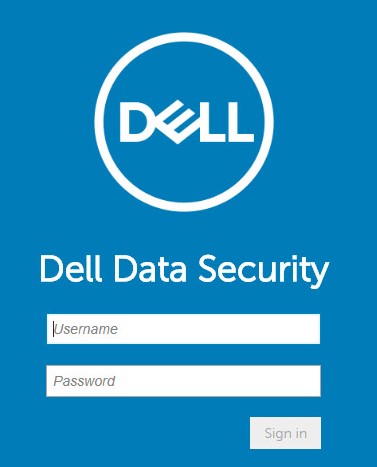 詳細については、「Dell Data Security/Dell Data Protection Server管理コンソールにアクセスする方法」を参照してください。
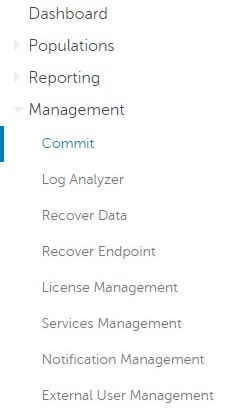
 - 左側のメニュー ペインで[Management]をクリックしてから[Commit]を選択します。
- コミットする保存済みポリシーの変更を詳述したコメントを入力します。
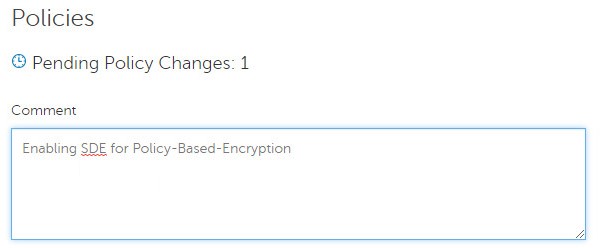
- ポリシーのコミット をクリックします。

v8.0.0~9.1.X
- 認証情報を送信して、Dell Data Protection管理コンソールにサインインします。
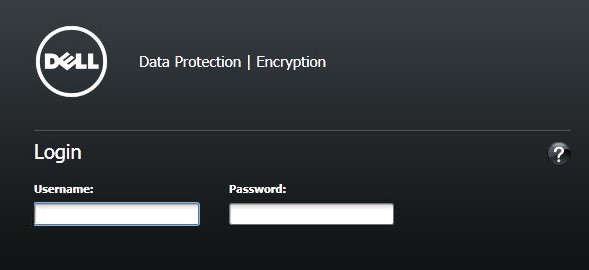 詳細については、「Dell Data Security/Dell Data Protection Server管理コンソールにアクセスする方法」を参照してください。
 - 左ペインで、[Commit Policies]をクリックします。

- 保存されたポリシー変更の詳細を示すコメントを入力してから[Apply Changes]をクリックします。
![[Comment]および[Apply Changes]](https://supportkb.dell.com/img/ka0Do0000005zeWIAQ/ka0Do0000005zeWIAQ_ja_7.jpeg) 保留中のポリシー変更番号は、影響を受けるポリシー、エンドポイント、およびドメインの数に基づいて割り当てられます。
保留中のポリシー変更番号は、影響を受けるポリシー、エンドポイント、およびドメインの数に基づいて割り当てられます。
Informazioni aggiuntive
Video
Prodotti interessati
Dell EncryptionProdotti
Dell Data SecurityProprietà dell'articolo
Numero articolo: 000123779
Tipo di articolo: How To
Ultima modifica: 21 ago 2026
Versione: 16
Trova risposta alle tue domande dagli altri utenti Dell
Support Services
Verifica che il dispositivo sia coperto dai Servizi di supporto.