Dell Security Management Server Advanced Threat Tab Is Empty
Riepilogo: The Advanced Threats tab in the Dell Security Management Server remote console is showing no data.
Questo articolo si applica a
Questo articolo non si applica a
Questo articolo non è legato a un prodotto specifico.
Non tutte le versioni del prodotto sono identificate in questo articolo.
Sintomi
Affected Products:
- Dell Security Management Server
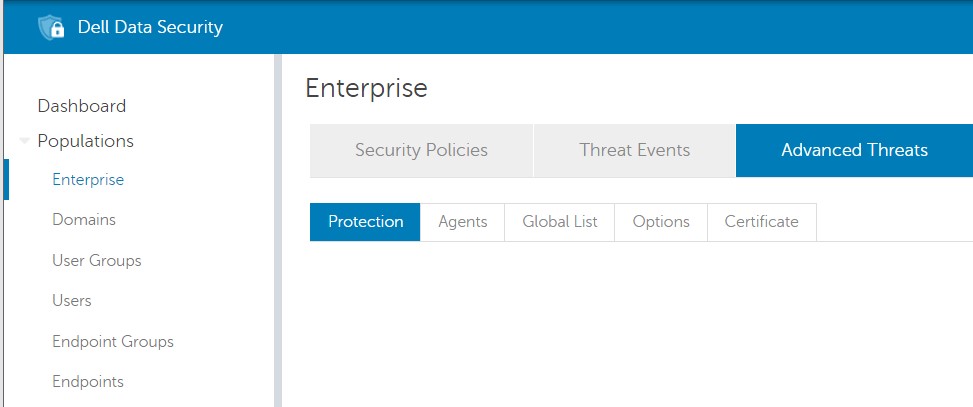
On the Dell Security Management Server, trying to access the content of the Advanced Threats tab in Population -> Enterprise, no data is showing:
Causa
Chrome version 91.0.4472 that was released on May 25, 2021 and the Edge Chromium based version 91.0.864.37 that was released on May 27, 2021 is the cause of this issue.
Risoluzione
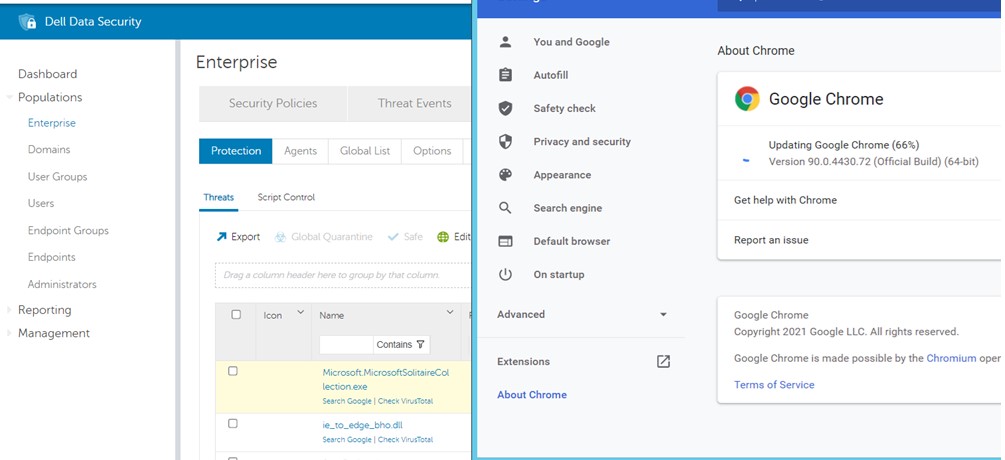
To address this problem, it is possible to install a different supported browser, such as Firefox or downgrade Chrome or Edge to a working version.
- For Chrome, it is possible to downgrade it to a previous version such as 90.0.4430.72.
- For Edge, it is possible to downgrade it to a previous version such as 90.0.818.49.
To contact support, reference Dell Data Security International Support Phone Numbers.
Go to TechDirect to generate a technical support request online.
For additional insights and resources, join the Dell Security Community Forum.
Prodotti interessati
Dell EncryptionProprietà dell'articolo
Numero articolo: 000188278
Tipo di articolo: Solution
Ultima modifica: 18 giu 2024
Versione: 6
Trova risposta alle tue domande dagli altri utenti Dell
Support Services
Verifica che il dispositivo sia coperto dai Servizi di supporto.