如何取得 Dell Command Intel vPro 頻外支援
Riepilogo: 本文說明如何取得 Dell Command | 的支援Intel vPro 頻外。
Questo articolo si applica a
Questo articolo non si applica a
Questo articolo non è legato a un prodotto specifico.
Non tutte le versioni del prodotto sono identificate in questo articolo.
Istruzioni
受影響的產品:
- Dell Command | Intel vPro Out of Band
受影響的作業系統:
- Windows Server 2011
- Windows Server 2012
- Windows Server 2012 R2
- Windows Server 2016
- Windows Server 2019 Essentials
Dell Command |適用於 Windows Server 2011/2012/2012 R2/2016/2019 的 Intel vPro 頻外功能 Essentials 是一款簡單易用的應用程式,可提供頻外管理解決方案。無論電腦電源狀態如何,此應用程式都可讓您遠端管理用戶端電腦。
自助選項
您可以透過參考下列內容找到大部分技術資訊:
自助選項
您可以透過參考 Dell 知識庫找到大部分技術資訊。
若要取得支援:
- 前往 https://www.dell.com/support/home。
- 在頁面右側,選取 聯絡支援 ,然後按一下以下任一項:
- 聯絡技術支援:如果您有可用的 Dell 產品服務編號。
- 聯絡訂單支援:如果您沒有 Dell 產品服務編號,並且需要取得軟體存取權限的協助。
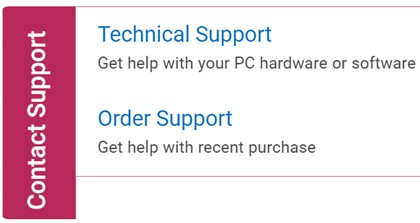
圖 1:(僅英文) 按一下「與我們聯絡」
- 按一下輸入產品服務編號。
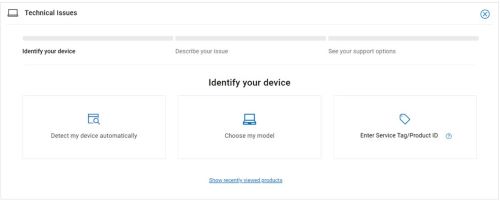
圖 2:(僅英文) 識別您的裝置
- 鍵入用戶端 (而非伺服器) 產品服務編號 ,然後按一下 提交。
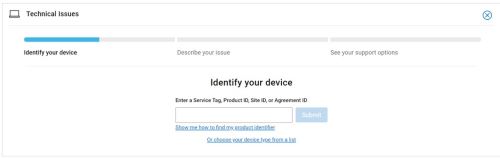
圖 3:(僅英文) 輸入您的產品服務編號,然後按一下「提交」
- 確認您的 型號 和 產品服務編號,然後按一下 下一步。
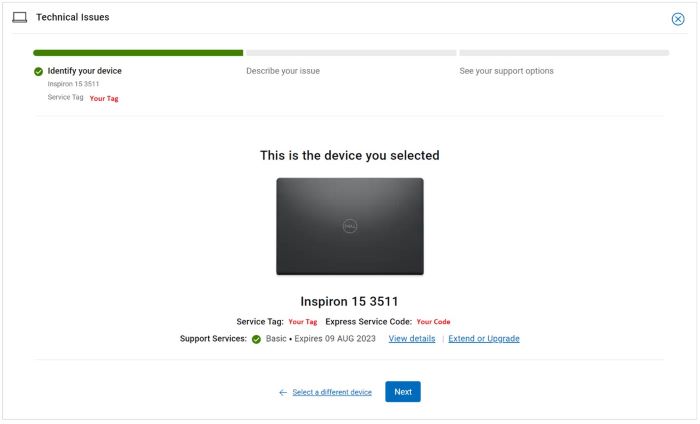
圖 4:(僅英文) 確認您的型號和產品服務編號
- 從下拉式功能表中,選取軟體和第三方應用程式,然後按一下下一步。
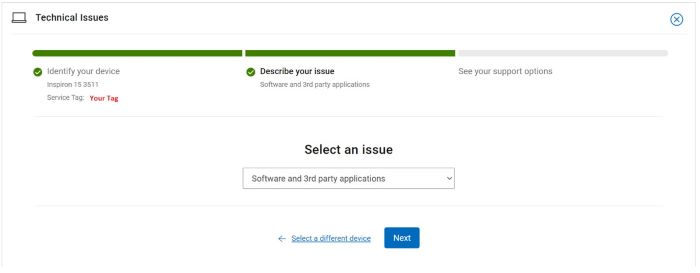
圖 5:(僅英文) 選取軟體和第三方應用程式
- 選取可用的聯絡選項。

圖 6:(僅英文) 選取聯絡選項
- 輸入您的訂單編號,然後按一下尋找我的訂單。

圖 7:(僅英文) 按一下「尋找我的訂單」
- 在頁面右側,按一下聯絡客戶支援。

圖 8:(僅英文) 按一下「聯絡客戶支援」
- 從下拉式清單中,選取遺失項目。
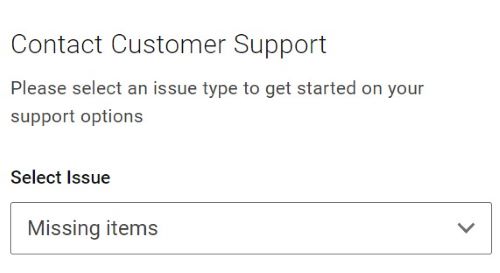
圖 9:(僅英文) 選取遺失或錯誤的項目
- 選取可用的聯絡選項。

圖 10:(僅英文) 選取聯絡選項
注意:
- 您所在地區的聯絡選項可能會有所不同。
- 聯絡技術支援時,請參考本文 (000189148)。
Informazioni aggiuntive
Video
Prodotti interessati
Dell Command | Intel vPro Out of BandProprietà dell'articolo
Numero articolo: 000189148
Tipo di articolo: How To
Ultima modifica: 13 giu 2024
Versione: 16
Trova risposta alle tue domande dagli altri utenti Dell
Support Services
Verifica che il dispositivo sia coperto dai Servizi di supporto.