Dell Unity: How to Expand Dynamic Pool
Riepilogo: Expanding a pool is the process of adding additional drives to a tier or additional tiers, depending on the system model, to an existing pool within the system to increase its capacity. (Dell Correctable) ...
Questo articolo si applica a
Questo articolo non si applica a
Questo articolo non è legato a un prodotto specifico.
Non tutte le versioni del prodotto sono identificate in questo articolo.
Istruzioni
Like a traditional pool, a dynamic pool can be expanded at any time up to the system limits through Unisphere, CLI, or REST API. Dynamic pools can usually be expanded based on the wanted capacity. For example, one drive can be added at a time to a dynamic pool, providing provisioning flexibility and cost savings.
Steps to Expand a Pool in the Unisphere.
-
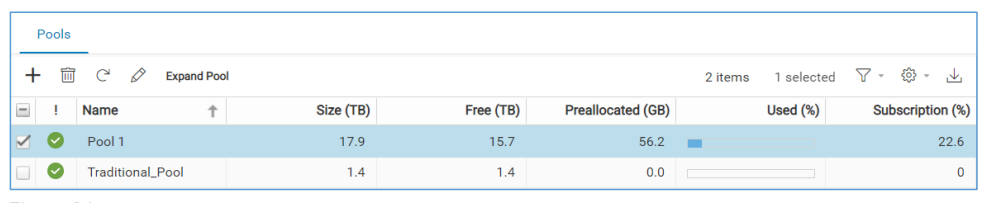
Open Unisphere and go to Pools
- Go to the Storage section in the left pane.
- Click Pools.
- Select the Pool to Expand.
- Click Expand Pool (top-left corner).
-
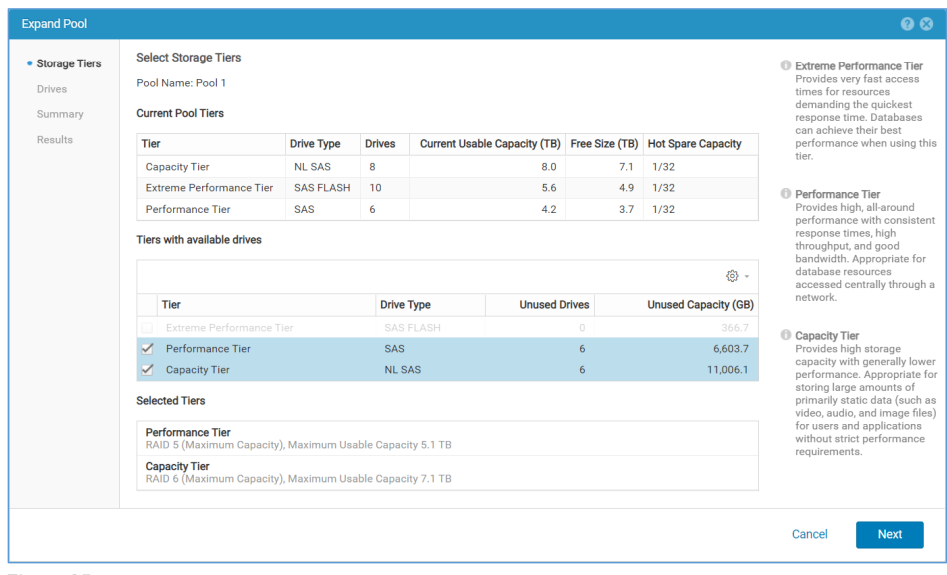
Storage Tiers Step
- Choose the Tier to expand.
- View the existing RAID type (RAID type and hot spare capacity is not editable for existing tiers).
- If adding a new tier, configure its RAID type and Hot Spare Capacity.
-
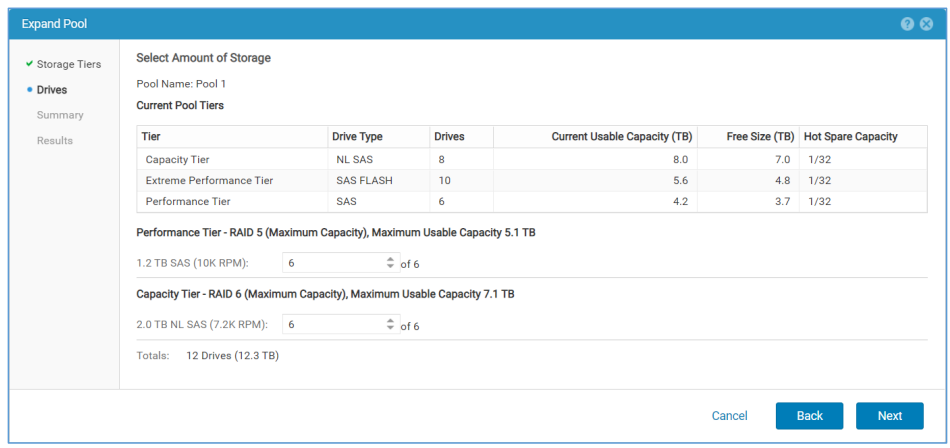
Drives Step
- View all available drives in the system.
- Select the Drives to add (Below, for example, 6 × 1.2 TB SAS + 6 × 2.0 TB NL SAS).
- Totals update automatically with the number and capacity of selected drives.
-
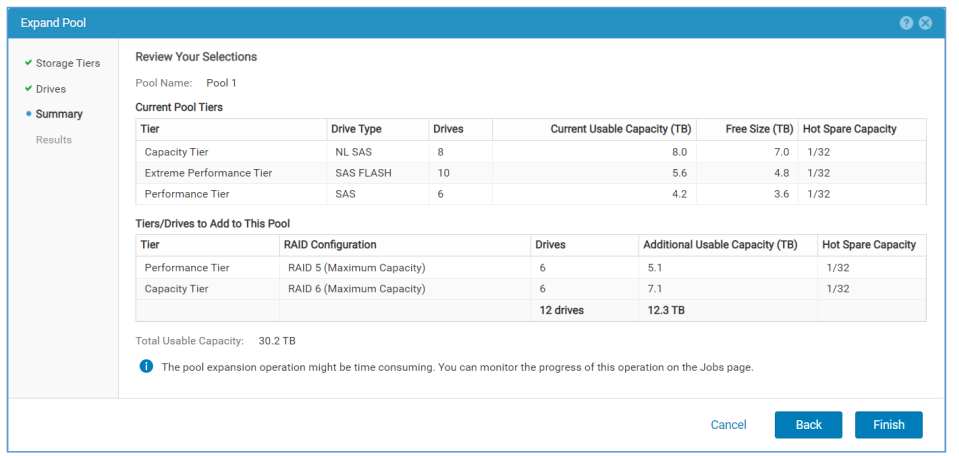
Summary Step
- Review the expansion details:
- Tier being expanded
- RAID configuration
- Number of drives
- Additional usable capacity
- Click Back to make changes or Finish to proceed.
- Review the expansion details:
-
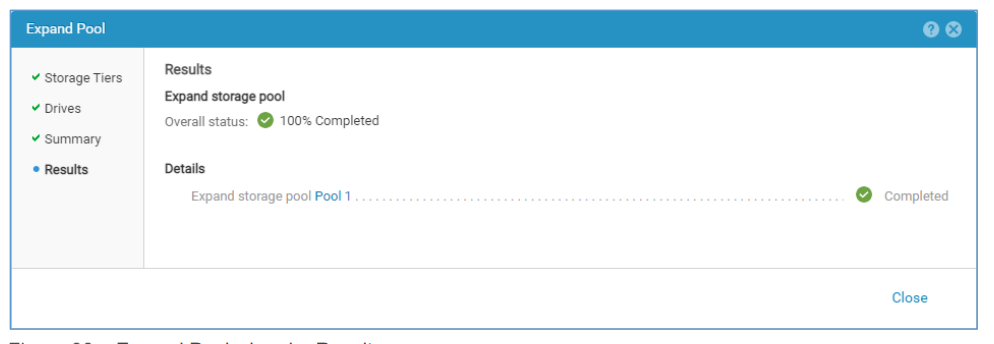
Results Step
- A background job starts to perform the expansion.
- The wizard can be closed while the job runs.
- The new space becomes available after the job completes.
- Duration depends on the number of drives added.
- Monitor rebalancing progress using below command:
uemcli /stor/config/pool show -detail
Prodotti interessati
Dell EMC Unity, Dell EMC Unity HybridProprietà dell'articolo
Numero articolo: 000370053
Tipo di articolo: How To
Ultima modifica: 24 set 2025
Versione: 1
Trova risposta alle tue domande dagli altri utenti Dell
Support Services
Verifica che il dispositivo sia coperto dai Servizi di supporto.