PowerFlex: How to install SDC on Debian-based server (Debian, Ubuntu, Proxmox)
Riepilogo: The following procedure explains how to manually install an external SDC on a Debian-based server. The steps in the procedure below are relevant for Debian/Ubuntu operating systems, including Proxmox Virtual Environment. ...
Questo articolo si applica a
Questo articolo non si applica a
Questo articolo non è legato a un prodotto specifico.
Non tutte le versioni del prodotto sono identificate in questo articolo.
Istruzioni
Retrieve SDC software
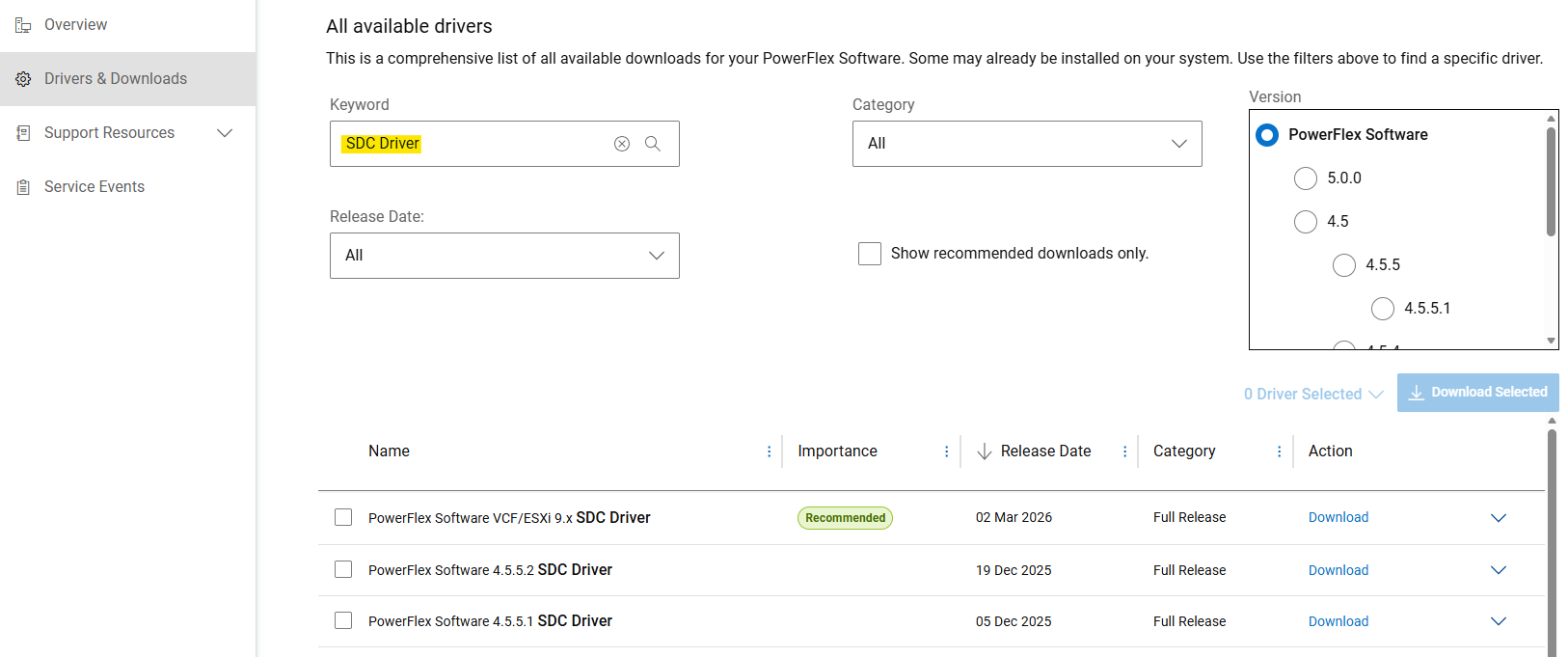
- Get SDC drivers for manual installation from the Dell Support Site
- From "Drivers & Downloads" section, search for "SDC Driver" as a Keyword.
- Download the "
PowerFlex_*_SDCs_for_manual_install.zip" file matching the PowerFlex version intended to install.
(SDC is backwards and forwards compatible with the PowerFlex system version. - see Release Notes)
Extract Debian-based package (.deb)
PowerFlex component packages are delivered as .tar files for Debian-based operating systems. Before installation, the .deb package must be extracted using provided siob_extract utility:
- Extract SDC .zip file for your specific OS Release (from "
PowerFlex_*_SDCs_for_manual_install.zip" archive) - Check integrity (md5 or sha256) and inflate the SDC .zip file
- Uncompress "
EMC-ScaleIO-sdc-*" .tar file - Extract .deb package using
siob_extractutility
# Extract SDC for Debian 12 (bookworm) / Proxmox VE 8.x
unzip PowerFlex_*_SDCs_for_manual_install.zip "*Debian12_SDC.*"

# Check integrity & inflate zip file
cd PowerFlex_*_SDCs_for_manual_install/
sha256sum PowerFlex_*_Debian12_SDC.zip
cat PowerFlex_*_Debian12_SDC.sha256
unzip PowerFlex_*_Debian12_SDC.zip

# Extract .deb package (using `siob_extract` utility)
cd PowerFlex_*_Debian12_SDC/
tar -xvf EMC-ScaleIO-sdc-*.Debian12.x86_64.tar
chmod +x siob_extract
./siob_extract EMC-ScaleIO-sdc-*.Debian12.x86_64.siob
ls EMC-ScaleIO-sdc-*.Debian12.x86_64.deb
For other OS Release, use: "*Debian13_SDC*", "*Ubuntu24.04_SDC*",....
Install SDC on the server and connect it to PowerFlex
- Collect MDM virtual IP addresses of the PowerFlex system (or all MDM managers IPs)
- Install SDC package
- Verify that the driver is loaded
MDM_IP="<MDM_IP1>,<MDM_IP2>,..." dpkg -i EMC-ScaleIO-sdc-*.deb
systemctl status scini.service
If scini.service fails to start, the "scini" driver is maybe not compatible with your kernel release. In this case, see how to configure driver_sync or on-demand compilation. Also using Secure Boot on SDC has some restrictions and requires additional steps.
Refer to documentation for recommended post deployment tasks or to map volumes to SDC.
Prodotti interessati
PowerFlex rack, PowerFlex Appliance, PowerFlex custom node, ScaleIO, PowerFlex SoftwareProprietà dell'articolo
Numero articolo: 000462918
Tipo di articolo: How To
Ultima modifica: 10 mag 2026
Versione: 2
Trova risposta alle tue domande dagli altri utenti Dell
Support Services
Verifica che il dispositivo sia coperto dai Servizi di supporto.