PowerStore: Unable to load system configuration data (0xE04040010004)
Samenvatting: Logging in over the PowerStore Manager (UI) is not possible and an error is displayed instead.
Dit artikel is van toepassing op
Dit artikel is niet van toepassing op
Dit artikel is niet gebonden aan een specifiek product.
Niet alle productversies worden in dit artikel vermeld.
Symptomen
Affected Version: 1.0.4.0.5.006 and below.
If you are not running these specific versions, then this KB doesn't apply.
Trying to log in to the UI will fail with error message:
Unable to load system configuration data. Contact your service provider for assistance: Error: Service unavailable. Please retry in a few minutes. (0xE04040010004)
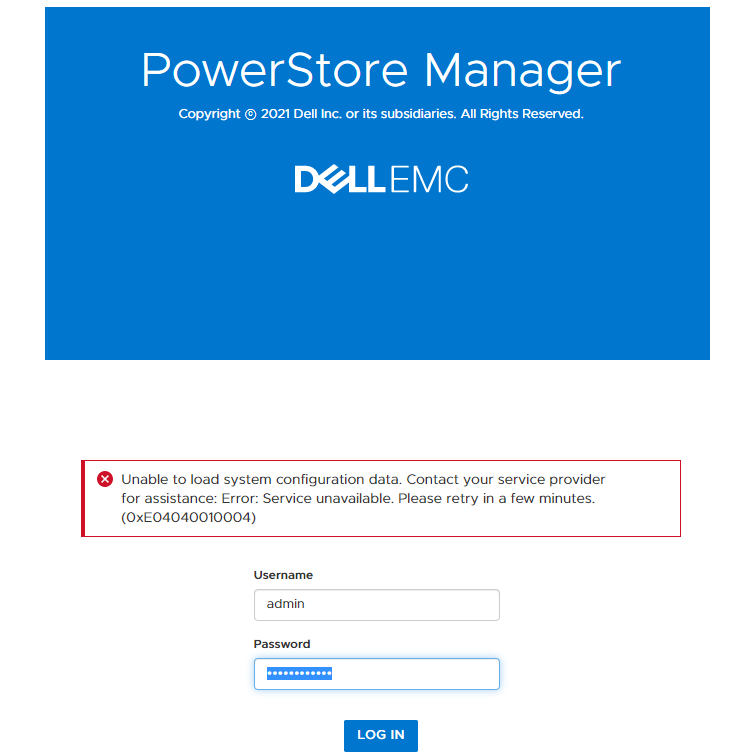
Access through ssh/CLI remains available, and PSTCLI works as expected.
If you are not running these specific versions, then this KB doesn't apply.
Trying to log in to the UI will fail with error message:
Unable to load system configuration data. Contact your service provider for assistance: Error: Service unavailable. Please retry in a few minutes. (0xE04040010004)
Access through ssh/CLI remains available, and PSTCLI works as expected.
Oorzaak
In PowerStoreOS V1, there is a possibility of the metrics collection workflow of SDNAS to result in deadlock when metrics collection sessions overlap (previous collection has not yet finished, and the next cycle of collection starts).
Oplossing
This issue is resolved in PowerStoreOS version 2.0.0.0.
If you are unable to log in to the PowerStore Manager user interface with this same error in a newer PowerStoreOS version, contact Dell EMC Technical Support or your Authorized Service Representative, and quote this Knowledgebase article ID.
If you are unable to log in to the PowerStore Manager user interface with this same error in a newer PowerStoreOS version, contact Dell EMC Technical Support or your Authorized Service Representative, and quote this Knowledgebase article ID.
Extra informatie
KB 000183840 PowerStore: Opening multiple web browser tabs to access the PowerStore Manager (UI) may result in hung / frozen tabs
KB 000189069 PowerStore: Unable to load system configuration data (0xE04040010004)
KB 000184530 (The generic error code is the same, but the error message is different.) PowerStore: PowerStore Manager ICW or login fails with error: Service unavailable. Please retry in a few minutes. (0xE04040010004)
KB 000155626 PowerStoreOS versions 3.5.0.2 and earlier: Release Notes - Minor Issues
Getroffen producten
PowerStore, PowerStore 1000T, PowerStore 3000T, PowerStore 5000T, PowerStore 7000T, PowerStore 9000TArtikeleigenschappen
Artikelnummer: 000189069
Artikeltype: Solution
Laatst aangepast: 06 aug. 2025
Versie: 5
Vind antwoorden op uw vragen via andere Dell gebruikers
Support Services
Controleer of uw apparaat wordt gedekt door Support Services.