Dell Unity: Unable to Delete Tenant with NAS Server-Error code:0x716e02b
Sammendrag: Attempts to disassociate a tenant from a NAS server or to change the UUID fail with error: Unable to delete Tenant with NAS servers (Error code:0x716e02b)(User Correctable)
Denne artikkelen gjelder for
Denne artikkelen gjelder ikke for
Denne artikkelen er ikke knyttet til noe bestemt produkt.
Det er ikke produktversjonene som identifiseres i denne artikkelen.
Symptomer
Deleting Tenant fails with error:
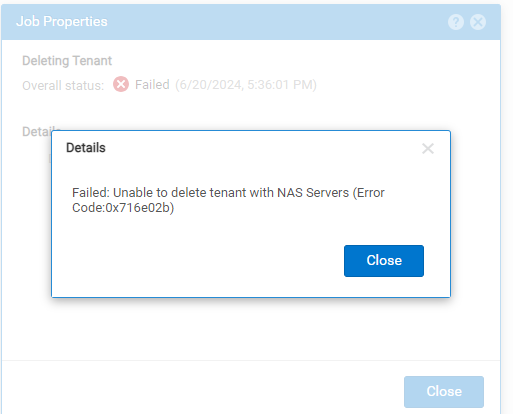
Unable to delete tenant with NAS Servers (Error code:0x716e02b)
Årsak
Once created, the tenant configuration cannot be modified. This is prohibited for security purposes. The only allowed changes are to change the tenant name and to add or remove associated VLANs.
VLAN ID may be added to a tenant if:
VLAN ID may be added to a tenant if:
- The VLAN ID is not associated with an existing tenant
- Existing network interfaces do not use the VLAN ID
Oppløsning
To modify the tenant configuration:
- NAS server must be deleted.
- Modify the tenant configuration as required.
- Create a new NAS server and add the tenants.
Tilleggsinformasjon
What is the reason why UUID cannot be modified?
The Linux namespace module supports tenant functionality. Linux namespace name is the same as UUID, and Linux namespace cannot modify the name after creation.
See Chapter two, Change NAS Server Properties of Dell Unity Family Configuring SMB File Sharing.
The Linux namespace module supports tenant functionality. Linux namespace name is the same as UUID, and Linux namespace cannot modify the name after creation.
See Chapter two, Change NAS Server Properties of Dell Unity Family Configuring SMB File Sharing.
Berørte produkter
Dell EMC Unity Family |Dell EMC Unity All FlashArtikkelegenskaper
Artikkelnummer: 000226357
Artikkeltype: Solution
Sist endret: 26 jun. 2024
Versjon: 1
Få svar på spørsmålene dine fra andre Dell-brukere
Støttetjenester
Sjekk om enheten din er dekket av støttetjenestene.