A pasta ECS GeoDrive está ausente
Podsumowanie: A pasta ECS GeoDrive está ausente na unidade local.
Ten artykuł dotyczy
Ten artykuł nie dotyczy
Ten artykuł nie jest powiązany z żadnym konkretnym produktem.
Nie wszystkie wersje produktu zostały zidentyfikowane w tym artykule.
Objawy
O usuário verá a pasta Do GeoDrive ou uma subpasta ausente em sua unidade local no host.
A pasta terá os dados, mas eles serão invisíveis/ocultos.
- Por exemplo, uma pasta "folder1" está ausente no GeoDrive.

- Tente criar uma nova pasta com o mesmo nome e, em seguida, você receberá o prompt de que a pasta realmente existe.
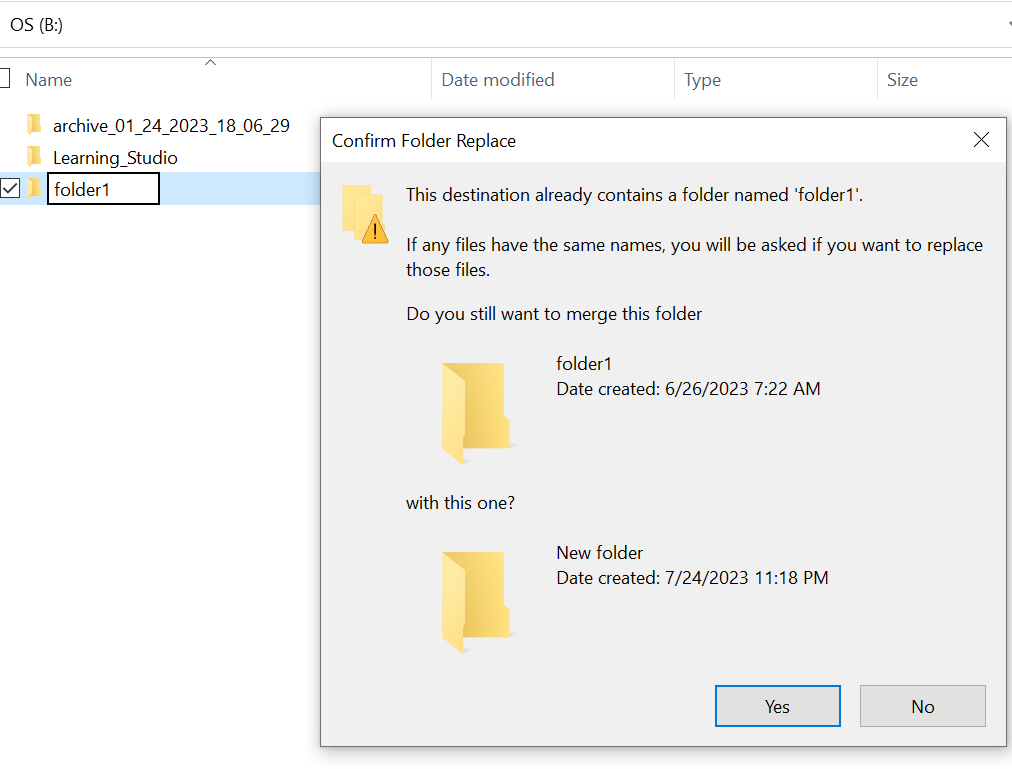
- Pesquise com o caminho da pasta ausente no explorer. Devemos ser capazes de ver o conteúdo.

Przyczyna
Isso ocorre devido aos atributos HIDDEN e SYSTEM que foram definidos na pasta.
Rozwiązanie
Siga as etapas abaixo.
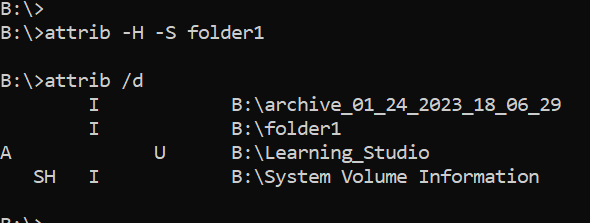
Depois de executar esse comando, verifique a unidade local novamente. A pasta ausente volta ao normal.
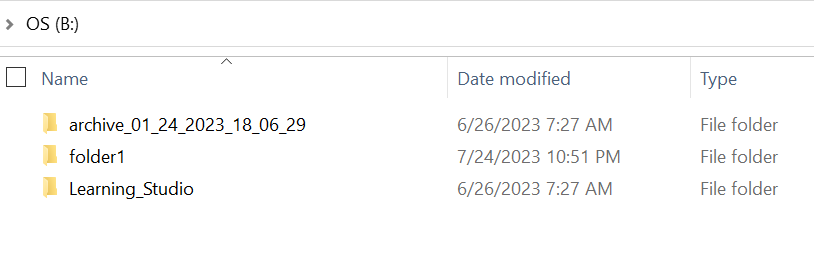
- Vá para o prompt de comando do Windows no sistema host.
- cd para o diretório principal onde a pasta está ausente e execute "attrib /d".
- Você deve ver uma lista de diretórios e a pasta ausente deve estar na lista.
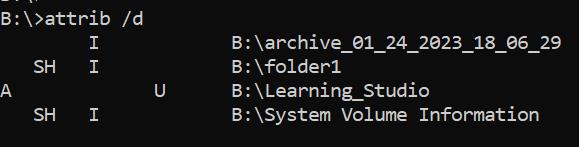
- As letras antes indicam os atributos. Você deve ver o SH antes do arquivo (SYSTEM e HIDDEN).
- Em seguida, execute esse comando para remover os dois atributos acima: attrib -H -S folder_name
Dodatkowe informacje
Há várias outras opções disponíveis para o comando attrib.
B:\>attrib /?
Displays or changes file attributes.

ATTRIB [+R | -R] [+A | -A] [+S | -S] [+H | -H] [+O | -O] [+I | -I] [+X | -X] [+P | -P] [+U | -U]
       [drive:][path][filename] [/S [/D]] [/L]

  +   Sets an attribute.
  -   Clears an attribute.
  R   Read-only file attribute.
  A   Archive file attribute.
  S   System file attribute.
  H   Hidden file attribute.
  O   Offline attribute.
  I   Not content indexed file attribute.
  X   No scrub file attribute.
  V   Integrity attribute.
  P   Pinned attribute.
  U   Unpinned attribute.
  B   SMR Blob attribute.
  [drive:][path][filename]
      Specifies a file or files for attrib to process.
  /S  Processes matching files in the current folder
      and all subfolders.
  /D  Processes folders as well.
  /L  Work on the attributes of the Symbolic Link versus
      the target of the Symbolic Link
Produkty, których dotyczy problem
ECS, Elastic Cloud StorageWłaściwości artykułu
Numer artykułu: 000215245
Typ artykułu: Solution
Ostatnia modyfikacja: 18 maj 2026
Wersja: 4
Znajdź odpowiedzi na swoje pytania u innych użytkowników produktów Dell
Usługi pomocy technicznej
Sprawdź, czy Twoje urządzenie jest objęte usługą pomocy technicznej.