缺少 ECS GeoDrive 文件夹
Podsumowanie: 本地驱动器上缺少 ECS GeoDrive 文件夹。
Ten artykuł dotyczy
Ten artykuł nie dotyczy
Ten artykuł nie jest powiązany z żadnym konkretnym produktem.
Nie wszystkie wersje produktu zostały zidentyfikowane w tym artykule.
Objawy
用户将在主机上的本地驱动器上看到 GeoDrive 文件夹或子文件夹缺失。
该文件夹将包含数据,但它将不可见/隐藏。
- 例如,GeoDrive 中缺少文件夹“folder1”。

- 尝试创建具有相同名称的新文件夹,然后您将收到该文件夹实际存在的提示。
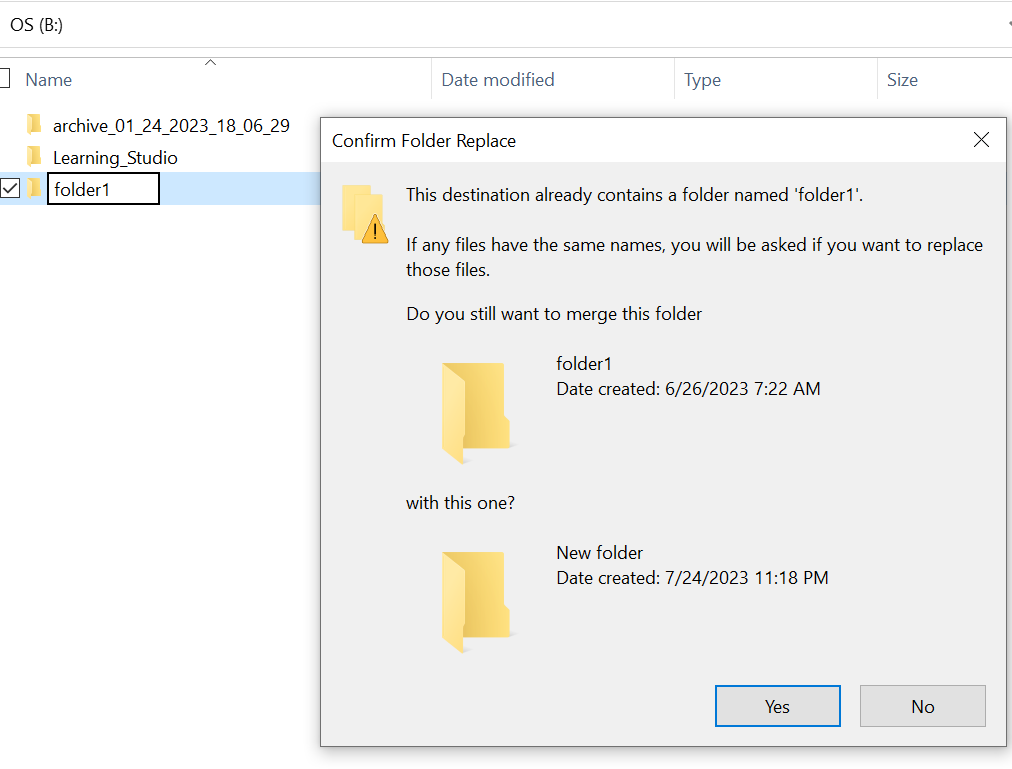
- 使用资源管理器中缺少的文件夹路径进行搜索。我们应该能够查看内容。

Przyczyna
这是因为在文件夹上设置了 HIDDEN 和 SYSTEM 属性。
Rozwiązanie
请按照以下步骤操作。
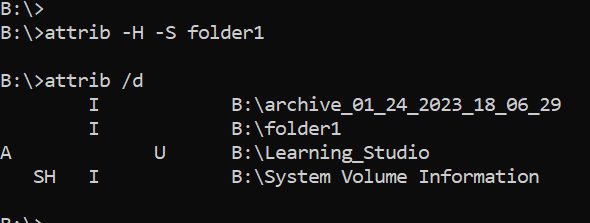
运行此命令后,再次检查本地驱动器。缺失的文件夹将恢复正常。
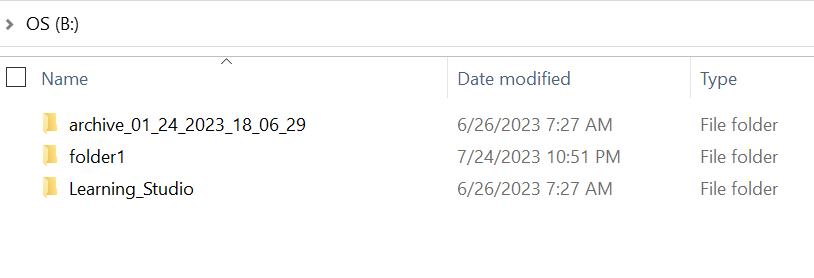
- 转到主机系统上的 windows 命令提示符。
- cd 到文件夹缺失的父目录,然后运行“attrib /d”。
- 您应该会看到目录列表,缺失的文件夹应位于列表中。
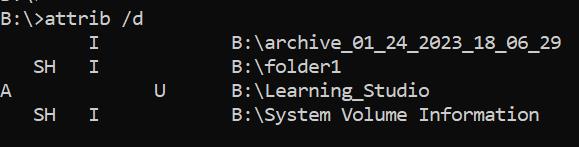
- 前面的字母指示属性。您应该会在文件(SYSTEM 和 HIDDEN)之前看到 SH。
- 然后运行此命令以删除上述两个属性: attrib -H -S folder_name
Dodatkowe informacje
有许多其他选项可用于 attrib 命令。
B:\>attrib /?
Displays or changes file attributes.

ATTRIB [+R | -R] [+A | -A] [+S | -S] [+H | -H] [+O | -O] [+I | -I] [+X | -X] [+P | -P] [+U | -U]
       [drive:][path][filename] [/S [/D]] [/L]

  +   Sets an attribute.
  -   Clears an attribute.
  R   Read-only file attribute.
  A   Archive file attribute.
  S   System file attribute.
  H   Hidden file attribute.
  O   Offline attribute.
  I   Not content indexed file attribute.
  X   No scrub file attribute.
  V   Integrity attribute.
  P   Pinned attribute.
  U   Unpinned attribute.
  B   SMR Blob attribute.
  [drive:][path][filename]
      Specifies a file or files for attrib to process.
  /S  Processes matching files in the current folder
      and all subfolders.
  /D  Processes folders as well.
  /L  Work on the attributes of the Symbolic Link versus
      the target of the Symbolic Link
Produkty, których dotyczy problem
ECS, Elastic Cloud StorageWłaściwości artykułu
Numer artykułu: 000215245
Typ artykułu: Solution
Ostatnia modyfikacja: 18 maj 2026
Wersja: 4
Znajdź odpowiedzi na swoje pytania u innych użytkowników produktów Dell
Usługi pomocy technicznej
Sprawdź, czy Twoje urządzenie jest objęte usługą pomocy technicznej.