NVP-vProxy: Unable to browse FLR when the file path has more than 186 characters
Resumo: Performing a Virtual Machine (VM) File Level Restore (FLR) "Error 200" appears when browsing a file/folder path that exceeds 186 characters.
Este artigo aplica-se a
Este artigo não se aplica a
Este artigo não está vinculado a nenhum produto específico.
Nem todas as versões do produto estão identificadas neste artigo.
Sintomas
NetWorker VMware Protection(NVP) with vProxy is implemented for backups and restores. When attempting to browse a virtual machine(VM) for File Level Recovery(FLR) feature, it is observed that the browse fails:
- Using NetWorker Management Console (NMC), the following error appears during a VM FLR if the file path exceeds 186 characters.

Figure 1: NMC FLR recovers wizard reports "Error while browsing 200" when the file system path exceeds 186 characters.
- Using the FLR web UI, no content is seen when browsing to the file location.
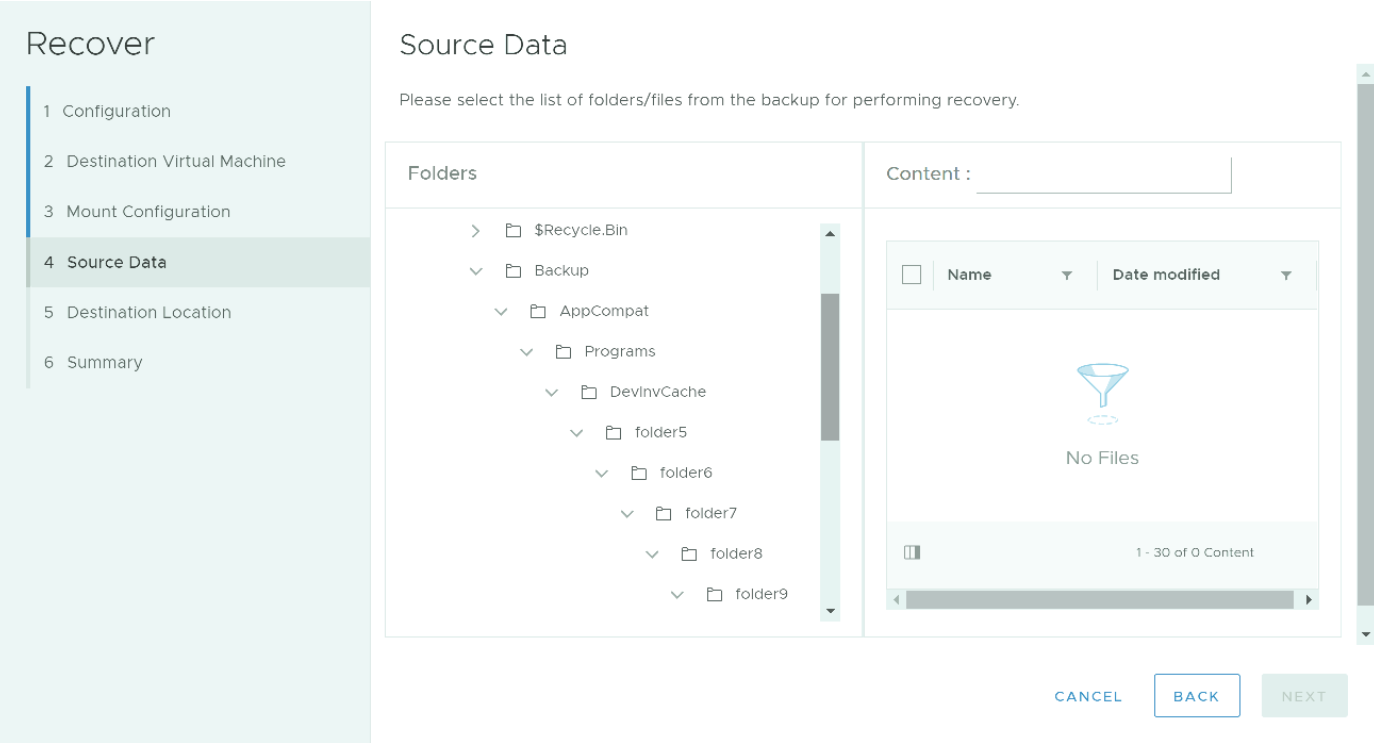
Figure 2: NetWorker Data Protection Restore Client shows no content "No Files" if the folder path exceeds 186 characters.
This only affects browsing when the path to be browsed has more than 186 characters after:
'C:\'. For example:"C:\folder1-longnamed-folder9or10\fol2\fol3\fol4\fol5\fol6\fol7\fol8\fol9-longlonglomglonglon;ngnamemanemnamenamenamenamenamenamenamnamssdiiiiiiiii123456789101112131415161718192021\o\9.txt"
The NetWorker server is 19.6.0.0 or older.
Causa
Known limitations in the Application Program Interface (API) call used in NetWorker 19.6.0.0 and older.
Resolução
NOTE: Code fixes went into NetWorker 19.6.0.1. If the NetWorker server is 19.6.x or older, it must be upgraded. NetWorker 19.6 reached end of support life 2025-01-31.
NetWorker can be downloaded from: https://www.dell.com/support/home/product-support/product/networker/drivers
The NetWorker Compatibility matrix is available through: https://elabnavigator.dell.com/eln/modernHomeAutomatedTiles?page=NetWorker
Workaround:
Manually browse the file system to copy the contents on the target VM.
- Start your FLR request which mounts the file system on the target VM.
- On the target Virtual machine, use Windows explorer to open the install location and browse the mountpoints.
The install location is: "C:\Program Files (x86)\EMC\vProxy FLR Agent\flr\mountpoints\ID\00-X$"
For example: "C:\Program Files (x86)\EMC\vProxy FLR Agent\flr\mountpoints\FLR186731658\00-C$"
- Files and folders can be copied from the FLR mount to another location on the VM.
Produtos afetados
NetWorkerProdutos
NetWorker FamilyPropriedades do artigo
Número do artigo: 000031695
Tipo de artigo: Solution
Último modificado: 30 abr. 2025
Versão: 5
Encontre as respostas de outros usuários da Dell para suas perguntas.
Serviços de suporte
Verifique se o dispositivo está coberto pelos serviços de suporte.