How to Add CrowdStrike Falcon Console Administrators
Resumo: Learn about how to create an administrator account or add more administrators for CrowdStrike Falcon Console by following these instructions.
Este artigo aplica-se a
Este artigo não se aplica a
Este artigo não está vinculado a nenhum produto específico.
Nem todas as versões do produto estão identificadas neste artigo.
Instruções
Falcon Administrators can access all functionality in the CrowdStrike Falcon Console except certain Real Time Response (RTR) functionality. This article discusses how to add additional administrators to the CrowdStrike Falcon Console.
Affected Operating Systems:
- Windows
- Mac
- Linux
- In a Google Chrome or Microsoft Edge browser, go to your Falcon console login URL.
- Falcon US-1: https://falcon.crowdstrike.com/login/
- Falcon US-2: https://falcon.us-2.crowdstrike.com/login/
- Falcon EU-1: https://falcon.eu-1.crowdstrike.com/login/
- Falcon US-GOV-1: https://falcon.laggar.gcw.crowdstrike.com/login/
- Falcon US-1: https://falcon.crowdstrike.com/login/
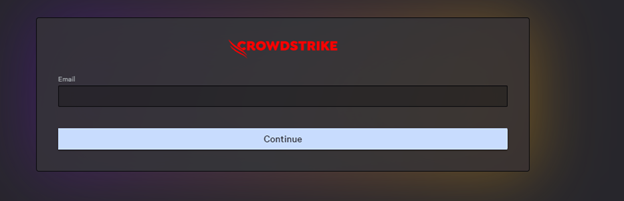
- Log In to the Falcon Console.
- In the left menu pane, click Host Setup and Management and then select User management.
 Note: The layout in the example may differ slightly from your environment.
 - In the upper right corner, click Create user.

- In the Create User menu:
- Populate Email.
- Populate First Name.
- Populate Last Name.
- Search for at least one administration role.
- Click Save.
 Note: For more information about administration role functions, select the information icon (
 ) next to the selected role.

To contact support, reference Dell Data Security International Support Phone Numbers.
Go to TechDirect to generate a technical support request online.
For additional insights and resources, join the Dell Security Community Forum.
Produtos afetados
CrowdStrikePropriedades do artigo
Número do artigo: 000130804
Tipo de artigo: How To
Último modificado: 02 jul. 2024
Versão: 15
Encontre as respostas de outros usuários da Dell para suas perguntas.
Serviços de suporte
Verifique se o dispositivo está coberto pelos serviços de suporte.