Dell Unity: Come abilitare e disabilitare SSH
Resumo: Questo articolo descrive diversi modi per abilitare e disabilitare SSH sugli array Dell Unity.
Este artigo aplica-se a
Este artigo não se aplica a
Este artigo não está vinculado a nenhum produto específico.
Nem todas as versões do produto estão identificadas neste artigo.
Instruções
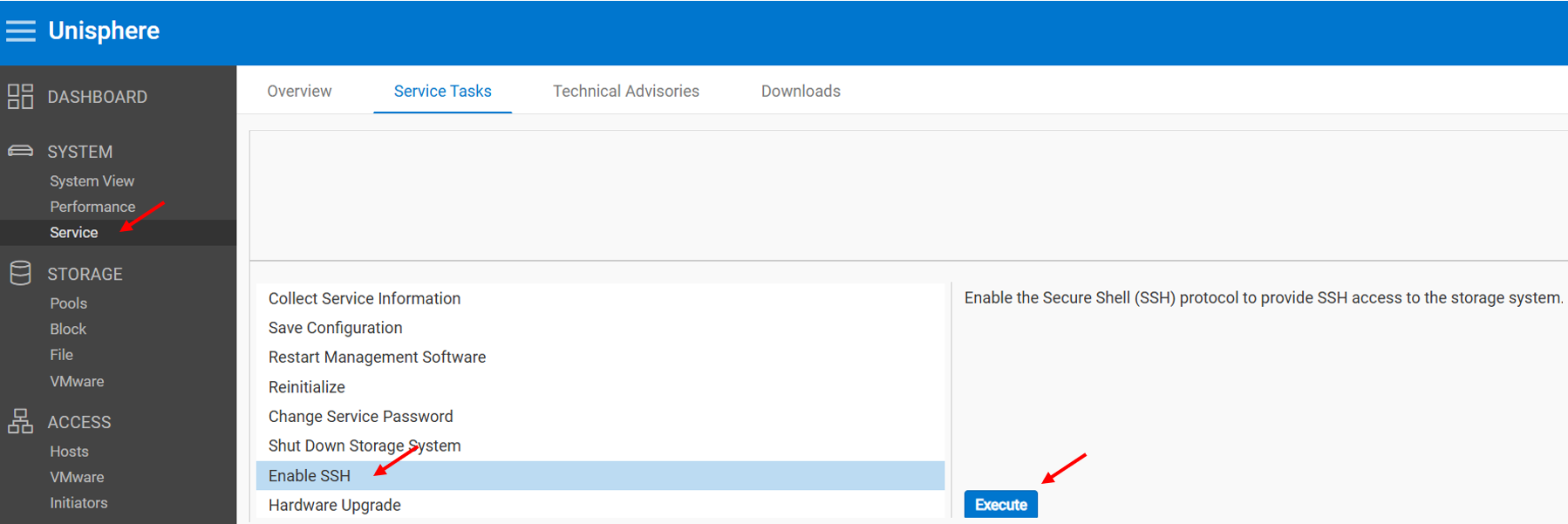
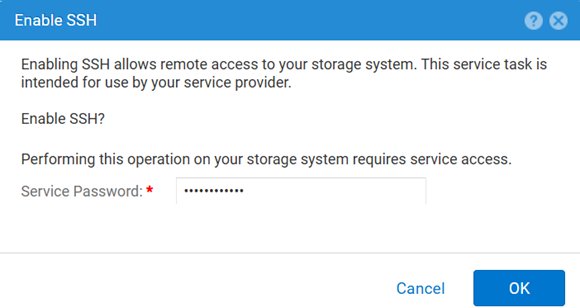
METODO 1: Da Unisphere (interfaccia utente): quando l'array è in modalità normale
Per abilitare:
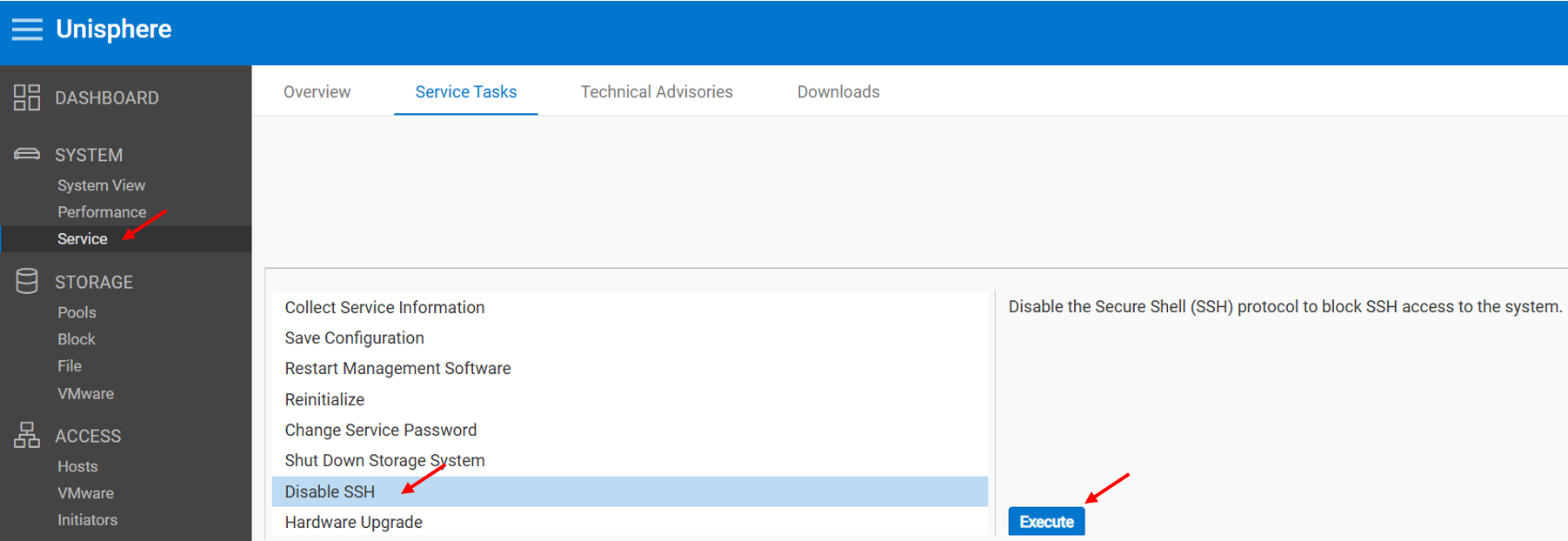
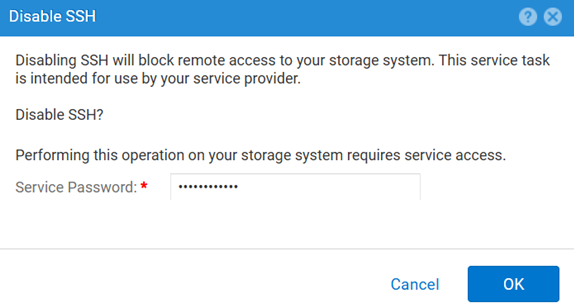
Per disabilitare:
METODO 2: UEMCLI
Per visualizzare l'impostazione SSH:
uemcli.exe -d <MGMT IP> -u admin -securePassword /service/ssh showPer abilitare SSH:
uemcli.exe -d <MGMT IP> -u admin -securePassword /service/ssh set -enabled yesPer disabilitare SSH:
uemcli.exe -d <MGMT IP> -u admin -securePassword /service/ssh set -enabled noMETODO 3: Con un IPMI Connection (Connessione)
Per visualizzare la finestra di dialogo SSH Stato:
svc_ssh -sPer abilitare SSH:
svc_ssh -ePer disabilitare SSH:
svc_ssh -d
METODO 4: Dal servizio Unisphere (UI): quando l'array è in modalità di servizio
1. Aprire un browser.
2. Accedere al https://<management_IP>/service.html
3. Utilizzare il comando admin .
4. Da questo menu SSH può essere abilitato.
Mais informações
Altri articoli utili per la risoluzione dei problemi relativi a SSH:
Produtos afetados
Dell EMC Unity, Dell Unity 450F DC, Dell Unity 300, Dell Unity 300 DC, Dell EMC Unity 300F, Dell EMC Unity 350F, Dell Unity 350F DC, Dell EMC Unity XT 380, Dell EMC Unity XT 380F, Dell EMC Unity 400, Dell Unity 400 DC, Dell EMC Unity 400F
, Dell EMC Unity 450F, Dell EMC Unity XT 480, Dell EMC Unity XT 480F, Dell EMC Unity 500, Dell EMC Unity 500F, Dell EMC Unity 550F, Dell EMC Unity 600, Dell EMC Unity 600F, Dell EMC Unity 650F, Dell EMC Unity XT 680, Dell EMC Unity XT 680F, Dell EMC Unity XT 880, Dell EMC Unity XT 880F, Dell EMC Unity Family |Dell EMC Unity All Flash, Dell EMC Unity Hybrid
...
Produtos
Dell Command | ConfigurePropriedades do artigo
Número do artigo: 000446216
Tipo de artigo: How To
Último modificado: 15 abr. 2026
Versão: 1
Encontre as respostas de outros usuários da Dell para suas perguntas.
Serviços de suporte
Verifique se o dispositivo está coberto pelos serviços de suporte.