Data Domain: Configuring MTree Replication using the UI
Summary: This KB article describes how to configure MTree replication using the UI.
Acest articol se aplică pentru
Acest articol nu se aplică pentru
Acest articol nu este legat de un produs specific.
Acest articol nu acoperă toate versiunile de produs existente.
Instructions
Configuring MTree Replication Using the UI
Purpose
The article describes how to configure MTree replication using the UI.
Applies to
- All Data Domain systems
- MTree Replication
Solution
-
Add both Source and Destination systems on the same UI (Enterprise Manager):
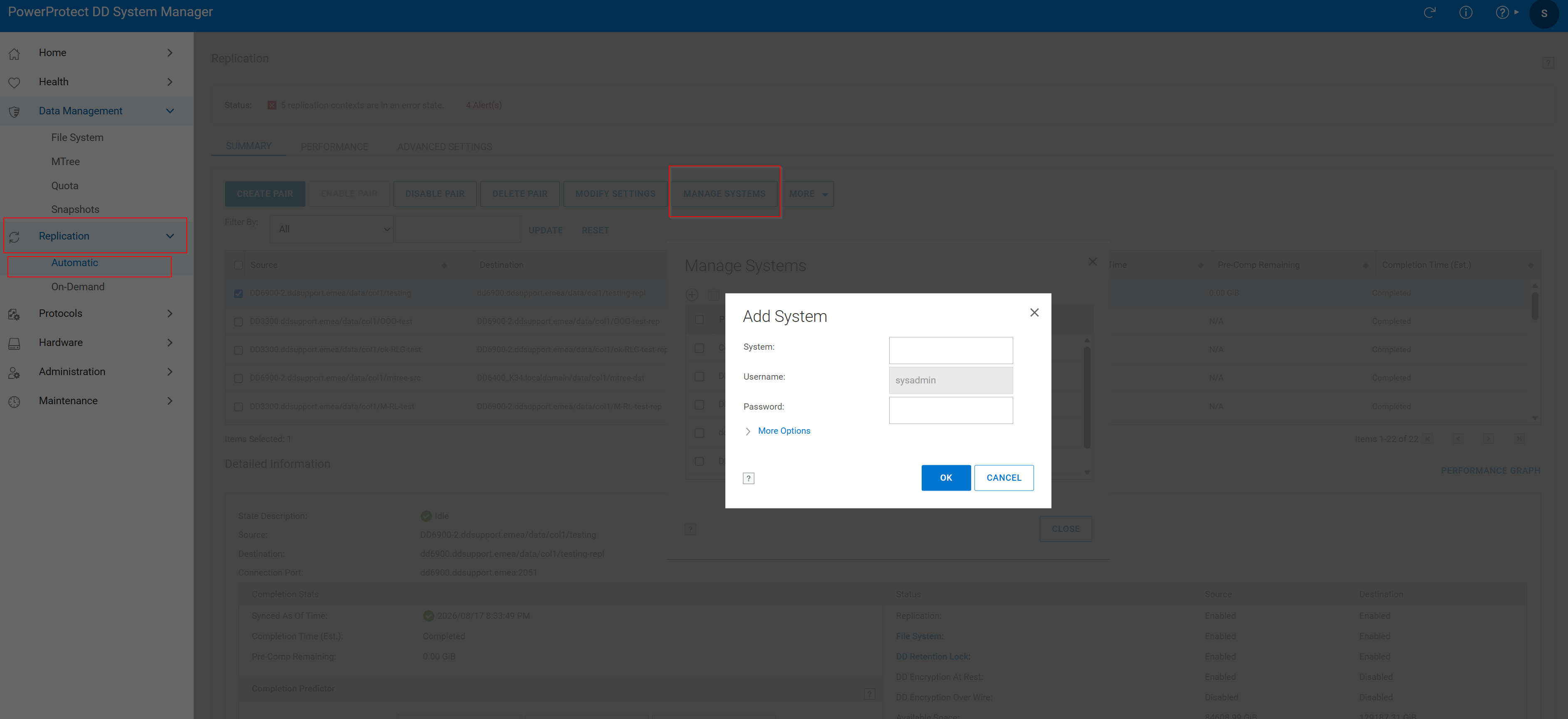 Figure 1. Add System
2. Create Replication Pair:
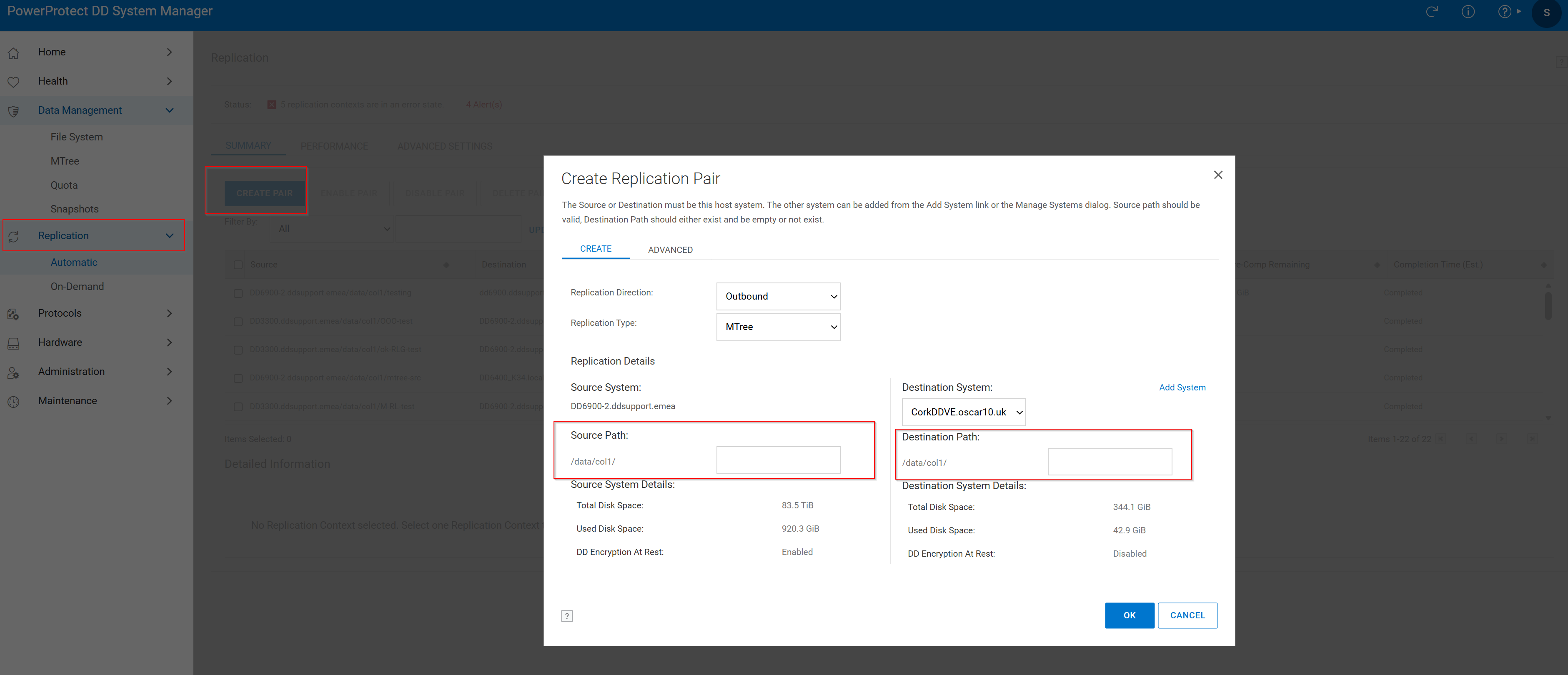 Figure 2. Create Replication Pair > Source Path
- Click Replication Tab then click Create Pair.
- Choose the Source System and Source Path. The Mtree should already exist in source.
- Choose the Destination System and Destination Path. The Destination MTree should not be already exist. If it is already exists, review the following knowledge articles:
Replication is created successfully with the following window:
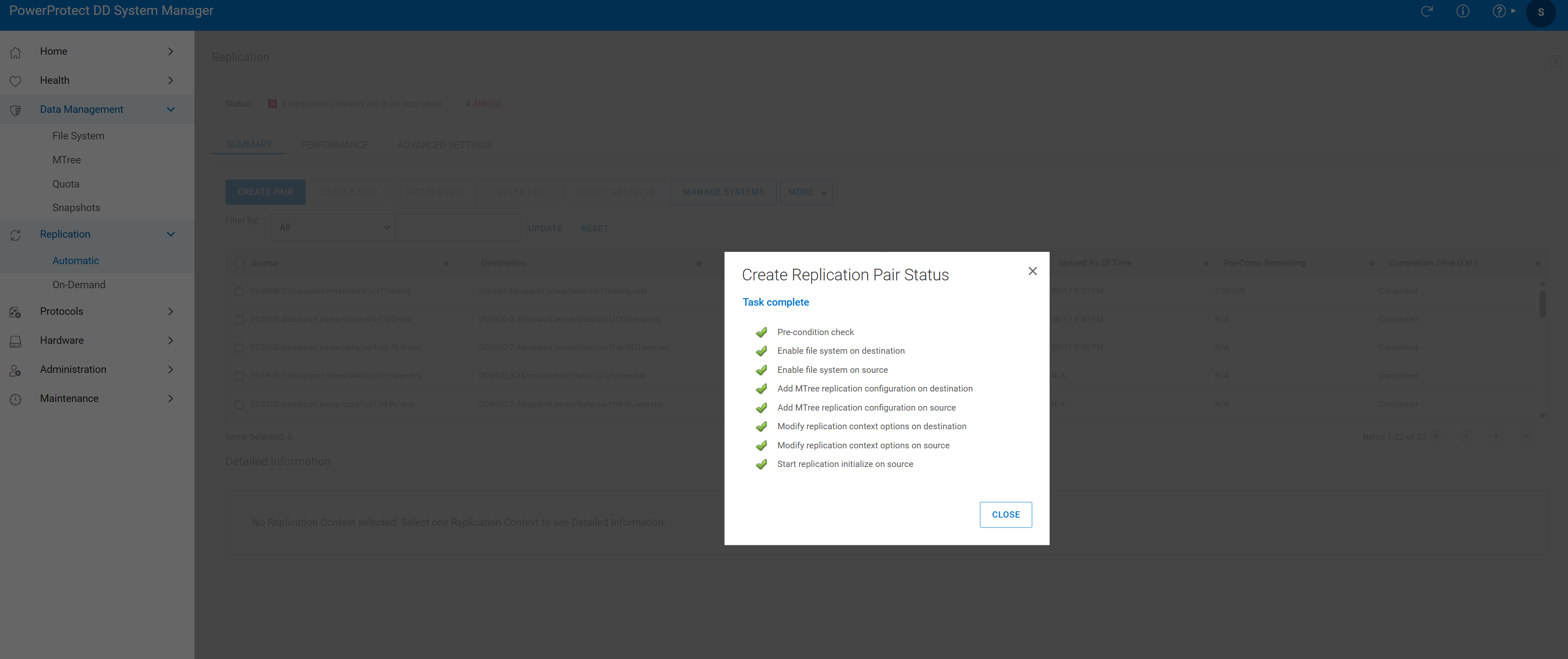 Figure 3. Task Complete
- Verify the replication pair:

Figure 4. Replication Verification
Additional Information
Produse afectate
Data DomainProduse
Data DomainProprietăți articol
Article Number: 000010996
Article Type: How To
Ultima modificare: 18 Aug 2026
Version: 7
Găsiți răspunsuri la întrebările dvs. de la alți utilizatori Dell
Servicii de asistență
Verificați dacă dispozitivul dvs. este acoperit de serviciile de asistență.