VxRail: Reset the Root Password in vCenter Server Appliance Without Reboot
Summary: This article explains how to reset a lost root password without rebooting in VMware vCenter Server Appliance (VCSA) 6.7 U1, 7.x, and 8.x.
Acest articol se aplică pentru
Acest articol nu se aplică pentru
Acest articol nu este legat de un produs specific.
Acest articol nu acoperă toate versiunile de produs existente.
Instructions
In VMware vCenter Server Appliance (VCSA) 6.7 U1, SSO users in SystemConfiguration.BashShellAdministrator can access Bash and run sudo without a password, bridging the gap to root. By default, users log in to the appliance shell and must enable the shell to access Bash.
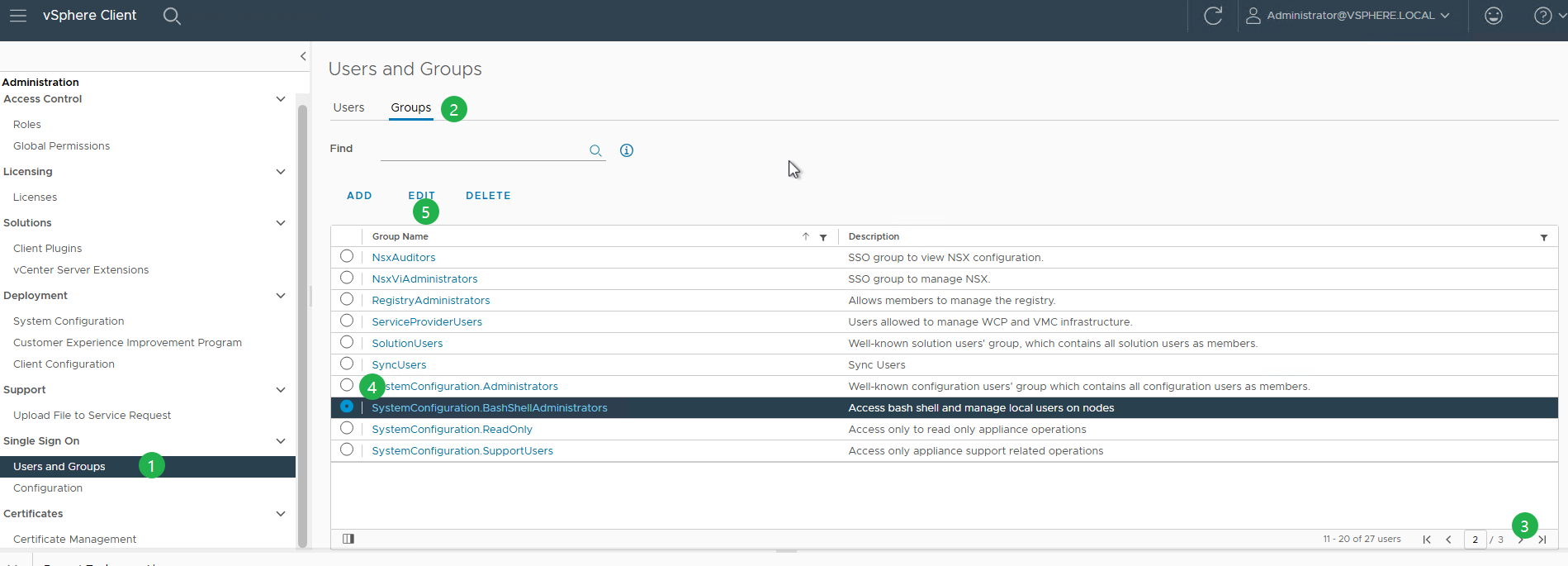
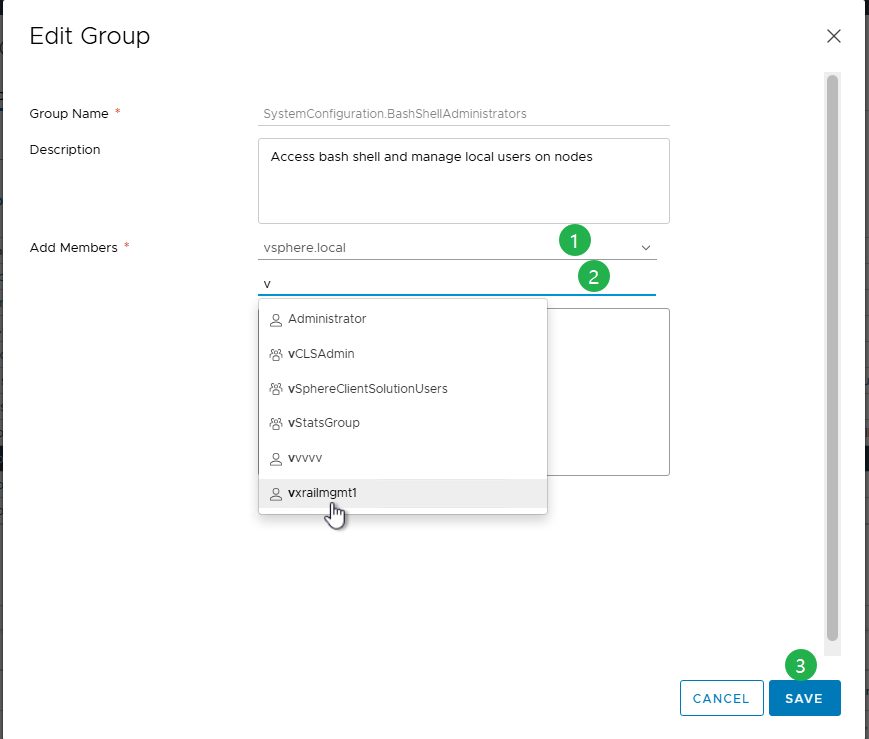
Process to Reset the Root Password in VCSA:
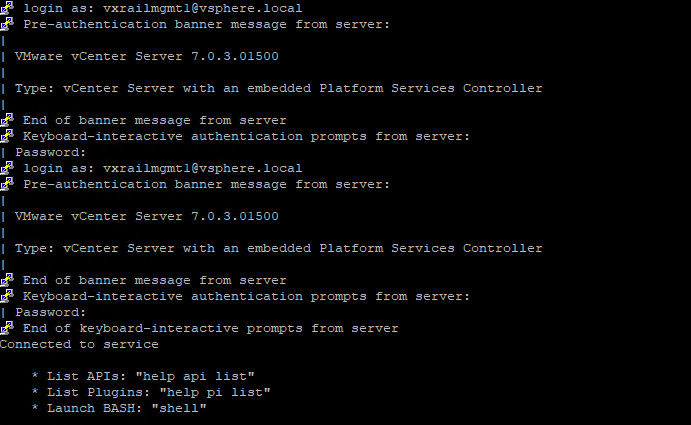
- To connect to the VCSA over SSH, log in using
administrator@vsphere.local, wherevsphere.localis your default SSO domain. - If SSH is disabled, enable SSH using the VAMI (
https://<vcenter_fqdn>:5480). - You can authenticate as
administrator@vsphere.localor any other member of the SSO administrators group. - Enable or Disable SSH and Bash Shell Access.
- If SSH is disabled, enable SSH using the VAMI (
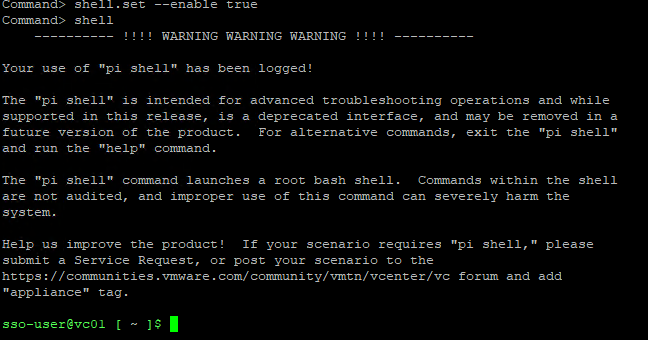
- If this is your first time logging in, first enable the shell, then type shell to access it.

shell.set --enable true
shell
- Once inside the shell as the
sso-user, run the following command to switch to the root shell.
sudo -i
- If the root account is locked due to multiple failed login attempts, unlock it using the following command.
pam_tally2 --user=root --reset

For 8.0 U2 onwards:
/usr/sbin/faillock --user root --reset
Note:
pam_tally2 is deprecated in Photon 4, use faillock instead.
- Once in the root shell, run passwd to change the root password.
passwd
Alternately, use the command:
sudo passwd root

- After updating the password, verify access to the vCenter Server Appliance with the new credentials.
- To prevent this issue in the future, set the root password to never expire by running the following command.
chage -I -1 -m 0 -M 99999 -E -1 root or at the VAMI ( https://<vcenter_fqdn>:5480)
Additional Information
For more information, see Broadcom article Reset the root password in vCenter Server Appliance without reboot/6.7u1/7.x/8.x (321369)
Proprietăți articol
Article Number: 000302492
Article Type: How To
Ultima modificare: 06 Apr 2026
Version: 3
Găsiți răspunsuri la întrebările dvs. de la alți utilizatori Dell
Servicii de asistență
Verificați dacă dispozitivul dvs. este acoperit de serviciile de asistență.