Dell Trusted Device Functionality Impacted by Insufficient or No Network Connectivity
Zhrnutie: This article provides guidance on identifying common issues with Dell Trusted Device’s functionality impacts with insufficient or no network connectivity.
Symptómy
Affected Products:
- Dell Trusted Device
Affected Operating Systems:
- Windows 11
- Windows 10
Dell Trusted Device relies on connectivity to Dell Technologies cloud services for specific tasks. Insufficient or no connectivity may impact the Dell Trusted Device’s functionality.
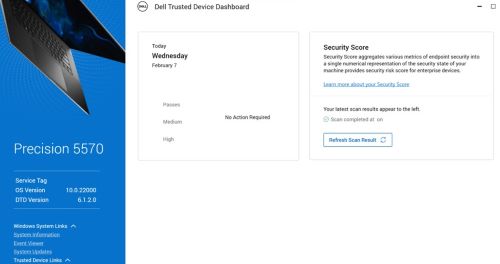
Windows Event Viewer may contain the following events:
- BIOS Verification : 13 (Network Connectivity Error)
- Dell Trusted Device has completed an Intel ME Verification scan of the computer with service tag 123XYZ0 at <Date\Time>.
Result: ERROR. A network connection error occurred
- Dell Trusted Device has completed a Common Vulnerabilities and Exposures (CVE) scan of the computer with service tag 123XYZ0 at <Date\Time>.
Result: ERROR. A network connection error occurred
In the Dell Trusted service.log for Dell Trusted device located in:
%programdata%\Dell\TrustedDevice\services.log you may see errors like below:
CVEVERIFY: Inner exception - The underlying connection was closed: Could not establish trust relationship for the SSL/TLS secure channel.
CVEVERIFY: Inner exception - The remote certificate is invalid according to the validation procedure.
CVEVERIFY: CVE Verification: ERROR. A network connection error occurred
CVEVERIFY: Final CVE Verification result: NetworkConnectionError
BIOSSERVER: Network issue - The underlying connection was closed: Could not establish trust relationship for the SSL/TLS secure channel. (exception status: UnknownError)
BIOSSERVER: Failed to perform the BIOS Server, status=0
BIOS: BIOS Verification : ERROR. A network connection error occurred
BIOS: Unable to trigger live image capture due to missing server response data
BIOS: BIOS Verification: 13 (Network Connectivity Error)
Príčina
The computer may have had limited or no connectivity to Dell’s cloud services for off-host validation tasks.
Riešenie
- Ensure that all ports and network names are allowlisted as defined in the Dell Trusted Device Installation and Administrator Guide > Requirements > Ports section.
- Dell Trusted Device uses certificate pinning against a known certificate embedded within the Dell Trusted Device application. Some traffic-shaping security solutions can prevent this validation. Allowlist the dell.trusteddevice.service.exe in your traffic-shaping application or proxy configuration.
To contact support, reference Dell Data Security International Support Phone Numbers.
Go to TechDirect to generate a technical support request online.
For additional insights and resources, join the Dell Security Community Forum.