PowerFlex: Hur man installerar SDC på Debian-baserad server (Debian, Ubuntu eller Proxmox)
Sammanfattning: Följande procedur förklarar hur man manuellt installerar en extern SDC på en Debianbaserad server. Stegen i proceduren nedan är relevanta för Debian- och Ubuntu-operativsystem, inklusive Proxmox Virtual Environment. ...
Den här artikeln gäller för
Den här artikeln gäller inte för
Den här artikeln är inte kopplad till någon specifik produkt.
Alla produktversioner identifieras inte i den här artikeln.
Instruktioner
Hämta SDC-programvara.
- Hämta SDC-drivrutiner för manuell installation från Dells supportwebbplats
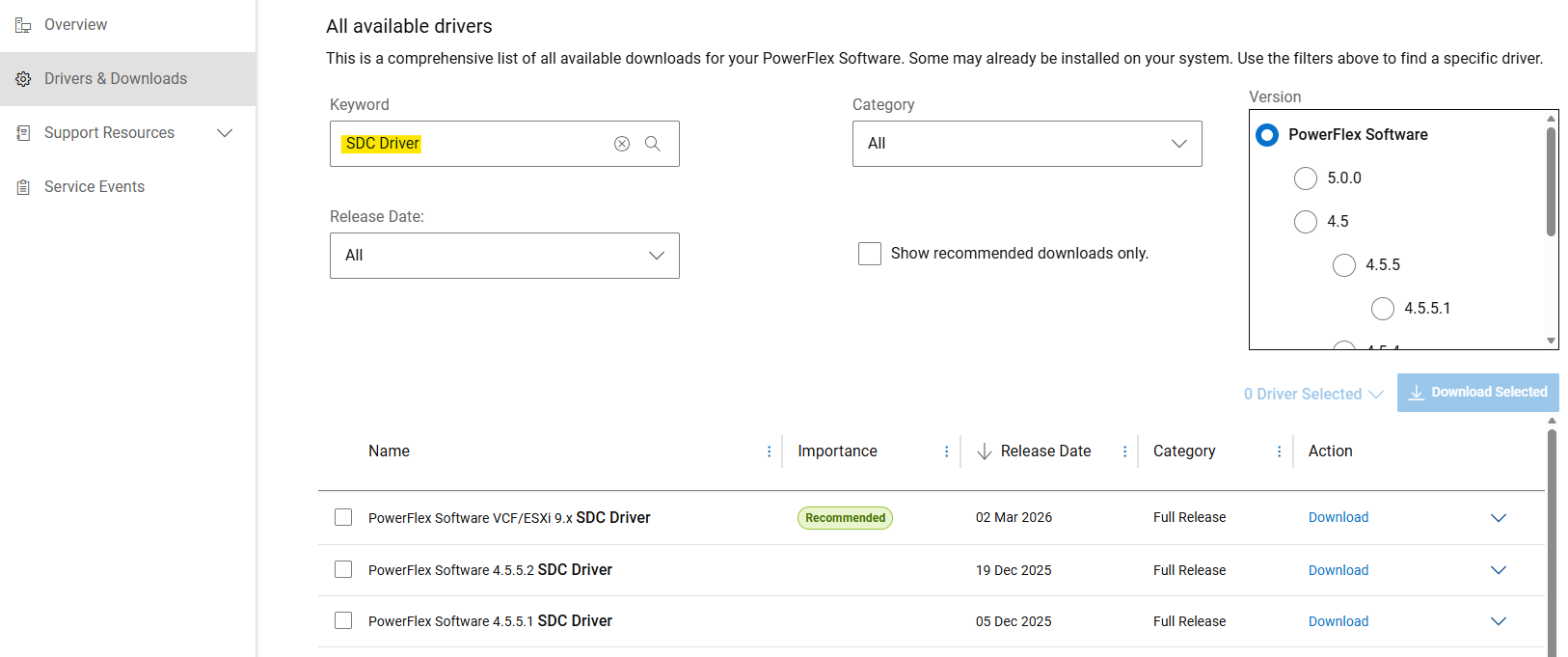
- I avsnittet "Drivers & Downloads" söker du efter "SDC Driver" som sökord.
- Ladda ner"
PowerFlex_*_SDCs_for_manual_install.zip"-fil som matchar den PowerFlex-version som är avsedd att installeras.
(SDC är bakåt- och framåtkompatibel med PowerFlex-systemets version. Se versionskommentarer)
Extrahera Debian-baserat paket (.deb)
PowerFlex-komponentpaket levereras som .tar filer för Debian-baserade operativsystem. Före installationen ska .deb förpackningen måste extraheras med hjälp av siob_extract Verktyg:
- Extrahera SDC
.zip-filen för din specifika OS-version (från "PowerFlex_*_SDCs_for_manual_install.zip" arkiv) - Kontrollera integriteten (md5 eller sha256) och blås upp SDC:n
.zipFilen - Packa upp "
EMC-ScaleIO-sdc-*" .tarFilen - Extrahera
.debpaket som användersiob_extractVerktyg
# Extract SDC for Debian 12 (bookworm) / Proxmox VE 8.x
unzip PowerFlex_*_SDCs_for_manual_install.zip "*Debian12_SDC.*"

# Check integrity & inflate zip file
cd PowerFlex_*_SDCs_for_manual_install/
sha256sum PowerFlex_*_Debian12_SDC.zip
cat PowerFlex_*_Debian12_SDC.sha256
unzip PowerFlex_*_Debian12_SDC.zip

# Extract .deb package (using `siob_extract` utility)
cd PowerFlex_*_Debian12_SDC/
tar -xvf EMC-ScaleIO-sdc-*.Debian12.x86_64.tar
chmod +x siob_extract
./siob_extract EMC-ScaleIO-sdc-*.Debian12.x86_64.siob
ls EMC-ScaleIO-sdc-*.Debian12.x86_64.deb
För andra OS-versioner använder du: ”*Debian13_SDC*" eller "*Ubuntu24.04_SDC*”
Installera SDC på servern och anslut den till PowerFlex.
- Samla in virtuella IP-adresser för MDM för PowerFlex-systemet (eller alla IP-adresser för MDM-hanterare)
- Installera SDC-paketet
- Kontrollera att drivrutinen är inläst
MDM_IP="<MDM_IP1>,<MDM_IP2>,..." dpkg -i EMC-ScaleIO-sdc-*.deb
systemctl status scini.service
Om scini.service startar inte, "scini" drivrutinen kanske inte är kompatibel med din kärnutgåva. I det här fallet kan du läsa om hur du konfigurerar driver_sync (Logga in på Dells support kan krävas för att se den här artikeln) eller kompilering på begäran. Att använda säker start på SDC har vissa begränsningar och kräver ytterligare steg.
Se dokumentationen för rekommenderade uppgifter efter distributionen eller för att mappa volymer till SDC.
Berörda produkter
PowerFlex rack, PowerFlex Appliance, PowerFlex custom node, ScaleIO, PowerFlex SoftwareArtikelegenskaper
Artikelnummer: 000462918
Artikeltyp: How To
Senast ändrad: 12 juni 2026
Version: 3
Få svar på dina frågor från andra Dell-användare
Supporttjänster
Kontrollera om din enhet omfattas av supporttjänster.