ECS GeoDrive folder is missing
摘要: ECS GeoDrive folder is missing on local drive.
本文适用于
本文不适用于
本文并非针对某种特定的产品。
本文并非包含所有产品版本。
症状
User will see the GeoDrive folder or a subfolder missing on their local drive on the host.
The folder will be having the data but it will be invisible/hidden.
- For example, a folder "folder1" is missing in GeoDrive.

- Try to create new folder with same name, then you would be getting the prompt that the folder actually exists.
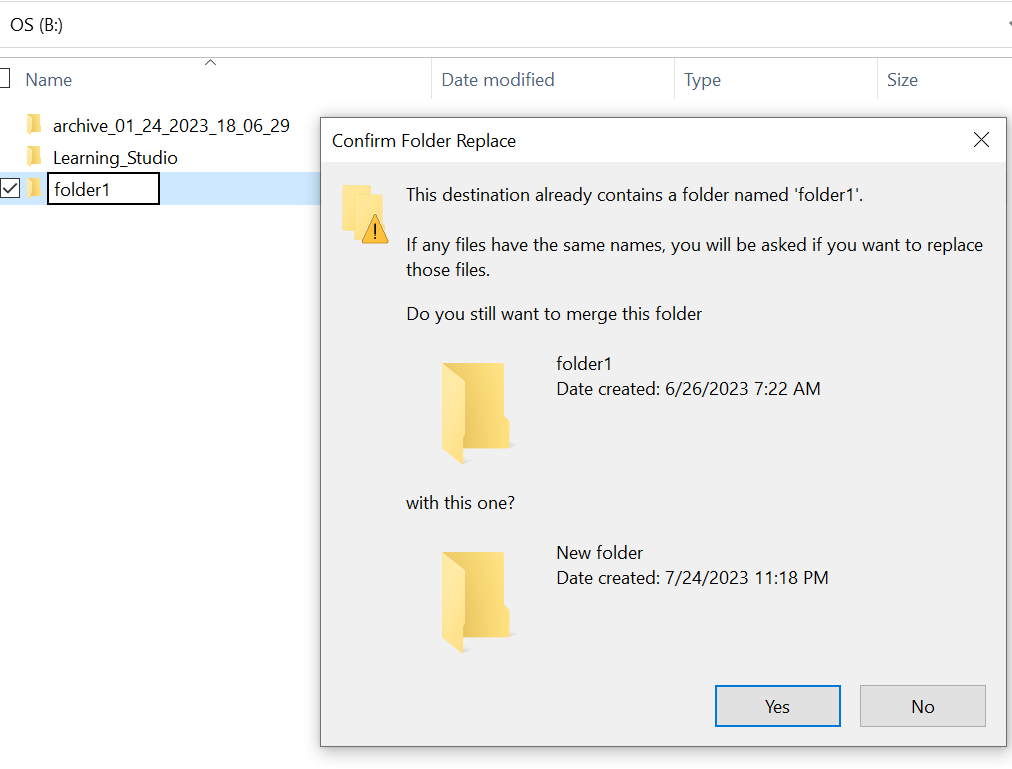
- Search with the missing folder path in the explorer. We should be able to see the contents.

原因
This is because of the HIDDEN and SYSTEM attributes that were set on the folder.
解决方案
Please follow the below steps.
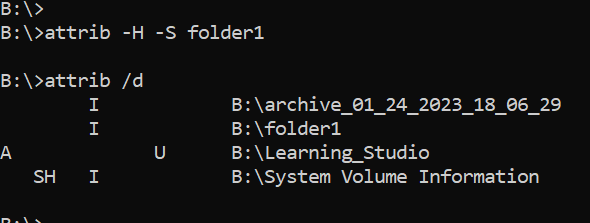
After running this command, check the local drive again. The missing folder will be back to normal.
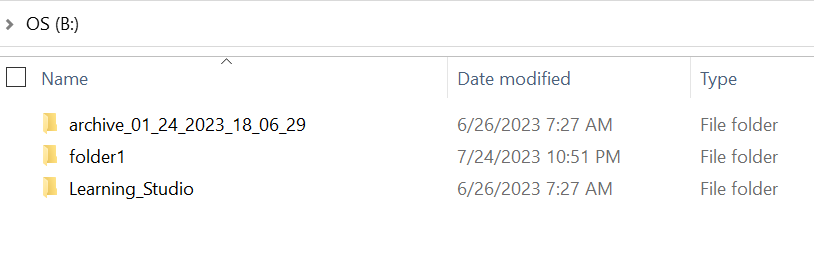
- Go to the windows command prompt on the host system.
- cd to the parent directory where the folder is missing and run "attrib /d".
- You should see a list of directories and missing folder should be in the list.
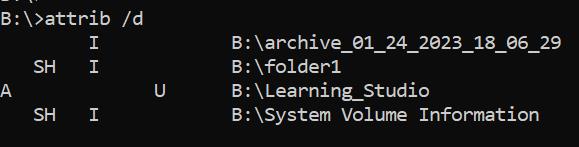
- The letters before it indicate the attributes. You should be seeing SH before the file (SYSTEM and HIDDEN).
- Then run this command to remove the above two attributes : attrib -H -S folder_name
其他信息
There are numerous other options available for attrib command.
B:\>attrib /?
Displays or changes file attributes.

ATTRIB [+R | -R] [+A | -A] [+S | -S] [+H | -H] [+O | -O] [+I | -I] [+X | -X] [+P | -P] [+U | -U]
       [drive:][path][filename] [/S [/D]] [/L]

  +   Sets an attribute.
  -   Clears an attribute.
  R   Read-only file attribute.
  A   Archive file attribute.
  S   System file attribute.
  H   Hidden file attribute.
  O   Offline attribute.
  I   Not content indexed file attribute.
  X   No scrub file attribute.
  V   Integrity attribute.
  P   Pinned attribute.
  U   Unpinned attribute.
  B   SMR Blob attribute.
  [drive:][path][filename]
      Specifies a file or files for attrib to process.
  /S  Processes matching files in the current folder
      and all subfolders.
  /D  Processes folders as well.
  /L  Work on the attributes of the Symbolic Link versus
      the target of the Symbolic Link
受影响的产品
GeoDrive for Windows, Elastic Cloud Storage产品
ECS文章属性
文章编号: 000215245
文章类型: Solution
上次修改时间: 18 5月 2026
版本: 4
从其他戴尔用户那里查找问题的答案
支持服务
检查您的设备是否在支持服务涵盖的范围内。