DBCC CHECKDB- fejlfinding af beskadigelse af SQL Server-database
摘要: DBCC CHECKDB, DBCC, databasereparation, database, beskadiget database
本文章適用於
本文章不適用於
本文無關於任何特定產品。
本文未識別所有產品版本。
症狀
Problem: MS SQL Server-databasen er beskadiget og skal repareres for at opretholde stabilitet og konsistens.
原因
Softwarefejl i MS SQL Server-database, logfiler og programfiler.
解析度
DBCC er et indbygget værktøj i Microsoft SQL Server, der er designet til at kontrollere og reparere Microsoft SQL Server-databaser. Denne artikel beskriver kommandoen og indstillingerne for DBCC CHECKDB i kontrol af databasens logiske og fysiske integritet.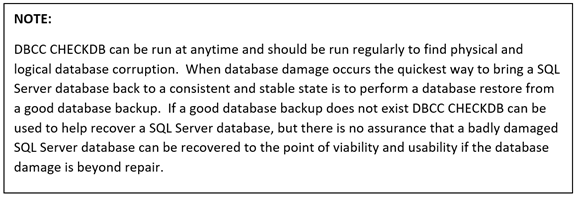
DBCC CHECKDB (Transact-SQL):

Trin til at køre DBCC CHECKDB:
- Open SQL Server Studio Management
- Åbn et forespørgselsvindue
- Indtast "DBCC CHECKDB (Databasenavn)"

4. Kontroller nederst i forespørgselsresultaterne for at se allokerings- og konsistensfejl.
5. Hvis der vises allokerings- og konsistensfejl i resultaterne, skal databasen enten gendannes fra en sikkerhedskopi eller udføres en databasereparation vha. DBCC CHECKDB.
DBCC-reparationsindstillinger
- REPAIR_REBUILD: Kommandoen nedenfor sætter databasen i en tilstand, der tillader reparation.
USE Master;
GO
ALTER DATABASE TSQL2012
SET SINGLE_USER
WITH ROLLBACK IMMEDIATE;
GO
DBCC CHECKDB (TSQL2012, REPAIR_REBUILD)
GO
ALTER DATABASE TSQL2012
SET MULTI_USER;
GO
Kopier kommandoen nedenfor, og indsæt den i forespørgselssessionen med det korrekte databasenavn:
--Command below performs a Database repair not allowing Data loss

USE Master;
GO
ALTER DATABASE TSQL2012
SET SINGLE_USER
WITH ROLLBACK IMMEDIATE;
GO
DBCC CHECKDB (TSQL2012,REPAIR_REBUILD)
GO
ALTER DATABASE TSQL2012
SET MULTI_USER;
GO
2. REPAIR_ALLOW_DATA_LOSS: Nedenstående kommando udfører databasereparation og kan resultere i tab af data for at fuldføre reparationsprocessen.
--Command below performs a database repair that may result in data loss,
 --replace TSQL2012 with the database name of database being repaired
USE Master
GO
ALTER DATABASE TSQL2012
SET SINGLE_USER
WITH ROLLBACK IMMEDIATE
GO
DBCC CHECKDB (TSQL2012, REPAIR_ALLOW_DATA_LOSS)
GO
ALTERDATABASE TSQL2012
SET MULTI_USER
GO
Kopier kommandoen nedenfor, og indsæt den i forespørgselssessionen med det korrekte databasenavn:
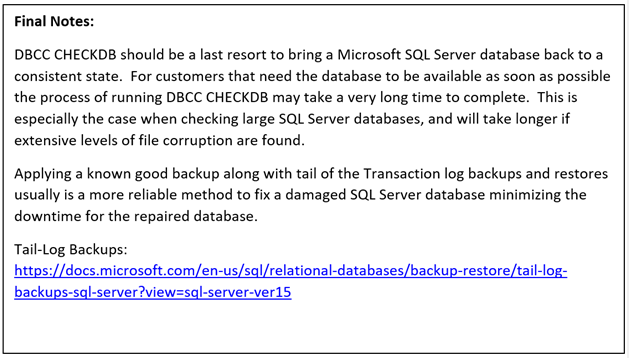
Nedenstående kommandoer er nyttige, hvis databasens fysiske diskplads er ved at løbe tør for plads.
--Command below estimates the size TEMPDB must be to complete the DBCC CHECKDB job
USE Master;
GO
ALTER DATABASE TSQL2012
SET SINGLE_USER
WITH ROLLBACK IMMEDIATE;
GO
DBCC CHECKDB (TSQL2012, REPAIR_REBUILD)
WITH ESTIMATEONLY;
GO
ALTER DATABASE TSQL2012
SET MULTI_USER
GO
Kopier kommandoen nedenfor, og indsæt den i forespørgselssessionen med det korrekte databasenavn:
--Command below estimates the size TEMPDB must be to complete the DBCC CHECKDB job

USE Master;
GO
ALTER DATABASE TSQL2012
SET SINGLE_USER
WITH ROLLBACK IMMEDIATE;
GO
DBCC CHECKDB (TSQL2012, REPAIR_REBUILD)
WITH ESTIMATEONLY;
GO
ALTER DATABASE TSQL2012
SET MULTI_USER
GO
--Command below will run DBCC CHECKDB without using TEMDB and creating a DB
--snapshot. When not using TEMPDB with a DB snapshot all data will be checked in
-- the live database not not a database snapshot.

USE Master;
GO
ALTER DATABASE TSQL2012
SET SINGLE_USER
WITH ROLLBACK IMMEDIATE;
GO
DBCC CHECKDB (TSQL2012, REPAIR_REBUILD)
WITH TABLOCK;
GO
ALTER DATABASE TSQL2012
SET MULTI_USER
GO
Kopier kommandoen nedenfor, indsæt til forespørgselssessionen, og indsæt det korrekte databasenavn:
--Command below will run DBCC CHECKDB without using TEMPDB and creating a DB
--snapshot. When not using TEMPDB with a DB snapshot all data will be checked in ---the live database not a database snapshot.

USE Master;
GO
ALTER DATABASE TSQL2012
SET SINGLE_USER
WITH ROLLBACK IMMEDIATE;
GO
DBCC CHECKDB (TSQL2012, REPAIR_REBUILD)
WITH TABLOCK;
GO
ALTER DATABASE TSQL2012
SET MULTI_USER
GO
受影響的產品
Dell Quickstart Data Warehouse Appliance, Prosupport for Microsoft Software文章屬性
文章編號: 000134529
文章類型: Solution
上次修改時間: 18 3月 2025
版本: 5
向其他 Dell 使用者尋求您問題的答案
支援服務
檢查您的裝置是否在支援服務的涵蓋範圍內。