


Unsolved
4 Operator
•
2.4K Posts
1
4447
October 14th, 2022 15:00
Support Assist, Windows 11, Updated with a new Install, odd things happening?
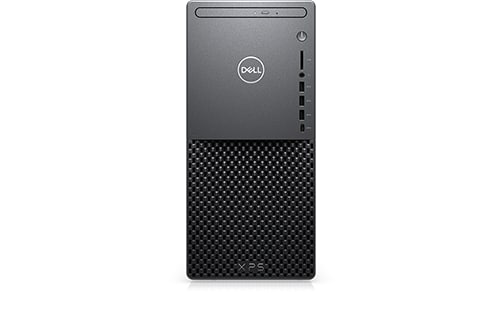
XPS 8940
Here is when it installed:
A day later I was checking my Reliability Viewer (Win 11 Home, 22H2 version) and I see this happened:
159 reconfigurations??? (The list posted is a partial) Huh???
So today when I booted I checked this first, yay, none.
Looked a little later, 156 of them reconfigured and now, 310???:
This is insane? Did NOT happen until Support Assist was installed?
Now I find sometime yesterday these were installed:
The last one, the Recovery Plugin was also installed with the Support Assist on the 12th.
Are these a 'one-time' thing with the Dell updates or is something else going on?

No Events found!
ispalten
4 Operator
•
2.4K Posts
0
May 7th, 2023 07:00
Note, turns out the message is BELOW this one, not above it?
@lmacri
Along with the above message I did see your OLD one here, https://www.askwoody.com/forums/topic/what-is-successful-application-reconfiguration/, and the mention of this part made me look at mine setting:
=========
System Repair is associated with the SupportAssist OS Recovery tools and SupportAssist Remediation. If you have already uninstalled SupportAssist and are still seeing a daily flood of “Successful Application Reconfiguration” events there is a second way to turn off System Repair in the SupportAssist OS Recovery settings manager – go to Control Panel | System and Security | SupportAssist OS Recovery | Settings | System Repair and turn off System Repair there.
================
I did also look at the folder used and I had some data from today. Well, much to my Surprise, that setting was ALREADY off? But I was generating files?
Other oddity in this, here is a screenshot after I enabled it:
I made ONLY one change after enabling, the size to 16GB after seeing the box on the right with 12GB set? Didn't change the box data?
Something else is clearly wrong here? Even with it DISABLED it was still saving data?
I'm starting to think REMOVAL doen't get all the settings out, either hidden somewhere or in the Registry? Even using REVO Uninstaller didn't the last time? Worse, it seems some settings are not getting SET with the Install of SA or SA OS Recovery? Could explain why it is happening to me?
lmacri
3 Apprentice
•
1.7K Posts
0
May 7th, 2023 09:00
Hi ispalten:
I posted a few times about that same MS support article Event Log Message Indicates That the Windows Installer Reconfigured All Installed Applications in DELLKaren's 22-Apr-2021 thread "Successful Application Reconfiguration" and SupportAssist. See my 27-Apr-2021 post <here> on page 1 of that thread as well as my 02-Jul-2021 response <here> to Dell employee NikhilKiroula's post on page 8 of that thread.
As far as I know, the only way to stop Dell SupportAssist OS Recovery (a.k.a. Dell SupportAssist Remediation) from logging these "Successful Application Reconfiguration" events (short of disabling the Dell SupportAssist Remediation service to prevent the program from running) would require Dell to re-code the SupportAssist OS Recovery software so that the code queries the "lighter" Win32reg_AddRemovePrograms class instead of the Win32_Product class (which in turn calls msiprov.dll to perform the consistency check). My conclusion was that Dell must fix this problem themselves by updating their outdated source code, which they don't seem inclined to do even though they're aware of the problem
-------------
64-bit Win 10 Pro v22H2 build 19045.2846 * Firefox v112.0.2 * Microsoft Defender v4.18.2304.8-1.1.20300.3 * Malwarebytes Premium v4.5.27.262-1.0.1991 * Macrium Reflect Free v8.0.7279 * Dell Update for Windows Universal v4.8.0 * My Dell v2.2.4 * Dell Inspiron 5583/5584 BIOS v1.22.1
Dell Inspiron 15 5584, Intel i5-8265U CPU, 8 GB RAM, 256 GB Toshiba KBG40ZNS256G NVMe SSD, Intel UHD Graphics 620
lmacri
3 Apprentice
•
1.7K Posts
0
May 7th, 2023 10:00
See the section titled IMPORTANT ADDENDUM in my 17-Oct-2022 post <here> on page 2 of this thread which states in part "At some point in my testing I found that simply turning OFF System Repair did not automatically disable the Dell SupportAsist Remediation service as it had with earlier versions of SupportAssist, and that it was necessary to manually disable that Dell SupportAsist Remediation service to get the "Successful Application Reconfiguration" messages to stop."
I uninstalled all SupportAssist-related software from my system in March 2023 (see my reasons in my 22-Mar-2023 post in my thread Dell SupportAssist OS Recovery Plugin for Dell Update Rolled Back to v5.5.4.16189) so I can't test to see what conditions will trigger the creation of Dell system restore points (snapshots) in C:\ProgramData\Dell\SARemediation\SystemRepair\Snapshots and/or the logging of "Successful Application Reconfiguration" events in Reliability Monitor with the latest release of Dell SupportAssist OS Recovery.
Redheaded Celt posted <here> on 05-May-2023 that they just received a new update for the Dell SupportAssist OS Recovery Tools, and these updates can sometimes re-enable the Dell SupportAssist Remediation service if that service was previously disabled. Check the "Installed On" date of Dell SupportAssist Remediation at Control Panel | Programs | Programs and Features to see if your Dell SupportAssist OS Recovery Tools were recently updated.
It's not unusual for the C:\ProgramData\Dell\SARemediation\SystemRepair\Snapshots folder to "slightly" exceed the maximum hard disk space size you select in your System Repair settings by a few GBs - see the old 21-May-2021 image I posted in my 12-Mar-2023 reply in Zaghan's SA OS Recovery, Taking Up Too Much Storage. Here's another old image I found for Dell SupportAssist OS Recovery v5.4.1.14954 that was captured a day later on 22-May-2021:
Some users have reported in the past that their C:\ProgramData\Dell\SARemediation\SystemRepair folder grew to more than 150 GB in size (see bfost's 02-Nov-2021 XPS 8940, Dell software writing 230GB of logs and guthrie's 04-Nov-2021 thread file size -SAR REmediation for two examples), and when that happens you know this software has a serious bug.
-------------
64-bit Win 10 Pro v22H2 build 19045.2846 * Firefox v112.0.2 * Microsoft Defender v4.18.2304.8-1.1.20300.3 * Malwarebytes Premium v4.5.27.262-1.0.1991 * Macrium Reflect Free v8.0.7279 * Dell Update for Windows Universal v4.8.0 * My Dell v2.2.4 * Dell Inspiron 5583/5584 BIOS v1.22.1
Dell Inspiron 15 5584, Intel i5-8265U CPU, 8 GB RAM, 256 GB Toshiba KBG40ZNS256G NVMe SSD, Intel UHD Graphics 620
ispalten
4 Operator
•
2.4K Posts
0
May 7th, 2023 10:00
@lmacri
Yes, and the date I saw on the link is only a few weeks old now on MS's site.
The other reason was I did have OS Recovery set OFF, so by your text having it disabled would stop it, but it didn't?
Possible it was set ENABLED by an older version/time on my PC and never cleared, but the new install didn't pick up the setting? Program error?
ispalten
4 Operator
•
2.4K Posts
0
May 7th, 2023 15:00
@lmacri
Here are all the recent Dell apps installed, date and versions:
Now this IS interesting? On the post of 05-07-2023 10:20 AM I showed I have the SA OS Recovery? Revo above shows I have it too?
However, I can NOT find or start it? Search does not show it? Odd???
In Support Assist Settings System Restore IS off... turning back on and off I do get a warning about turning it off?
Looks like ALL the folders are there too?
C:\ProgramData\Dell\SARemediation>dir
Volume in drive C is OS
Volume Serial Number is 9A97-C0F4
Directory of C:\ProgramData\Dell\SARemediation
05/07/2023 06:52 PM
02/18/2023 04:28 PM
05/01/2023 09:16 AM
05/07/2023 03:54 PM dellsupport [\\?\GLOBALROOT\Device\Harddisk1\partition7\]
06/25/2022 09:51 AM
05/06/2023 06:58 PM
05/01/2023 09:14 AM
05/01/2023 09:14 AM
04/30/2023 10:32 AM
04/30/2023 10:33 AM
04/30/2023 10:32 AM
02/21/2022 11:50 AM
0 File(s) 0 bytes
12 Dir(s) 108,979,769,344 bytes free
lmacri
3 Apprentice
•
1.7K Posts
0
May 7th, 2023 20:00
Hi ispalten:
I think you're confusing two different programs (which is easy to do - I don't know why Dell gave them such similar names).
The small 44 MB SupportAssist OS Recovery Tool v2.3.7012 detected by Revo looks like the standalone utility available for download at https://www.dell.com/support/home/en-ca/drivers/osiso/recoverytool/wt64a (currently Dell-USB-Recovery-Tool-Application_VYFNW_WIN_2.3.7012.0_A00.exe) that can be used for creating a bootable emergency USB recovery drive.
The larger 90 MB Dell SupportAssist Remediation v5.5.6.18729 (a.k.a. SupportAssist OS Recovery) is bundled inside the SupportAssist OS Recovery Tools v5.x package that is only available for download via SupportAssist v3.x or Dell Update v4.x when you run a check for Dell software and driver updates. This is the "main" program described in the Dell SupportAssist OS Recovery User’s Guide that is responsible for creating Dell system repair points (snapshots) that are stored in the hidden C:\ProgramData\Dell\SARemediation\SystemRepair\Snapshots folder. As noted in that user guide, the main SupportAssist OS Recovery program can be started from the F12 boot menu of your BIOS. You should also be able to access the control panel / settings manager at Control Panel | System and Security | SupportAssist OS Recovery (the location on my Win 10 machine as shown below in one of my older images).
See my 24-Jan-2022 post in christos1's Dell Support Assist OS Recovery Tool for further details about the difference between these two programs.
I'm not sure what you're trying to show me since your directory listing using a command prompt doesn't show the size or contents of those folders. I'd suggest you use the TreeSize Free utility (be sure to choose to Run as Administrator at launch) instead to view these hidden folders.
When you turn off System Repair in your SupportAssist settings or at Control Panel | System and Security | SupportAssist OS Recovery | Settings | System Repair it is normal to see a warning that this will delete your saved Dell system repair points (snapshots). If this works correctly turning off System Repair will only purge the Dell repair points stored inside the hidden C:\ProgramData\Dell\SARemediation\SystemRepair\Snapshots folder and decrease the amount of disk space used by this folder, but it doesn't actually delete the folder. I captured the images below in May 2021 showing the SupportAssist v3.8.1.2 warning before I turned off System Repair, and how this reduced the size of my C:\ProgramData\Dell\SARemediation\SystemRepair\Snapshots folder from ~ 14 GB down to 16 KB.
------------------
64-bit Win 10 Pro v22H2 build 19045.2846 * Firefox v112.0.2 * Microsoft Defender v4.18.2304.8-1.1.20300.3 * Malwarebytes Premium v4.5.27.262-1.0.1991 * Macrium Reflect Free v8.0.7279 * Dell Update for Windows Universal v4.8.0 * My Dell v2.2.4 * Dell Inspiron 5583/5584 BIOS v1.22.1 * TreeSize Free Portable v4.6.3.520
Dell Inspiron 15 5584, Intel i5-8265U CPU, 8 GB RAM, 256 GB Toshiba KBG40ZNS256G NVMe SSD, Intel UHD Graphics 620
ispalten
4 Operator
•
2.4K Posts
0
May 8th, 2023 06:00
@lmacri
I understand what you posted...
Right now, this is NOT my main problem?
This is what I posted before:
Now I can NOT execute it or find it?
See, this is what my SEARCH for SupportAssist shows:
As for the Directory, this is still populated:
It should not be though.
Ahh!!! Tada!!! Thank you for pointing me in the right direction to find SupportAssist OS Recovery, yes I did find it on the Control Panel, but in W11, it is an individual entry. Between Storage Spaces and Sync Center. One of the reasons people don't like W11, they moved where 'things' are located and also changed some 'names'. Anyway, opened it, it was DISABLE, enabled it and I see this:
Which implies to me, no REPAIR POINT exists?
lmacri
3 Apprentice
•
1.7K Posts
0
May 8th, 2023 07:00
Hi ispalten:
Yes, today's images in your last post <above> show you currently have no Dell system repair points (snaphhots) stored in your C:\ProgramData\Dell\SARemediation\SystemRepair\Snapshots folder after disabling System Repair. Everything looks "normal" to me.
Please take a closer look at my "before and after" TreeSize Free images <here> in my 07-May-2023 post. Before turning OFF System Repair I had about 20 separate folders for each system repair point that each used ~ 100 MB of disk space, and my C:\ProgramData\Dell\SARemediation\SystemRepair\Snapshots folder was using ~ 22 GB of the 14 GB of allocated disk space. Don't ask me why it's "normal" for the disk space space allocated by SupportAssist OS Recovery for system repair points to always be exceeded by 5 or 10 GB - it's just another a long-standing glitch in the software.
After I turned OFF System Repair those large system repair points were purged and my C:\ProgramData\Dell\SARemediation\SystemRepair\Snapshots folder size decreased to a minuscule 16 KB. I didn't drill down in my second TreeSize Free image to see the names of the two small files left behind after the purge but I'm guessing they were static .txt, .log or .dat files. I'm also assuming those two static files were deliberately left behind because they contained metadata (e.g., size, creation dates, etc.) for my system repair points. I'm also guessing that the SupportAssist OS Recovery settings manager in the Win 10 / Win 11 Control Panel needs to access those static files in order to correctly display the total amount of disk space used by the system repair points in C:\ProgramData\Dell\SARemediation\SystemRepair\Snapshots as well as the creation dates of the oldest and newest system repair points, if any exist.
That's just speculation on my part, however, because I uninstalled Dell SupportAssist Remediation v5.5.5.16458 in March 2023 and I have no idea if your current Dell SupportAssist Remediation v5.5.6.18729 is supposed to behave the same way.
------------------
64-bit Win 10 Pro v22H2 build 19045.2846 * Firefox v112.0.2 * Microsoft Defender v4.18.2304.8-1.1.20300.3 * Malwarebytes Premium v4.5.27.262-1.0.1991 * Macrium Reflect Free v8.0.7279 * Dell Update for Windows Universal v4.8.0 * My Dell v2.2.4 * Dell Inspiron 5583/5584 BIOS v1.22.1
Dell Inspiron 15 5584, Intel i5-8265U CPU, 8 GB RAM, 256 GB Toshiba KBG40ZNS256G NVMe SSD, Intel UHD Graphics 620
ispalten
4 Operator
•
2.4K Posts
0
May 8th, 2023 14:00
@lmacri
So it seems Dell doesn't care to fix the 'call' problem?
I'm now really 'annoyed'.
The Reliability Viewer is USELESS now...
Look at what it showed for 4/29
Only that MS GameInput that all users seem to get.
Now for 4/30:
TWO of every one... Why the change? Well, look at Dell installs via Revo Uninstaller:
Who do you SUSPECT is the Culprit?
However, I did have all those installed before, ergo, UPDATES... and it was only then after these went down that I got a notice in the Action Center that Dell SA created a backup for me. Never could get that working before?
So, it seems I have 2 choices:
Right now, #1, other than the uselessness of the Reliability Viewer is not a problem.
I'm not sure what I want or should do? What ever Support Assist provides, I'm sure other programs and Utilities replace, and I use both Macrium Free and Acronis as my back-ups.
Acronis version I have is the 2020, not interested in their subscription nor new 'protection' version. I feel at some point is shall not work even. Hence the Macrium used as a back-up in case this should occur. I could test them both and did for awhile but the only way I'd know for sure is the time Acronis will not work. At that point I'll buy Macrium.
Any way to get Dell interested in fixing this?
lmacri
3 Apprentice
•
1.7K Posts
0
May 9th, 2023 07:00
Hi ispalten:
Unless something has radically changed in the past week or so since SupportAssist v3.14.0.91 and/or Dell SupportAssist OS Recovery Tools v5.5.6.18729 (a.k.a. Dell SupportAssist Remediation) were installed, then all my past testing has shown that the update to Dell SupportAssist OS Recovery / Dell SupportAssist Remediaiton v5.5.6.18729 on 30-Apr-2023 was the likely culprit. As Dell employee NikhilKiroula noted on 02-Jul-2021 in DELLKaren's "Successful Application Reconfiguration" and SupportAssist :
"The SupportAssist OS Recovery Tools will need to collect its related components’ information by making the WMI call to the Win32_Product. This takes place about 30 minutes after the user’s login has occurred..."
You can test yourself. Turn OFF System Repair in your SupportAssist settings (or in your SupportAssist OS Recovery Tools settings manager in Control Panel - turning on System Repair in one program should simultaneously turn it OFF in the other). Then change the Startup Type of your Dell SupportAssist Remediation service to Disabled, re-boot your computer, and confirm that the Dell SupportAssist Remediation service is not running. That should stop the flood of "Successful Application Reconfiguration" events in Reliability Monitor 30 min after each system restart, purge any existing Dell system repair points in your hidden C:\ProgramData\Dell\SARemediation\SystemRepair\Snapshots folder, and stop creation of any new Dell system repair points in that hidden folder, even if you continue to use SupportAssist.
After three or four days (with a system restart at least once a day), change the Startup Type of your Dell SupportAssist Remediation service back to it default Automatic (Delayed Start), re-boot your computer and ensure the service is running, and turn ON System Repair in either SupportAssist or your SupportAssist OS Recovery Tools settings manager. Your flood of "Successful Application Reconfiguration" events should return and this should also restart the creation of new Dell system repair points in your hidden C:\ProgramData\Dell\SARemediation\SystemRepair\Snapshots folder.
_____________________
I don't know why that flood of "Successful Application Reconfiguration" events didn't occur on 29-Apr-2023 unless you didn't restart your computer on that date or you had previously turned OFF System Repair and/or disabled your Dell SupportAssist Remediation service to prevent Dell SupportAssist Remediation from automatically loading at boot-up. Only you would know that.
Your 30-Apr-2023 Reliability Monitor shows the "usual" flood of "Successful Application Reconfiguration" events caused by Dell SupportAssist OS Recovery when it creates a Dell system repair point. I can only assume that the 30-Apr-2023 installation of the Dell SupportAssist OS Recovery Tools v5.5.6.18729 update on 30-Apr-2023 either switched System Repair back to its default ON setting and/or re-started your Dell SupportAssist Remediation service and triggered the creation of a new Dell system repair point, which in turn caused another flood of "Successful Application Reconfiguration" events in your Reliability Monitor. I've seen this happen on my own Inspiron 5584 - I was surprised to see my "Successful Application Reconfiguration" events re-appear after the Dell SupportAssist OS Recovery Tools v5.5.4.16189 update was installed on 23-Aug-2023 by Dell Update for Windows Universal v4.6.0, and when I checked my Windows Services I could see that this Dell SupportAssist OS Recovery Tools update had re-enabled the Dell SupportAssist Remediation service without my knowledge as shown in the 23-Aug-2023 images below. ***
*** Note that my Dell SupportAssist and Dell TechHub services are both disabled in this image. I did this deliberately because I didn't want Dell SupportAssist v3.x to load automatically at boot-up and was using Dell Update for Windows Universal v4.x to check for Dell software and driver updates instead of SupportAssist.
You have a third option - keep SupportAssist v3.x and uninstall the components of the Dell SupportAssist OS Recovery Tools v5.x.
If you can't live with these "Successful Application Reconfiguration" events but want to keep SupportAssist then just uninstall Dell SupportAssist Remediation v5.5.6.18729 and the Dell SupportAssist OS Recovery Plugin for Dell Update v5.5.5.16206 with Revo Uninstaller. Disable all automatic scanning and updating in SupportAssist [Options (gear icon) | Settings | Automate Scans and Optimizations | Set Your System to Automatically Run Scans and Performance Optimization | OFF], and run manual "Get Drivers and Downloads" scans from the Home tab of SupportAssist instead. The next time SupportAssist offers to reinstall Dell SupportAssist OS Recovery Tools and/or the plugin just decline / uncheck the offered update. WARNING: If you do this just be sure you have an emergency recovery plan in place (e.g., by creating regular Acronis or Macrium Reflect full disk images) so you can recover your system if disaster strikes.
If you want to uninstall SupportAssist as well then just use the Dell Update for Windows Universal v4.8.0 application (rel. 31-Jan-2023) offered on the support page for your XPS 8930 at https://www.dell.com/support/home/en-ca/product-support/product/xps-8940-desktop/drivers to find and install Dell software and driver updates that match the unique Service Tag for your system. If you ever want to run a Dell hardware diagnostic you can run Dell's F12 ePSA (enhanced Pre-boot System Assessment) hardware diagnostics from your BIOS - see the instruction video at https://www.youtube.com/watch?v=9cfFECs5Qa0.
Not that I know of. I'm not a Dell Tech Expert and my service warranty has expired so I have no direct contact or any influence with any of the Dell employees.
Perhaps Dell will finally get the message if more users decide to uninstall these bloated, buggy software programs. As of today Control Panel | Programs | Programs and Features shows I only have two Dell programs installed - Dell Update for Windows Universal and Fusion Service (required for the My Dell v2.x UWP app that now comes bundled with Dell Power Manager):
-------------
64-bit Win 10 Pro v22H2 build 19045.2846 * Firefox v112.0.2 * Microsoft Defender v4.18.2304.8-1.1.20300.3 * Malwarebytes Premium v4.5.27.262-1.0.1991 * Macrium Reflect Free v8.0.7279 * Dell Update for Windows Universal v4.8.0 * My Dell v2.2.4 * Dell Inspiron 5583/5584 BIOS v1.22.1 * Revo Uninstaller Free Portable v2.4.4
Dell Inspiron 15 5584, Intel i5-8265U CPU, 8 GB RAM, 256 GB Toshiba KBG40ZNS256G NVMe SSD, Intel UHD Graphics 620
ispalten
4 Operator
•
2.4K Posts
0
May 9th, 2023 11:00
OK, this is 'weird' to be sure...
Support Assist DID have SYSTEM REPAIR unchecked...
On BOOT, I got 2 of each 'item' reconfiguration reported.
So I disabled the Remediation Service and re-booted. Waited 30+ minutes and looked again at the Reliability Monitor...
EXACTLY 1 extra Reconfigure... the GameInput...
I sorted by names and went to the GameInput:
Time I loaded the viewer:
time
The current time is: 14:45:27.94
Enter the new time:
What you see above it the first instance of the GameInput, 8:26AM, then Support Assist Service running at 9:02AM, 36 minutes later and I get TWO of all items reconfigure done. Last one is my Boot with the Service Disabled at 1:58PM. It took that Snapshot at 2:45PM, more than enough time (36 minutes before) to run, and well, nothing seems to have been reconfigured?
Ergo, the Remediation service IS the root problem and not only using the wrong call, using it TWICE it seems?
So this was installed on the 30th...
We know WHO, but NOT why?
ispalten
4 Operator
•
2.4K Posts
0
May 10th, 2023 06:00
@lmacri
Oh, I'm with you and understand all this.
Yes, GameInput has nothing to do with SA, this is an MS problem, and has been for a long time, and well, basically ignored by them.
Yes, this has been a long running Dell SA (and other 'parts' that go with it) problem for a long time and ignored.
I'm satisfied with the Service disabled, today's results:
I had to reboot, MS Update required it.
I'm reluctant to press Dell on this, I'm sure they are aware of it. I might have 'worn out my welcome' pressing them on the Nvidia lock up problem (which was never fixed, but seems to be a lot better recently, with no one taking claim for doing that).
lmacri
3 Apprentice
•
1.7K Posts
0
May 10th, 2023 06:00
Hi ispalten:
If you sort your 09-May-2023 Reliability Monitor logs by Date instead of Source you might find that your Microsoft GameInput "Successful Application Reconfiguration" events at 8:26 AM and/or 1:58 PM are anomalies and are separate from the two events logged at 9:02 AM along with the flood of "Successful Application Reconfiguration" events that were triggered by Dell SupportAssist OS Recovery (a.k.a. Dell SupportAssist Remediation) at 9:02 AM when it was creating a system repair point.
If you run a Google search at https://www.google.com/search?q="Successful+Application+Reconfiguration"+Microsoft.GameInput you'll find multiple threads from users who don't own a Dell computer and don't use Dell SupportAssist OS Recovery who also see these reconfiguration events triggered for Microsoft GameInput. According to DaveM121's posts in the MS Answers thread What is ‘Microsoft GameInput’? this is a Microsoft service that is part of the gaming infrastructure in Win 10 and 11 and it is the "interface used by Windows for compatibility with game controllers and other gaming input devices like steering wheels...etc.". I skimmed through a few of these threads and many users who see these reconfiguration events for Microsoft GameInput appear to use game controllers for Xbox, Steam, flight simulators, etc. and also have Microsoft's Gaming Services installed (available on the Microsoft Store - to find this app enter ms-windows-store://pdp/?productid=9MWPM2CQNLHN in a browser address bar). I'm not a gamer so you'll have to read through some of those threads for more information - I suggest you start with creese5's 15-Jun-2022 Microsoft GameInput Application Reconfiguration Crashes Win 11 PC.
I posted the following on 04-May-2021 in DELLKaren's "Successful Application Reconfiguration" and SupportAssist about my Inspiron 5584 / Win 10 laptop :
"... I also went back through my logs and confirmed that these "Successful Application Reconfiguration" events come in repeating sets. I typically see a total of 192 events (4 repeating sets for the same 48 installed programs like iTunes, Dell SupportAssist, Macrium Reflect Free Edition, etc.) logged in the Win 10 Reliability Monitor and Event Viewer. All 192 of these events are logged within about 15 seconds of each other in one time-stamp period and they usually start about 30 min after boot-up, assuming that the Dell SupportAssist Remediation service is running and the System Repair feature is enabled in the Dell SupportAssist settings ..."
I stated before in my 01-May-2023 post <here> that it isn't unusual for Dell SupportAssist Remediation users to see these types of repeating sets, and I can't tell you why you only see a duplicate set of events logged for each application when a Dell system repair point is created on your XPS 8940 / Win 11 desktop . Someone from Dell would have to explain this (perhaps @NikhilKiroula can help with that) or Dell would have to give me the source code for Dell SupportAssist Remediation so I could see how often these problematic queries to the Win32_Product class occur during the creation of a system repair point, and that is never going to happen.
I don't think there's anything more I can tell you about these "Successful Application Reconfiguration" events that I didn't already post in DELLKaren's 22-Apr-2021 "Successful Application Reconfiguration" and SupportAssist. As I see it you now have two options:
You can experiment all you want with your Dell SupportAssist Remediation service and System Repair setting, but at the end of the day if you are going to depend on Dell SupportAssist OS Recovery to reliably create system repair points in the hidden C:\ProgramData\Dell\SARemediation\SystemRepair\Snapshots folder that can be used for an emergency recovery then you will have to choose Option # 1.
I decided to uninstall the Dell SupportAssist OS Recovery Tools and start using Macrium Reflect Free because previous bugs in this Dell software have damaged user data (see balji's 09-May-2021 SupportAssist Deleted My Partitions While Installing OS Recovery for one example), and when my own Inspiron 5584 failed to boot up in Aug 2020 Dell SupportAssist OS Recovery was unable to recover my system (I spent several hours on the phone with Dell customer support and nothing they suggested worked) and I eventually had to perform a reset to factor condition to get my system to boot-up again.
You might have a completely different experience with Dell SupportAssist OS Recovery so you'll have to decide for yourself whether you want to keep using it or not.
-------------
64-bit Win 10 Pro v22H2 build 19045.2846 * Firefox v112.0.2 * Microsoft Defender v4.18.2304.8-1.1.20300.3 * Malwarebytes Premium v4.5.28.266-1.0.2005 * Macrium Reflect Free v8.0.7279 * Dell Update for Windows Universal v4.8.0 * My Dell v2.2.4 * Dell Inspiron 5583/5584 BIOS v1.22.1
Dell Inspiron 15 5584, Intel i5-8265U CPU, 8 GB RAM, 256 GB Toshiba KBG40ZNS256G NVMe SSD, Intel UHD Graphics 620