GPU Optimization with Run:ai Atlas
Introduction
Executive summary
Document purpose
Audience
Overview of Run:ai Atlas platform
Summary
AI significantly impacts enterprises across industries as it provides organizations with the ability to analyze vast amounts of data and extract insights to influence decision-making. From customer service to supply chain management, every department in an enterprise is using AI to automate routine tasks, improve both internal and external customer engagement, optimize business processes, and identify new business opportunities. Enterprises are using AI technologies such as machine learning, natural language processing, and computer vision to drive innovation, increase efficiency, and reduce costs.
However, most AI research initiatives never reach production. One reason is that researchers consume compute power, typically using GPUs, to build and train machine learning (ML) and deep learning (DL) algorithms and bring AI initiatives to production. These GPU resources are allocated to researchers in a static manner. Expensive compute resources allocated to one researcher often sit idle - even as another researcher is waiting for GPU allocation. Bringing models to production is painfully slow as static compute allocation limits progress.
Developing AI models often requires significant computational resources, with high-end GPUs used for neural networks. However, these servers can be costly in terms of rack space, power, and cooling requirements. Due to the static and rigid nature of GPU allocation, these expensive resources are often underused, leading to a waste of valuable computing power and a burden on IT budgets. The allocation of GPU resources can be problematic because the nature of AI workloads can be unpredictable, with varying computational requirements depending on the data being analyzed and the complexity of the AI model being used. As a result, the allocation of GPU resources is often not optimized, with some GPUs being overused while others are left idle. This inefficient use of resources can lead to significant costs for organizations, both in terms of hardware and energy use.
The inability to use resources efficiently slows experimentation and is one of the primary reasons most enterprises do not see return on investment (ROI) from AI initiatives. From a proof-of-concept perspective, server infrastructure with GPUs can provide the performance needed to discover business insights; however, it still does not reach production in many cases because the solution does not scale. Because GPU resources are allocated statically, when one data scientist has initiated a workload, others might have to wait in a queue until the task completes. Usually, businesses are using only 10 percent to approximately 20 percent of their GPU resources at a time on average.
The partnership between Dell Technologies and Run:ai offers a solution for businesses to allocate GPU resources flexibly for specific workloads to drive better and faster business outcomes and improve ROI on AI projects by pooling and optimizing the GPU resources. The Run:ai Atlas software abstracts AI workloads from GPU compute power—creating ‘virtual pools’ in which resources are automatically and dynamically allocated—so that enterprises gain full GPU use. This allocation helps IT and data scientists to manage compute infrastructure efficiently at scale and within budget, while also enhancing the visibility of job scheduling and resource use for both IT and data science teams.
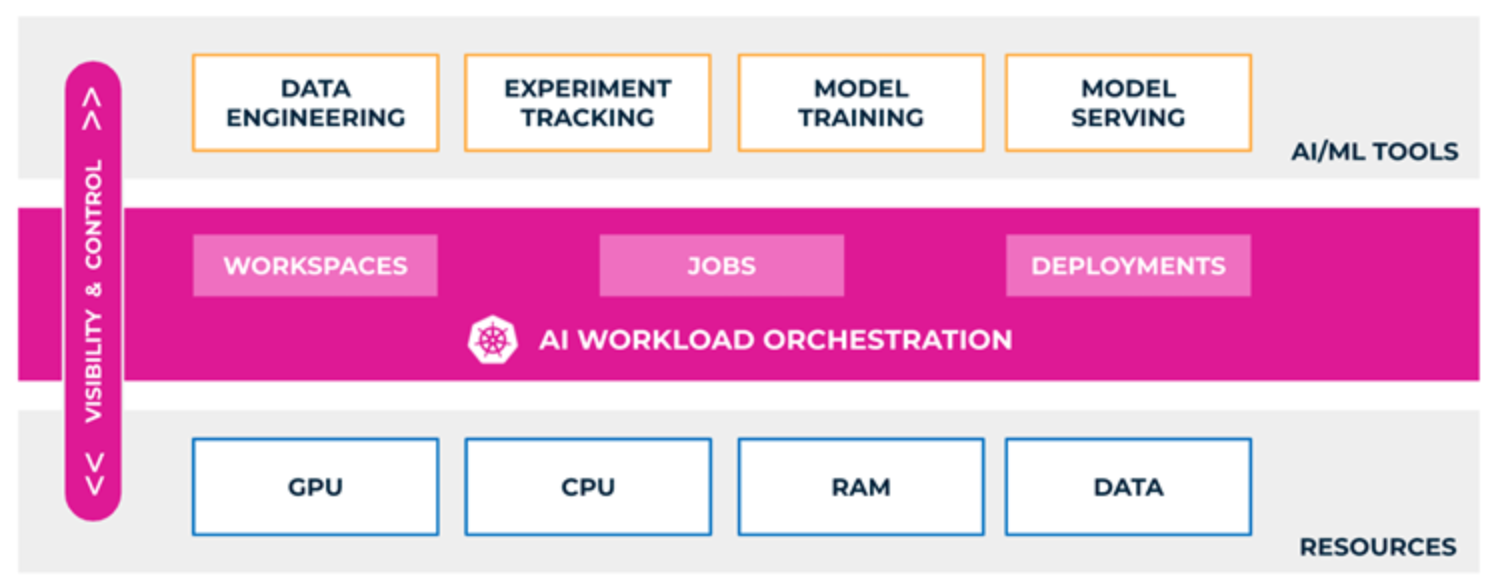
Figure 1. GPU orchestration using Run:ai Atlas platform
Key features of Run:ai Atlas include:
- Single Pane of Glass─Centralized and multitenant management of resources, use, health, and performance is provided across all aspects of an AI pipeline no matter where the workloads are run.
- Policy-based GPU resource consumption─Simplified management and automation is provided by predefining policies across projects, users, and departments to align resource consumption to business priorities.
- Monitoring and Reporting─The platform manages real-time and historical views of all resources. This monitoring and reporting includes jobs, deployments, projects, users, GPUs, clusters, and more.
- Kubernetes-based orchestration─Built-in support for all major Kubernetes distributions allows for easy integration in an existing ecosystem. A workload-aware Kubernetes scheduler makes smart and automated decisions based on the type of AI workloads that run on the platform. This orchestration offers deep integration into AI accelerators and enables efficient sharing and automated configuration of these resources across multiple workloads. Built around Kubernetes, the Atlas software platform scales and adapts to any type of cloud environment (private, public, and hybrid).
- Fractional GPU ─The GPU abstraction capabilities of Run:ai Atlas allow GPU resources to be shared without memory overflows or processing clashes. Using virtualized logical GPUs, with their own memory and computing space, containers can use and access GPU fractions as if they are self-contained processors. The solution is transparent, simple, and portable; it requires no code changes or changes to the containers themselves.
- Support for Multi-GPU and distributed training─Distributed training is the ability to split the training of a model among multiple processors. Multi-GPU training is the allocation of more than a single GPU to a workload that runs on a single container. Run:ai Atlas provides the ability to run, manage, and view multi-GPU and distributed training workloads.
- Certification to run NVIDIA AI Enterprise Software Suite─NVIDIA AI Enterprise accelerates the data science pipeline and streamlines the development and deployment of production AI (including generative AI), computer vision, speech AI, and more. With over 50 frameworks, pretrained models, and development tools, NVIDIA AI Enterprise is designed to accelerate enterprises to the leading edge of AI while simplifying AI to make it accessible to every enterprise. The Run:ai Atlas platform is certified to run NVIDIA AI Enterprise.
- Support for the life cycle of an AI model─The life cycle of an AI model is iterative. The model is continually refined and improved over time to meet changing business needs and ensure accuracy and effectiveness. Run:ai Atlas supports the varied GPU requirements of each stage in the life cycle of AI model development:
- Build─Run more experiments through efficient workload orchestration. Easy interaction comes from integrated support for Jupyter Notebook and other popular frameworks.
- Train─Easily scale training workloads and simplify any type of training, from light training to distributed multinode training.
- Inference─Take models to production and run inference anywhere from on-premises to edge to cloud at any scale. Bring your AI models into production using our integrated tools and integration with all major inference servers, including NVIDIA's Triton Inference Server.
- Support for multiple personas:
- Researcher─Interact with the platform by using our intuitive UI, CLI, API, or YAML without thinking about the underlying resources. Start experiments easily with a click of a button or spin up hundreds of training jobs. Run:ai Atlas offers a simple way for researchers to interact with the platform by using built-in integration for IDE tools like Jupyter Notebook and PyCharm. Start experiments easily and run hundreds of training jobs without worrying about the underlying infrastructure.
- MLOps Engineer─Operationalize AI models anywhere and at any scale using the integrated ML toolset or any of your existing tools like Kubeflow and MLflow. Get real-time and historical insights into how models are performing and how many resources they are consuming.
- IT Admin─Securely enable cloud-like consumption of compute resources across any infrastructure, on-premises, edge, or cloud. Gain full control and visibility of resources across different clusters, locations, or teams in your organization.
- Integrations and Ecosystem Support─Run:ai Atlas integrates with major distributions of Kubernetes including OpenShift EKS, Symcloud Platform, upstream Kubernetes, plus all the popular MLOps tools and data science frameworks. The platform orchestrates and manages AI workloads across on-premises and cloud compute resources, such as:
- PyTorch
- Kubeflow
- Red Hat OpenShift
- Jupyter Hub
- MLflow
- Weights and Biases
- Ray
- Multiple deployment options─There are two installation options for the Run:ai Atlas platform:
- Classic (SaaS) ─Run:ai Atlas is installed on the customer's data science GPU clusters. The cluster connects to the Run:ai Atlas control plane on the cloud (https://.run.ai). With this installation, the cluster requires an outbound connection to the Run:ai Atlas cloud.
- Self-hosted─The Run:ai Atlas control plane is installed in the customer's data center.
Reference Architecture of Run:ai Atlas on Dell infrastructure
Summary
Dell Technologies has worked closely with Run:ai to deliver GPU scheduling and orchestration through a jointly engineered and validated solution to help enterprises increase the use of their GPU-accelerated AI infrastructure.
The Run:ai Atlas solution is applicable to all the GPU-accelerated Dell PowerEdge servers, including the PowerEdge R7625, R7525, R760, R760xa, XE8640, XE9640, and XE9680 servers. Therefore, Run:ai Atlas is also applicable to Dell’s GPU-enabled solutions for AI and data analytics, including Generative AI in the Enterprise and the Validated Design for Analytics—Data Lakehouse.
In this design, we validated Run:ai Atlas on the Symcloud Platform. The Symcloud Platform is validated as part of our Validated Design for Analytics—Data Lakehouse.
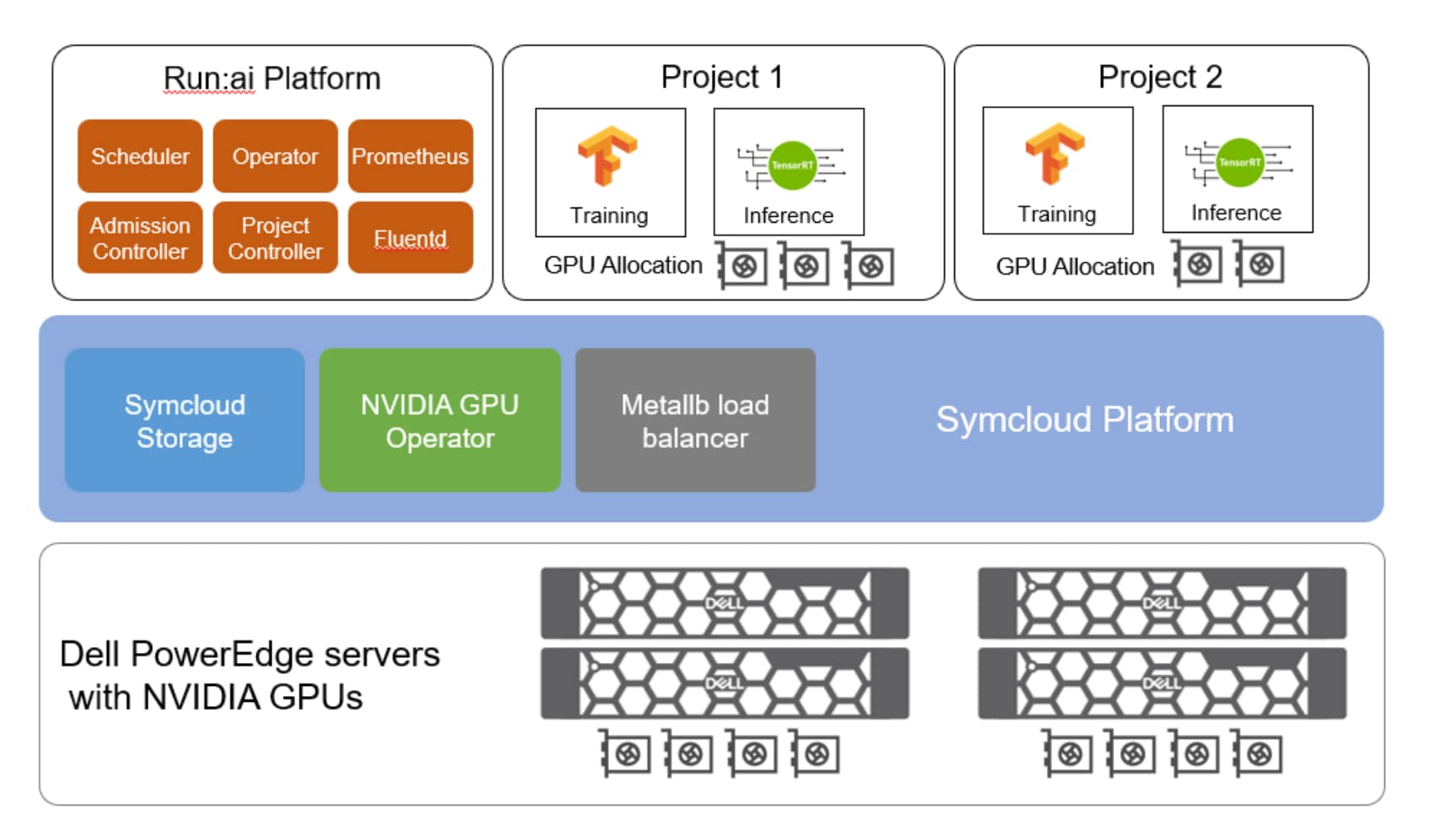
Figure 2. Validated Design for AI - Run:ai Atlas
The reference architecture incorporates the following components:
- The Symcloud Platform is used for the Kubernetes layer. It is part of Dell’s Validated Design for Analytics—Data Lakehouse.
- The Run:ai Atlas platform is used for GPU orchestration and scheduling.
- PowerEdge servers provide compute resources, including GPUs for the AI projects.
- Symcloud Storage provides the Kubernetes Storage Class by discovering disks attached to the PowerEdge servers. Run:ai Atlas self-hosted installations that require persistent volumes can use this Kubernetes Storage Class.
- Dell PowerSwitch components are used for networking.
- NVIDIA GPU operator is used for managing NVIDIA GPU resources in a Kubernetes cluster.
- MetalLB is the load balancer that provides a Run:ai Atlas self-hosted installation with external IP address. MetalLB is included as part of Symcloud Platform
Use case validation for Run:ai Atlas
Overview
Dashboard and analytics
The Run:ai Atlas platform provides dashboards to monitor GPU allocation and usage.
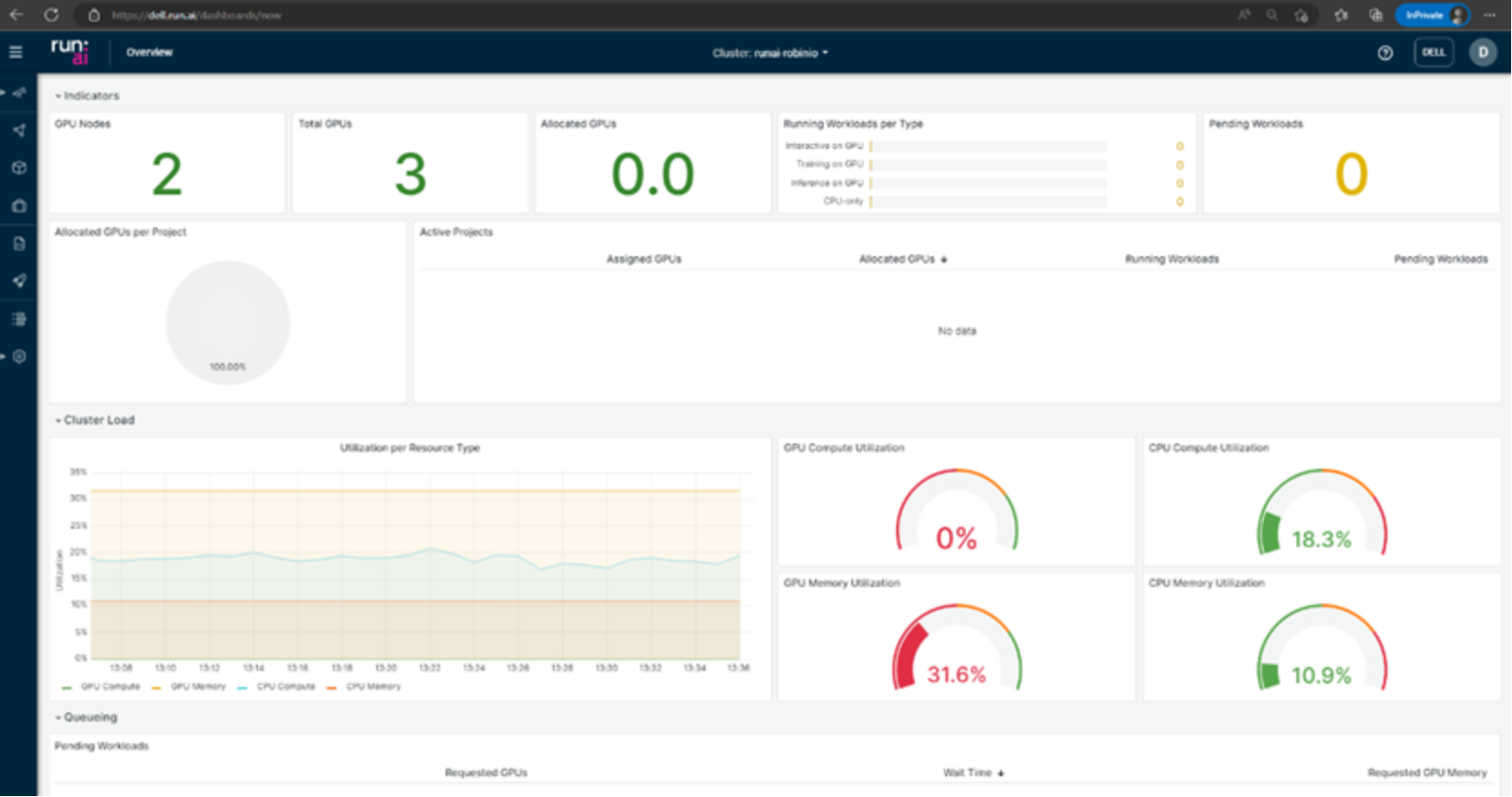
Figure 3. Run:ai Atlas dashboard
This analysis helps you make better decisions and improves the business value.
Training and Interactive build
Deep learning workloads can be two generic types:
- Interactive "build" sessions─The data scientist opens an interactive session using bash, Jupyter Notebook, remote PyCharm, or a similar tool to access GPU resources directly.
- Unattended "training" sessions─The data scientist prepares a self-running workload and sends it for execution. During the execution, the data scientist can examine the results.
To run an unattended training session, we used the runai submit command. We ran the training using the runai-quickstart image:
runai submit qf-a2 -i gcr.io/run-ai-demo/quickstart -g 1
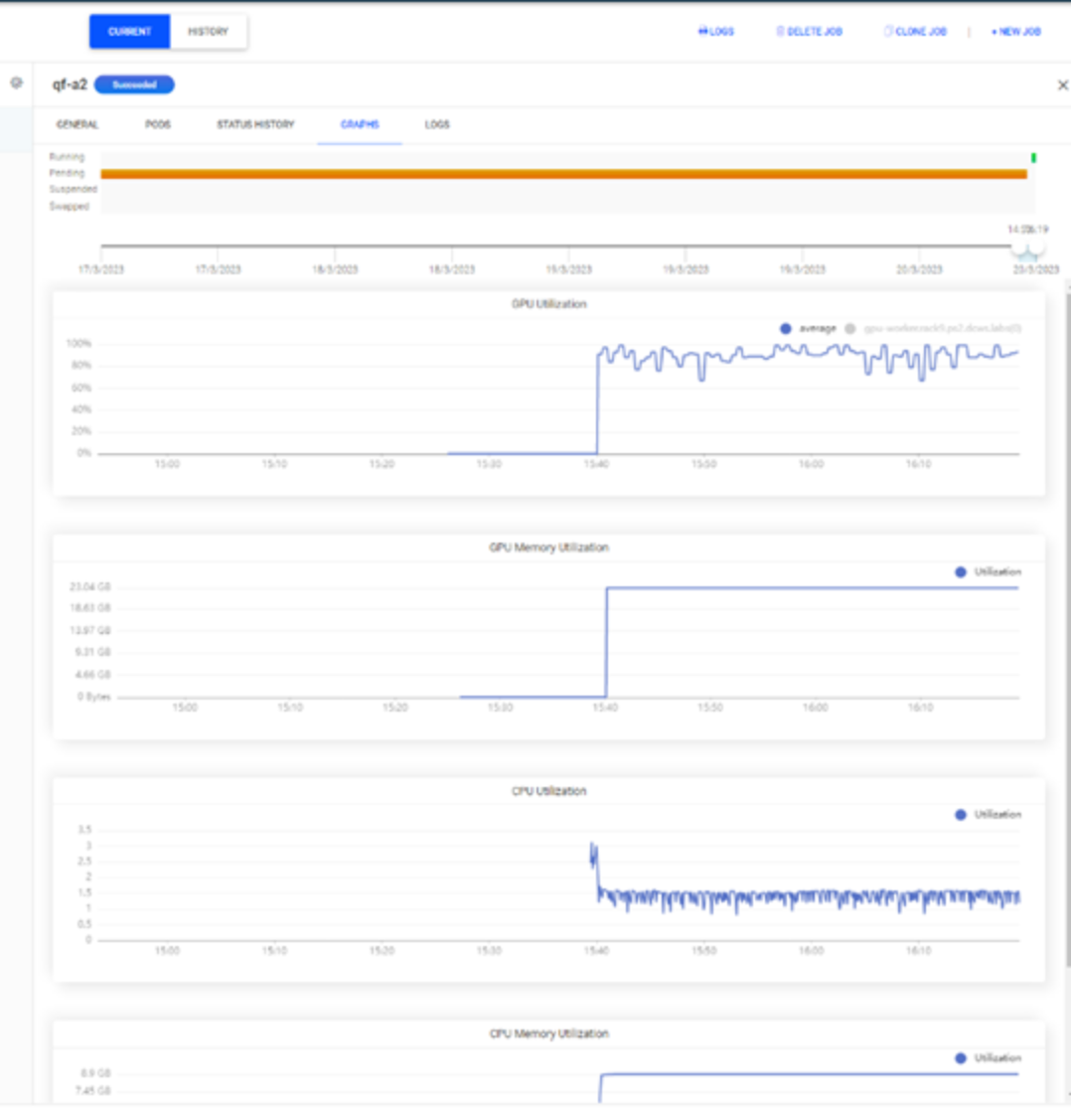
Figure 4. GPU allocation and utilization for a training job
The figure shows that one GPU is allocated to the job and is fully used by the training job.
GPU fractions
Run:ai Atlas provides a fractional GPU sharing system for containerized workloads on Kubernetes. Fractional GPUs are suited for lightweight AI tasks such as inference and model development. The fractional GPU system transparently enables data science and AI engineering teams to run multiple workloads simultaneously on a single GPU. Therefore, companies can run more workloads such as computer vision, voice recognition and natural language processing on the same hardware to lower costs.
The fractional GPU system from Run:ai Atlas effectively creates logical GPUs with their own memory and computing space that containers can use and access as if they are self-contained processors. This method enables several workloads to run in containers side-by-side on the same GPU without interfering with each other. The solution is transparent, simple, and portable; it requires no changes to the containers themselves.
A typical use case might have two to eight jobs running on the same GPU, meaning that you can perform eight times the work with the same hardware.
We use the following commands to validate fractional GPUs:
runai config project team-a
runai submit frac05 -i gcr.io/run-ai-demo/quickstart -g 0.5 --interactive
runai submit frac03 -i gcr.io/run-ai-demo/quickstart -g 0.3
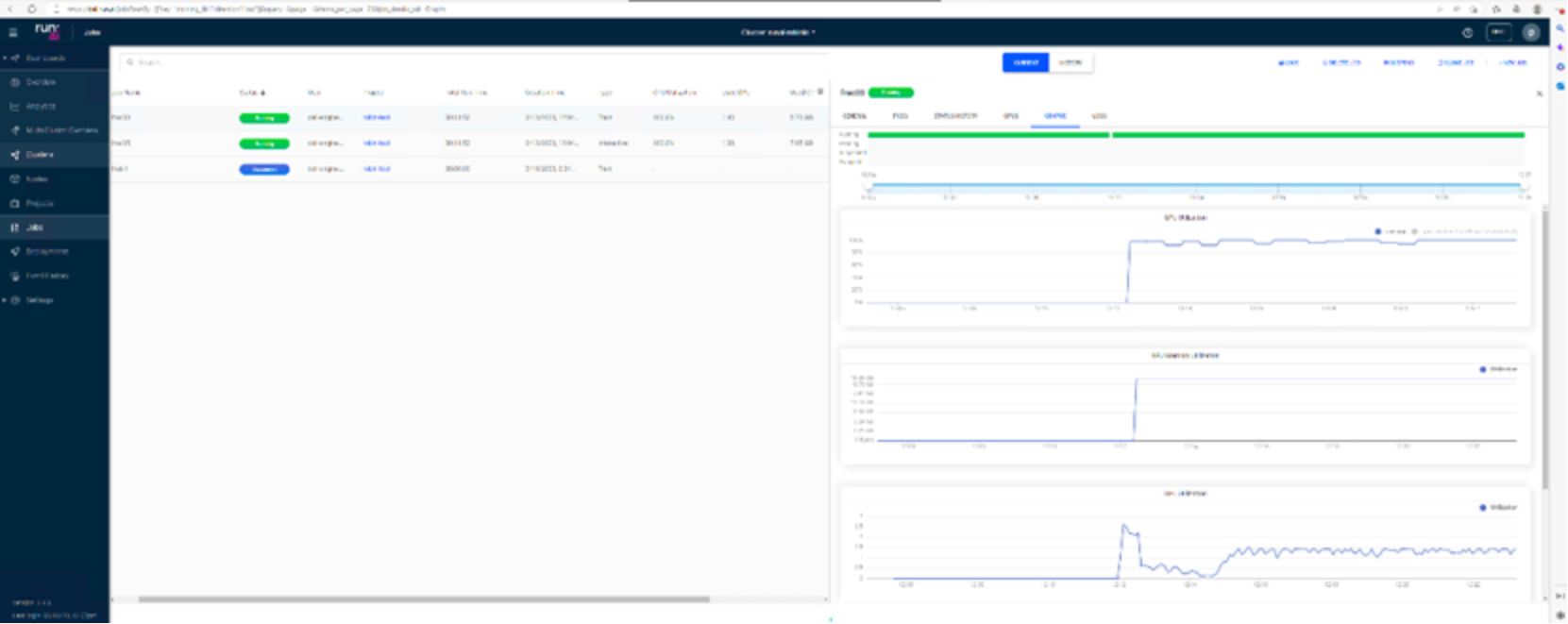
Figure 5. GPU allocation for GPU fractions
The figure shows that the GPU is running two jobs simultanelously and the overall GPU use of 80 percent (50 percent for the frac05 job and 30 percent for the frac03 job).
Hyperparameter optimization
Hyperparameter optimization is the process of choosing a set of optimal hyperparameters for a learning algorithm. A hyperparameter’s value is used to control the learning process, to define the model architecture or the data preprocessing process, and so on. Examples of hyperparameters include learning rate, batch size, different optimizers, and number of layers.
There are several strategies for searching the hyperparameter space, such as Random search and Grid search.
We ran hyperparameter optimization by using two GPU instances with two concurrent pods with total of four completions:
runai submit hpo1 -I gcr.io/run-ai-demo/quickstart-hpo -g 2 \ --parallelism 2–-completions 4 -v /root/runai-robin-test:/nfs
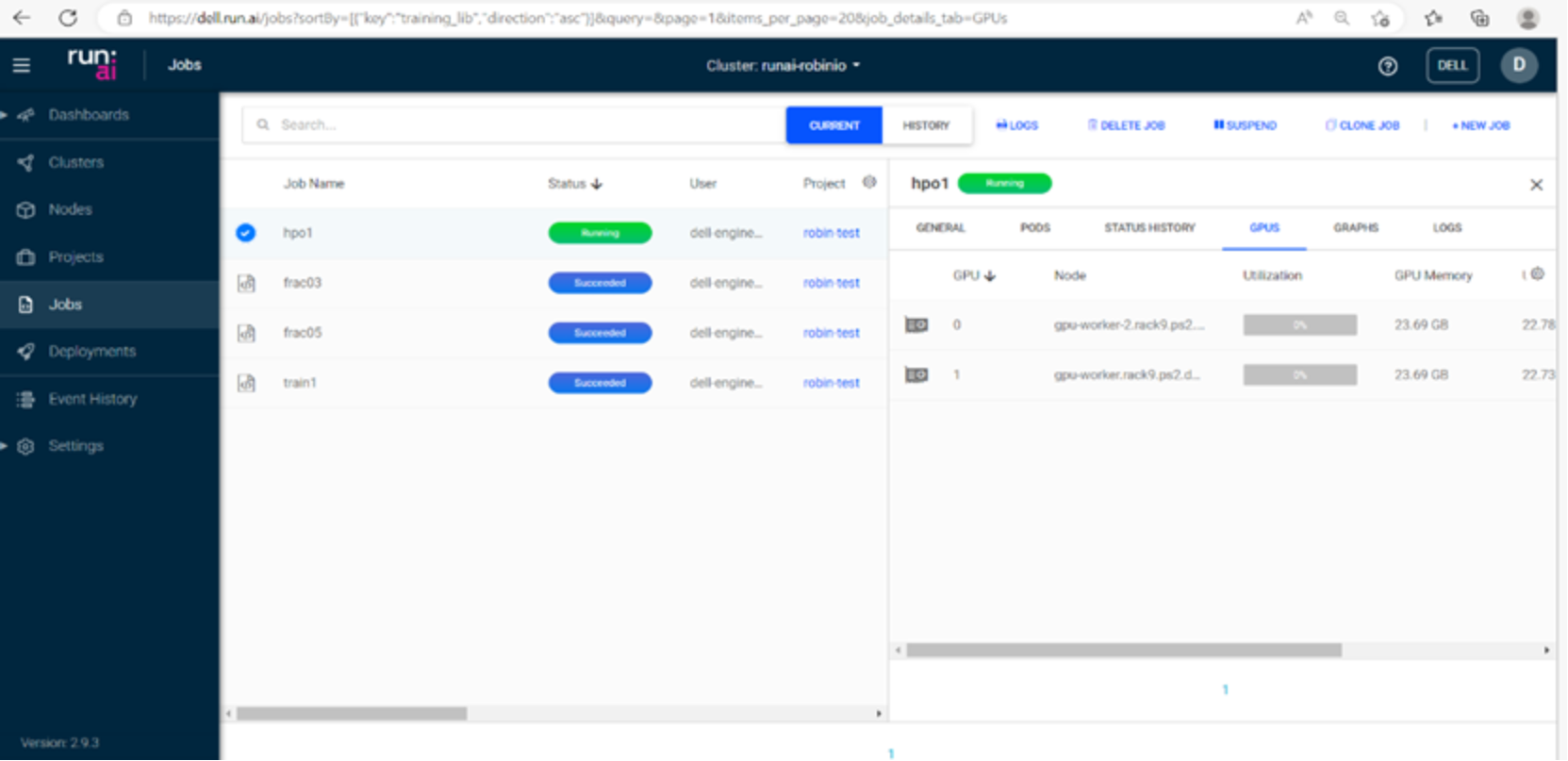
Figure 5. Hyperparameter tuning with Run:ai Atlas
Deployment Considerations
Overview
Installing Symcloud Platform
Symcloud Platform version 5.4 provides the GoRobin utility for quick and simple installation of the Symcloud Platform. The utility simplifies installation, uninstallation, and update procedures. See the Symcloud Platform deployment guide for more information, including prerequisites. Consider the following when deploying Symcloud Platform:
- For NVIDIA GPU operator to work on the Symcloud Platform, the Container Runtime Interface (CRI) must be docker. The default CRI is robin. To change the default CRI, the following parameter must be in the worker configuration YAML file:
--cri=dockershim
Also, use the following option in the YAML file:
--storage-driver=overlay2
To verify that the correct CRI is installed, run the kubectl get nodes -o wide command after the installation. The last column inf the following figure shows the CRI:

- A Run:ai Atlas platform self-hosted installation requires the MetalLB load balancer that is available as part of the installation package. See the Load Balancer Support via MetalLB section in their deployment guide to deploy MetalLB.
Installing GPU operator
We manually installed GPU driver on each worker node. To install the GPU operator:
- Before installing the NVIDIA GPU driver, install the kernel headers and gcc complier:
$ dnf group install "Development Tools"
$ dnf install kernel-devel-$(uname -r) kernel-headers-$(uname -r)
- Download and install NVIDIA driver version 525 by running the NVIDIA-Linux-x86_64-525.65.run file and following the prompts.
- Verify the driver installation by running the nvdia-smi command.
- Ensure that MIG is turned off.
- Reboot the server if required
- Install the GPU operator by using the following helm commands:
$ helm repo add nvidia https://helm.ngc.nvidia.com/nvidia
$ helm repo update
$ helm install --wait --generate-name -n robinio nvidia/gpu-operator --set driver.enabled=false,toolkit.version=v1.11.0-ubi8 --version v22.9.2
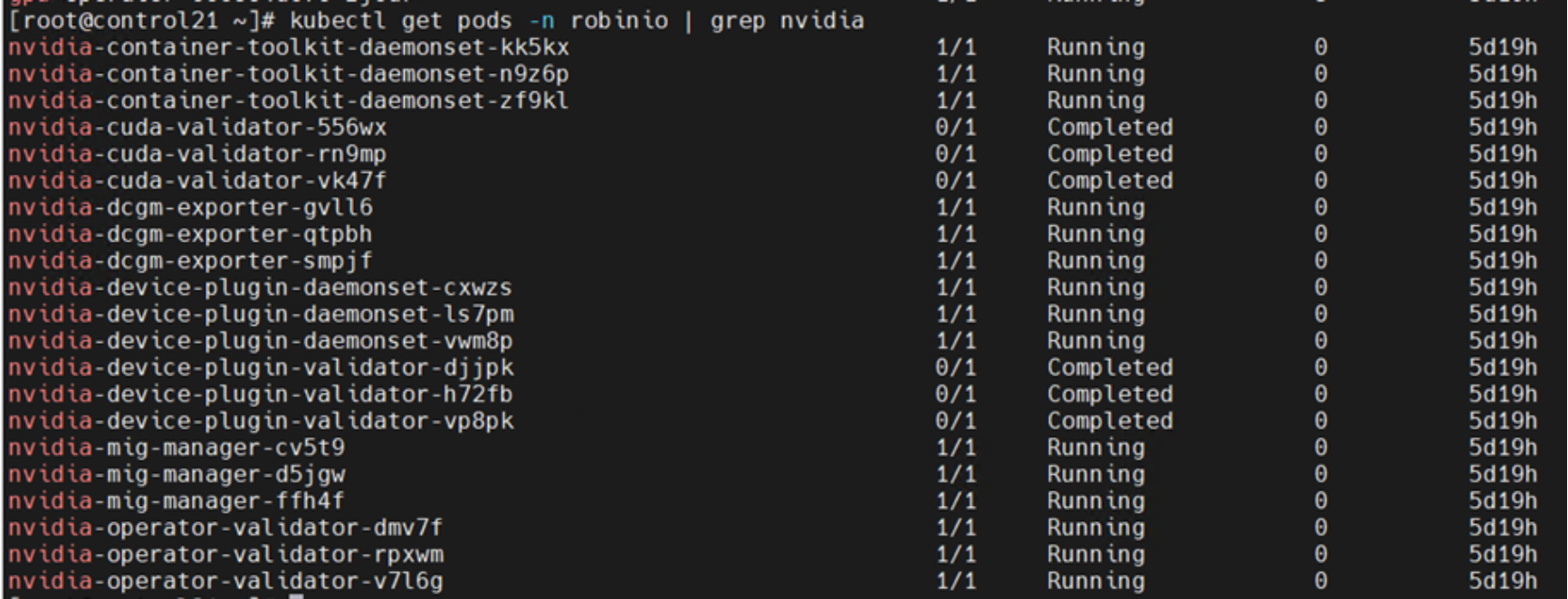
- Verify the GPU installation by using the kubectl get pods -n robinio | grep nvidia command: