


Logitech
Logitech Ergo Series
-
Logitech Lift
-
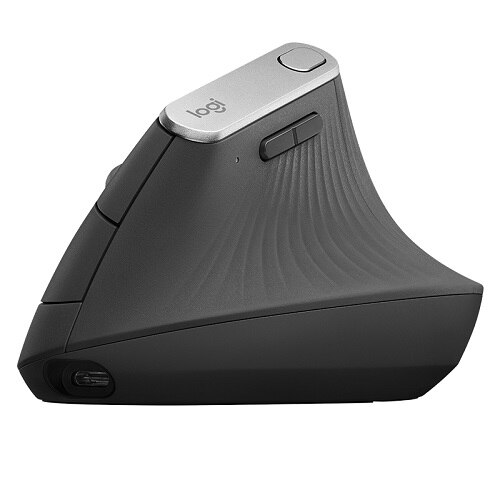
Lift’s organic silhouette fits your palm like a glove - with a curved shape sculpted by Logitech’s team of ergonomic and design experts.
-
Rest your hand on a softly textured grip, with easy-to-reach buttons that help you work all day without lifting a finger. It even has a cozy thumb rest.
-
With a more relaxed upper body, your mind can focus on the things that really matter. Stay zen from a.m. to p.m. with whisper-quiet clicks and a smooth-gliding, quiet scroll wheel that adapts to the lightest touch.
-
Connect easy using Bluetooth® Low Energy or the included Logi Bolt USB receiver - ideal for congested environments like the office. Enjoy up to 2 years of productivity, powered by a single AA battery included in the box.

Lift


Wave Keys

Logitech
Logitech Wave Keys Wireless Ergonomic Keyboard with Cushioned Palm Rest, Comfortable Natural Typing, Graphite

Logitech
Logitech Wave Keys Keyboard

Logitech
Logitech Waves Keys - Rose

Logitech
Logitech Wave Keys MK670 Combo, Wireless Ergonomic Keyboard with Signature M550 L Wireless Mouse, Graphite

Logitech
Logitech Waves Keys for Business - Graphite
MX Vertical
ERGO M575


Logitech Store at Dell
Discover the innovative world of Logitech and shop everything Video Conferencing, Ultimate Ears, Gaming Simulation, Blue Microphones, and more.