VxRail: Enable UDT Traffic for VxRail Clusters
Summary: How to enable Unified Data Transport (UDT) traffic on Day2 environment.
Instructions
vSphere UDT traffic
Starting from vSphere version 8, the Unified Data Transport (UDT) is a new data transfer mechanism designed to improve the efficiency of virtual machine (VM) migrations, especially for:
- Powered-off VMs
- Disks with snapshots
UDT combines the strengths of traditional Network File Copy (NFC) and vMotion protocols:
- Traditionally, powered-off VMs are migrated using NFC, which is relatively slow.
- UDT still uses NFC for control traffic, but the vMotion protocol handles real-time data transfer, improving speed and performance.
If the vSphere Cluster does not have UDT enabled, when a powered off VM is migrated you see the below compatibility warning:

How to Enable UDT on VxRail.
VxRail vMotion VMK uses the vMotion TCP/IP stack, the vSphere Provisioning service (that supports UDT) cannot be enabled on the vMotion VMK. If enabling UDT is required for the VxRail cluster, follow the below steps to create a new VMK and port-group for the UDT traffic.
- Create a new portgroup. Ensure that the VLAN is properly configured on the network switch ports connected to the UDT uplinks.
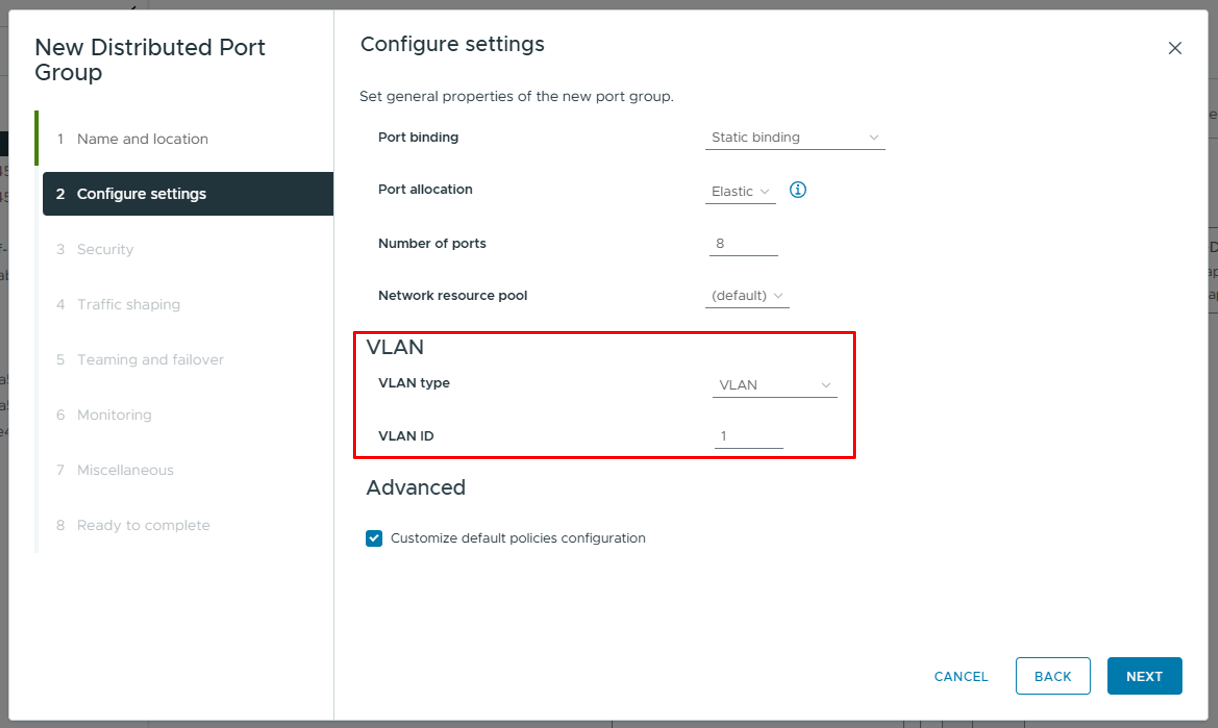
- Teaming and failover settings are the same with vMotion port group.

- Create a new VMK and using Provisioning TCP/IP stack in each host. Set the MTU to the required value, if jumbo frames are used, the network must be provisioned to allow jumbo frames.

- Optional - If the cluster is a L3 topology (cluster hosts are L3 separated), the gateway can be used to allow routing of UDT traffic. There are two ways to configure a gateway; by using the override gateway setting on the
VMK, or by defining a static route gateway. - Override gateway setting on the
VMK

- Defining a static route gateway, run the following command on the ESXi host:
esxcli network ip route ipv4 add --netstack=vSphereProvisioning --network=default --gateway=<GW IP address>

- Example result showing VDS with Hosts
VMKconnected to the UDT Port-group.

- Check the network connectivity of UDT traffic.
vmkping -I <target host UDT vmk> <target host UDT vmk ip> -S vSphereProvisioning -s <mtu value> -d-s 1472: Sets the packet size (MTU 1500 minus 28 bytes for the ICMP/IP header)
-d:Sets the packet to not be fragmented (Do Not Fragment)

Impact of Day 2 operations
Since the UDT port group and VMK are manually configured by the user, new nodes are not automatically set up for UDT. Therefore, when performing node L2/L3 expansion or node replacement operations, users must manually configure UDT VMK, assign IP address, and attach to existing UDT Port-Group for each newly added node.
- The following is the VDS configuration after adding a node. There are two management port groups, with four
VMKs. However, the new node does not have a UDTVMKconfigured.

