SRM Dell Technologies Connectivity is disabled
Oversigt: After upgrading Unisphere for VMAX and Solutions Enabler, this SRM alert triggered. "The Dell Technologies Connectivity service is disabled. Enable Dell Technologies Connectivity in the Remote Support Settings dialog under the Configuration menu. Enabling Dell Technologies Connectivity would help Dell EMC to provide proactive support to improve your product usage experience." ...
Denne artikel gælder for
Denne artikel gælder ikke for
Denne artikel er ikke knyttet til et bestemt produkt.
Det er ikke alle produktversioner, der er identificeret i denne artikel.
Symptomer
After upgrading Unisphere for VMAX and Solutions Enabler, this SRM alert triggered.
"The Dell Technologies Connectivity service is disabled. Enable Dell Technologies Connectivity in the Remote Support Settings dialog under the Configuration menu. Enabling Dell Technologies Connectivity would help Dell EMC to provide proactive support to improve your product usage experience."
"The Dell Technologies Connectivity service is disabled. Enable Dell Technologies Connectivity in the Remote Support Settings dialog under the Configuration menu. Enabling Dell Technologies Connectivity would help Dell EMC to provide proactive support to improve your product usage experience."
Årsag
Dell Technologies Connectivity is disabled
Løsning
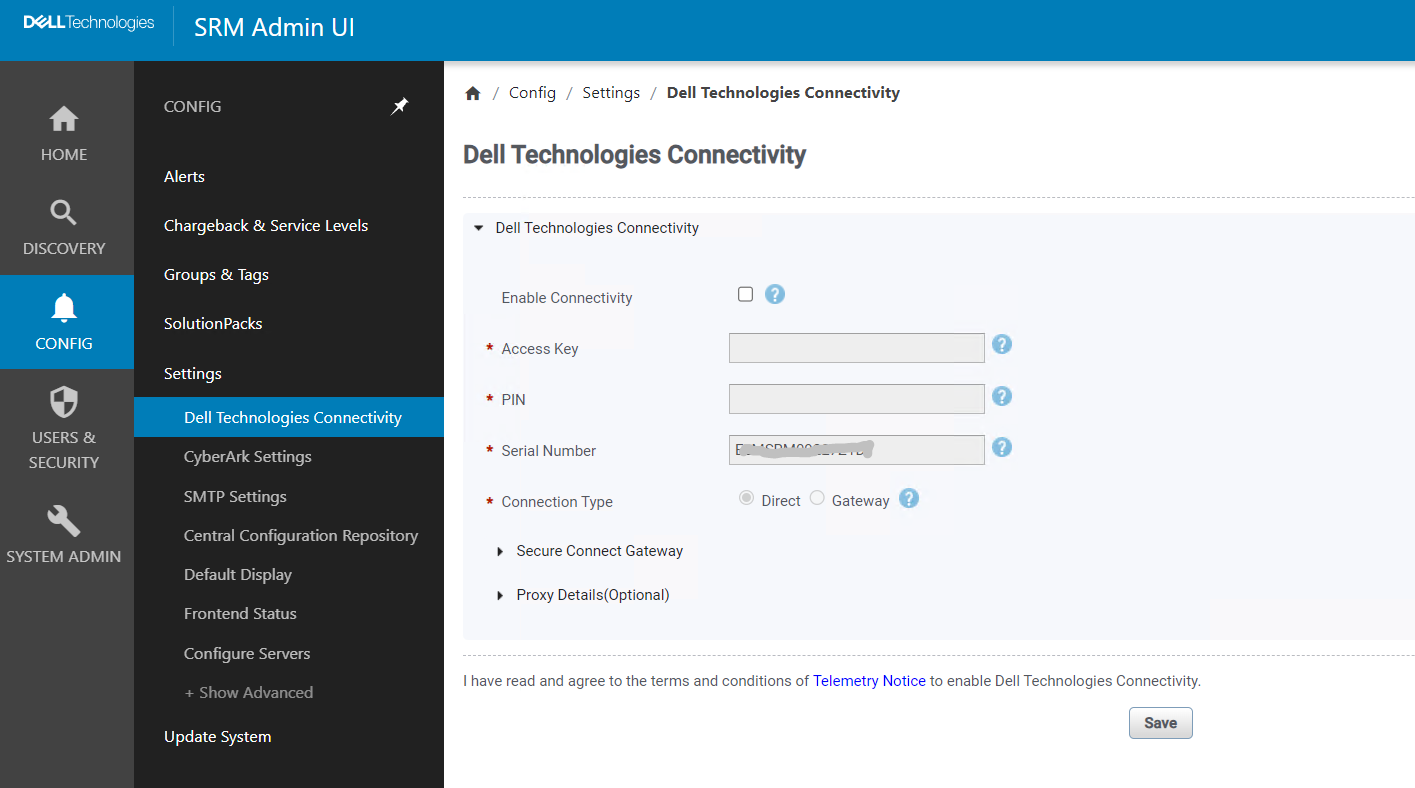
Check that "Enable Connectivity" is not unchecked
Artikelegenskaber
Artikelnummer: 000217109
Artikeltype: Solution
Senest ændret: 18 maj 2026
Version: 4
Find svar på dine spørgsmål fra andre Dell-brugere
Supportservices
Kontrollér, om din enhed er dækket af supportservices.