NetWorker message "workflow Server backup missed" when Server Protection Policy workflows run
Oversigt: The daemon.log logs a message "workflow Server backup missed" when the Server Protection Policy workflows run.
Denne artikel gælder for
Denne artikel gælder ikke for
Denne artikel er ikke knyttet til et bestemt produkt.
Det er ikke alle produktversioner, der er identificeret i denne artikel.
Symptomer
- The
daemon.rawlogs a message "workflow Server backup missed" when the Server Protection Policy workflows run.- Linux:
/nsr/logs/daemon.raw - Windows (Default):
C:\Program Files\EMC NetWorker\nsr\logs\daemon.raw - NetWorker: How to use nsr_render_log to render .raw log files
- Linux:
- The Server backup workflow completes without errors.
- The rest of the workflows under Server Protection Policy complete without errors.
- There is no corrupted policy resource in the
nsrdb\dbgfolder.- Linux:
/nsr/res/nsrdb/dbg - Windows (Default):
C:\Program Files\EMC NetWorker\nsr\res\nsrdb\dbg
- Linux:
- The Server Protection Policy workflows start twice in a day.
Årsag
There are two identical (duplicate) Server Protection Policies. The duplicate is not visible from the NetWorker Management Console (NMC), but can be displayed with a nsradmin query.
Løsning
Delete the duplicate policies in nsrdb with the nsradmin command in offline mode.
- Before making any changes, create a copy of the
nsrdbfolder:
Linux: /nsr/res/nsrdb
Windows: C\Program Files\EMC NetWorker\nsr\res\nsrdb
- Stop the NetWorker service on the NetWorker server.
Linux:
Windows:
systemctl stop networker
Windows:
net stop nsrd
- At the command-line run:
nsradmin -d <full path to>nsrdb
- At the
nsradminprompt, type "visual." Choose the "Select" Command. Press Enter.
Press the arrow key until the NSR Protection Policy is highlighted. Press Enter.
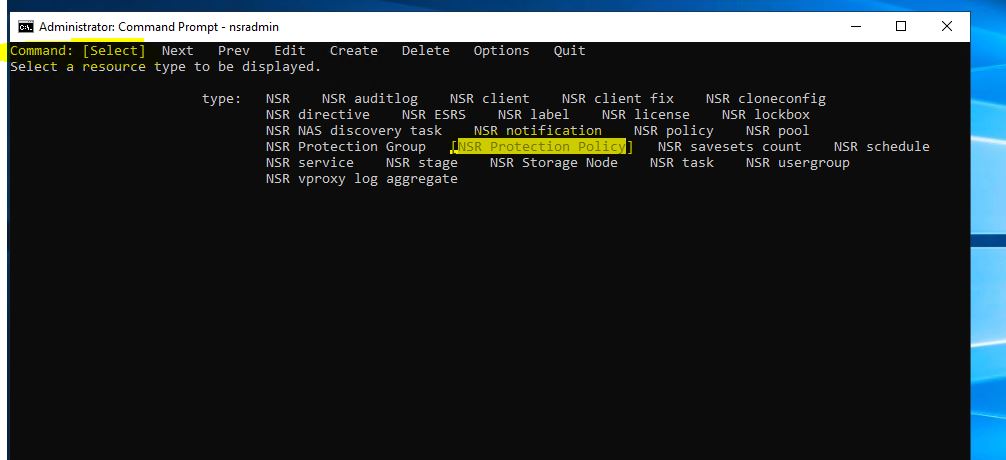
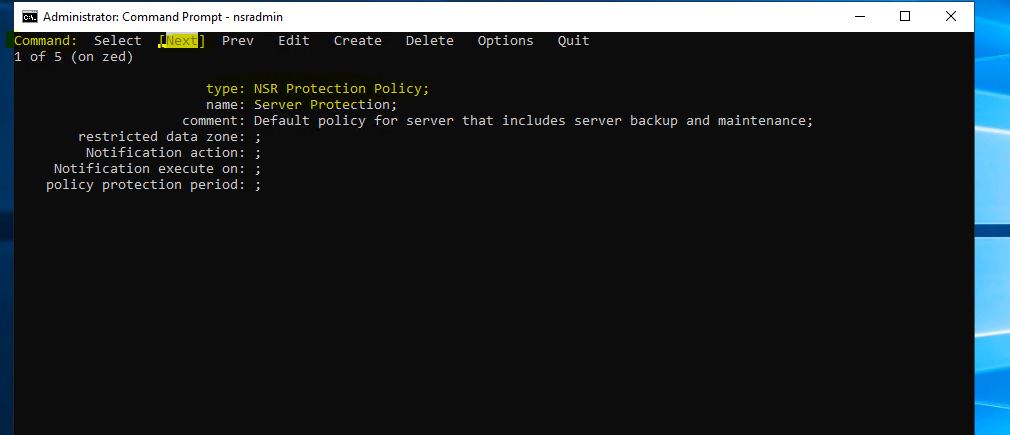
- Use the Next option to identify the duplicate Server Protection Resource.
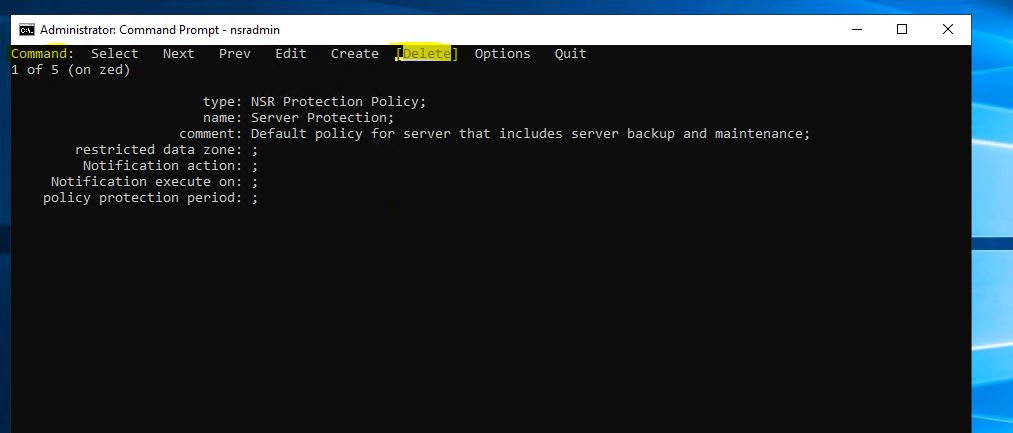
- Use the keyboard arrow keys to highlight Delete, then press Enter.
- Press the arrow key to highlight Quit and press Enter to exit from the
nsradminprompt. - Start the NetWorker service.
Linux:
Windows:
systemctl start networker
Windows:
net start nsrd
NOTE: If any issues are observed, stop NetWorker services and revert to the
nsrdb copy created in step 1. Then start services again.
Berørte produkter
NetWorkerProdukter
NetWorker FamilyArtikelegenskaber
Artikelnummer: 000219404
Artikeltype: Solution
Senest ændret: 10 mar. 2026
Version: 3
Find svar på dine spørgsmål fra andre Dell-brugere
Supportservices
Kontrollér, om din enhed er dækket af supportservices.