Avamar BMR - Enabling debug in Avamar Bare Metal Recovery Wizard
Summary: The article describes how to enable debug during Windows client Bare Metal Restore (BMR).
Αυτό το άρθρο ισχύει για
Αυτό το άρθρο δεν ισχύει για
Αυτό το άρθρο δεν συνδέεται με κάποιο συγκεκριμένο προϊόν.
Δεν προσδιορίζονται όλες οι εκδόσεις προϊόντων σε αυτό το άρθρο.
Instructions
To enable debug during BMR add the "--debug" flag twice in Avamar Bare Metal Recovery Wizard.
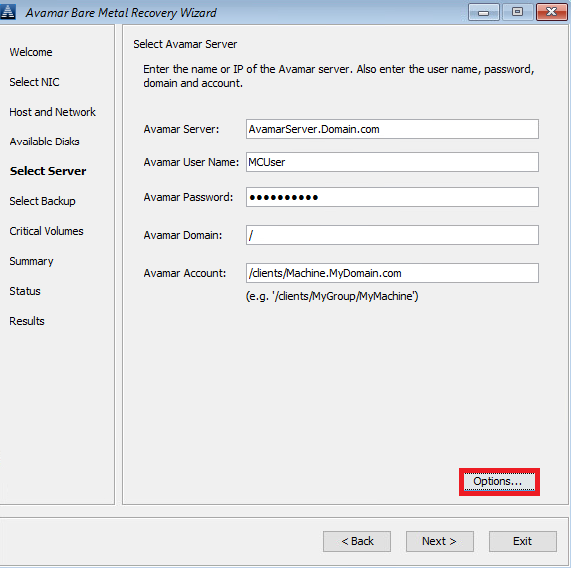
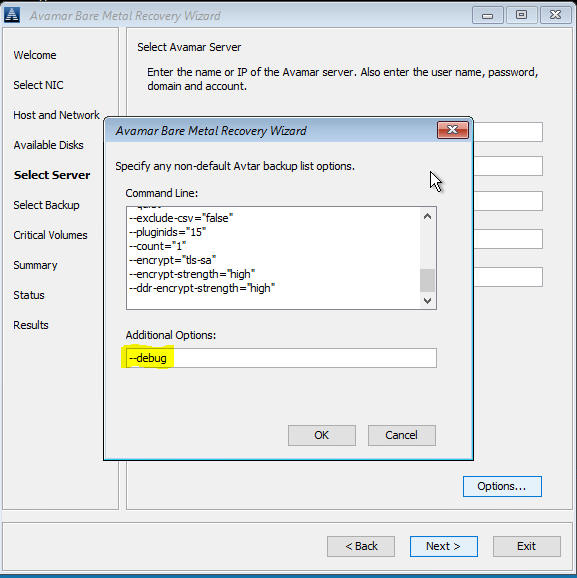
#1 In Select Server, click 'Options' and type in --debug (this will enable 'debug' in avtar)
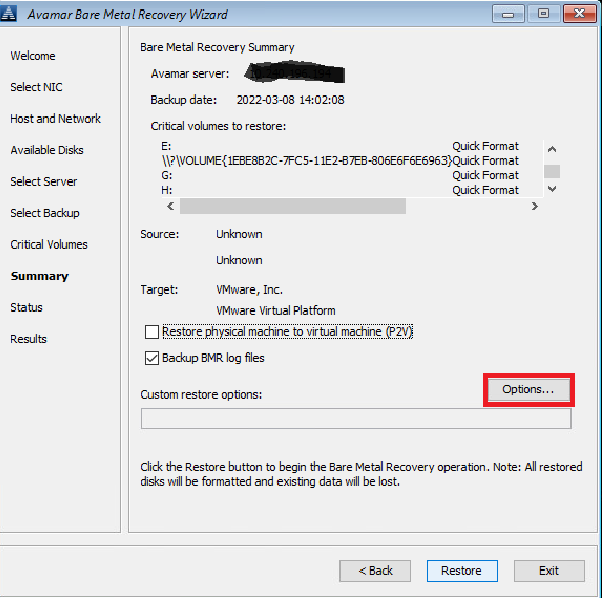
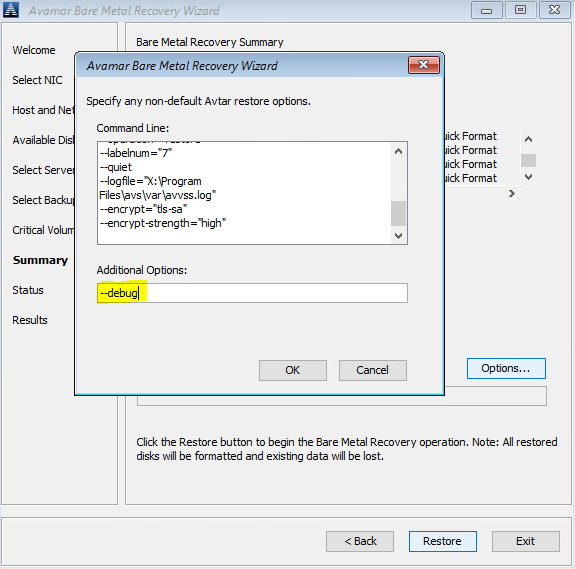
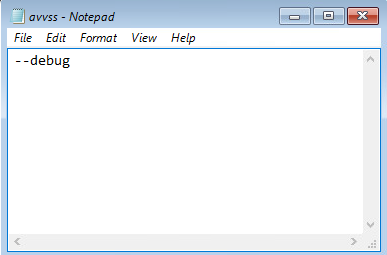
#2 In Summary, click 'Options' and type in --debug (this will enable 'debug' in avvss)
Alternatively, use a command line (click on the "cmd" window behind Avamar BMR Wizard) to create avtar.cmd and avvss.cmd files in X:\Program Files\avs\var folder:
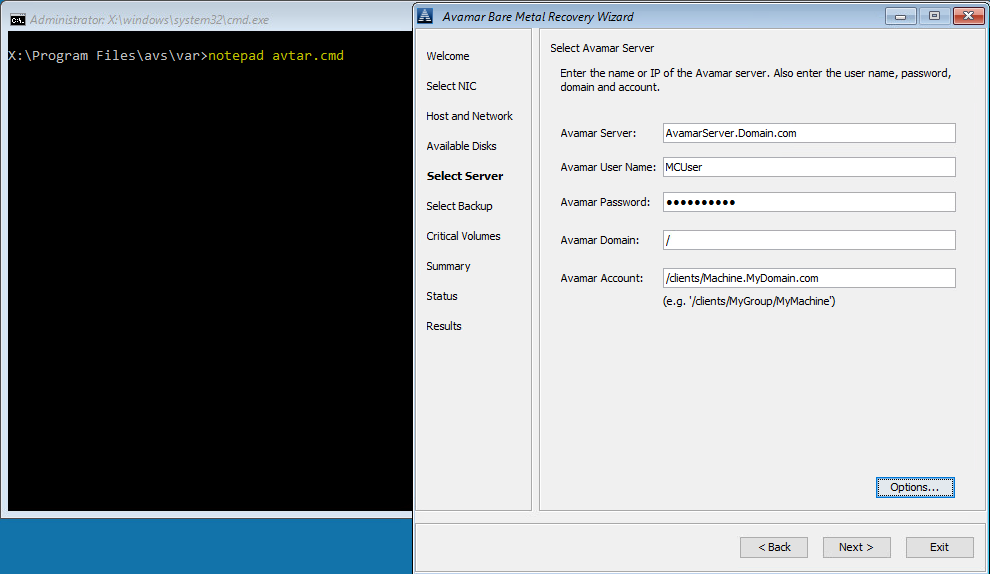
notepad avtar.cmd
add --debug flag and save the file.
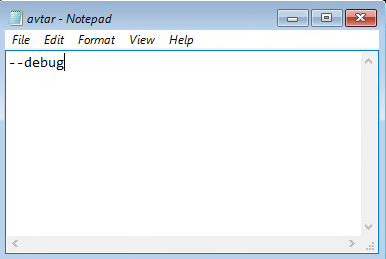
notepad avvss.cmd
add --debug flag and save the file.
#1 In Select Server, click 'Options' and type in --debug (this will enable 'debug' in avtar)
#2 In Summary, click 'Options' and type in --debug (this will enable 'debug' in avvss)
Alternatively, use a command line (click on the "cmd" window behind Avamar BMR Wizard) to create avtar.cmd and avvss.cmd files in X:\Program Files\avs\var folder:
notepad avtar.cmd
add --debug flag and save the file.
notepad avvss.cmd
add --debug flag and save the file.
Επηρεαζόμενα προϊόντα
AvamarΠροϊόντα
Avamar Client for WindowsΙδιότητες άρθρου
Article Number: 000197689
Article Type: How To
Τελευταία τροποποίηση: 13 Μαΐ 2026
Version: 6
Βρείτε απαντήσεις στις ερωτήσεις σας από άλλους χρήστες της Dell
Υπηρεσίες υποστήριξης
Ελέγξτε αν η συσκευή σας καλύπτεται από τις Υπηρεσίες υποστήριξης.