NetWorker: NWUI Browsable Recovery Asks ChangeSecuritySettings or ViewSecuritySettings Permission
Summary: When doing a browsable recovery in NWUI, you are not able to manually browse the files to recover if the user you logged into the NWUI does not have ChangeSecuritySettings or ViewSecuritySettings permission. ...
This article applies to
This article does not apply to
This article is not tied to any specific product.
Not all product versions are identified in this article.
Symptoms
-
Doing a browsable restore in NWUI with a user that belongs to the "operators" group:
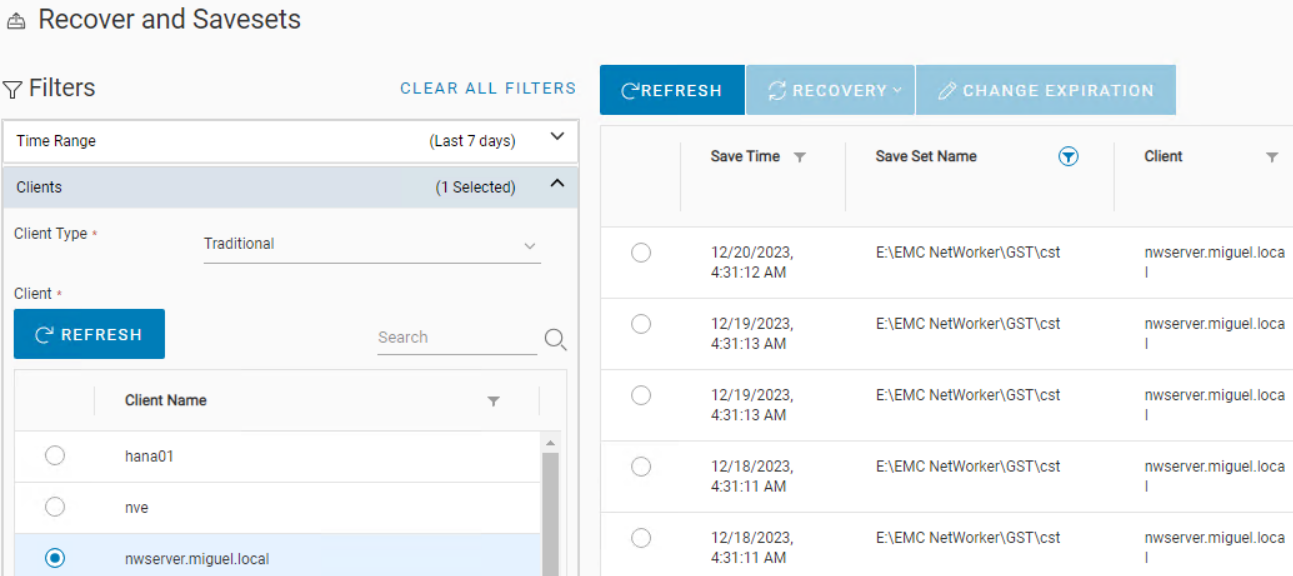
Figure 1: NWUI - Recover and Savesets view
Figure 2: NWUI - Selecting File Level recovery -
If you click "browse" here to locate the files you must recover, you see the error:
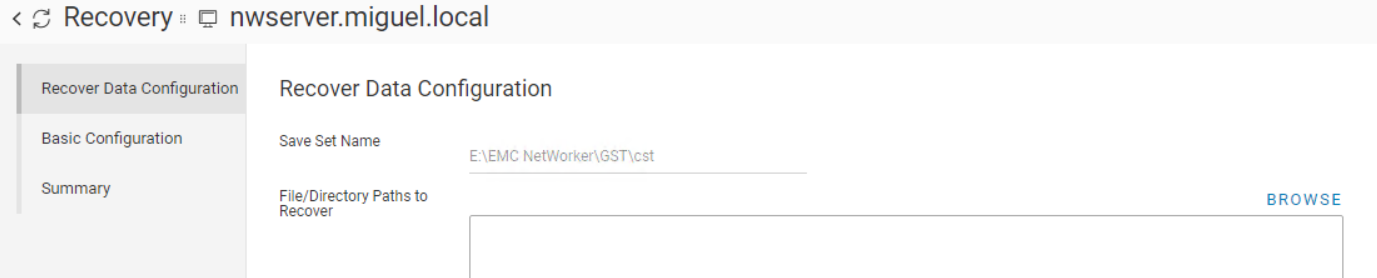
Figure 3: Recovery Wizard - Browse button view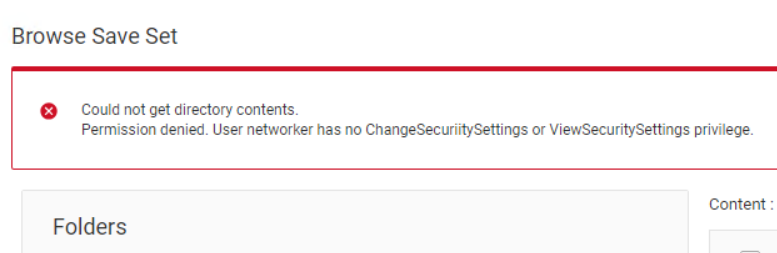
Figure 4: Recovery Wizard - Failure after clicking the Browse button from Figure 3The error message is:
Could not get directory contents.
Permission denied. User <user> has no ChangeSecuritySettings or ViewSecuritySettings privilege.
The user should not need such permission to perform a Browsable Recovery. NMC, for instance, does not require it.
For the time being, if you must perform this operation in NWUI, you must grant the user with ViewSecuritySettings privilege. -
This issue does not avoid you from running the recovery; it only avoids you from selecting the files to recover. We could just have manually put the Path to recover:
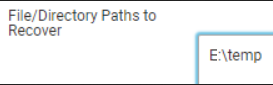
Figure 5: Recover Wizard - manually entering a path to recover from. -
Click Next, and do the recovery successfully.
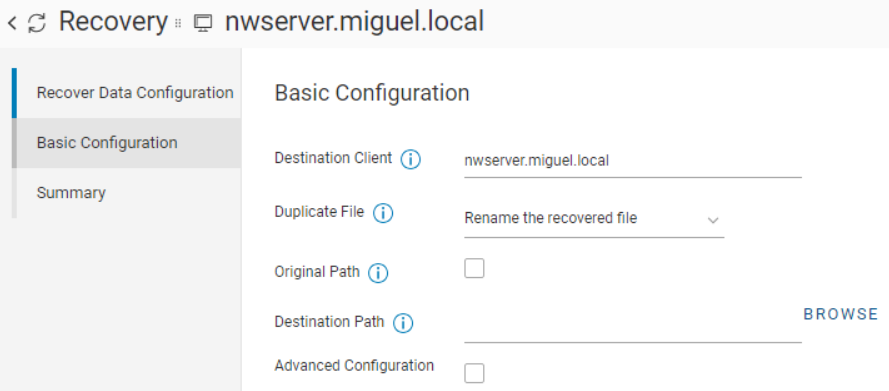
Figure 6: Recovery Wizard - Basic Configuration option where again you can select a path to recover to using Browse button. -
At the above screen again, it fails if we do click 'BROWSE', but that does not stop us from manually putting the path we want to direct our files into.
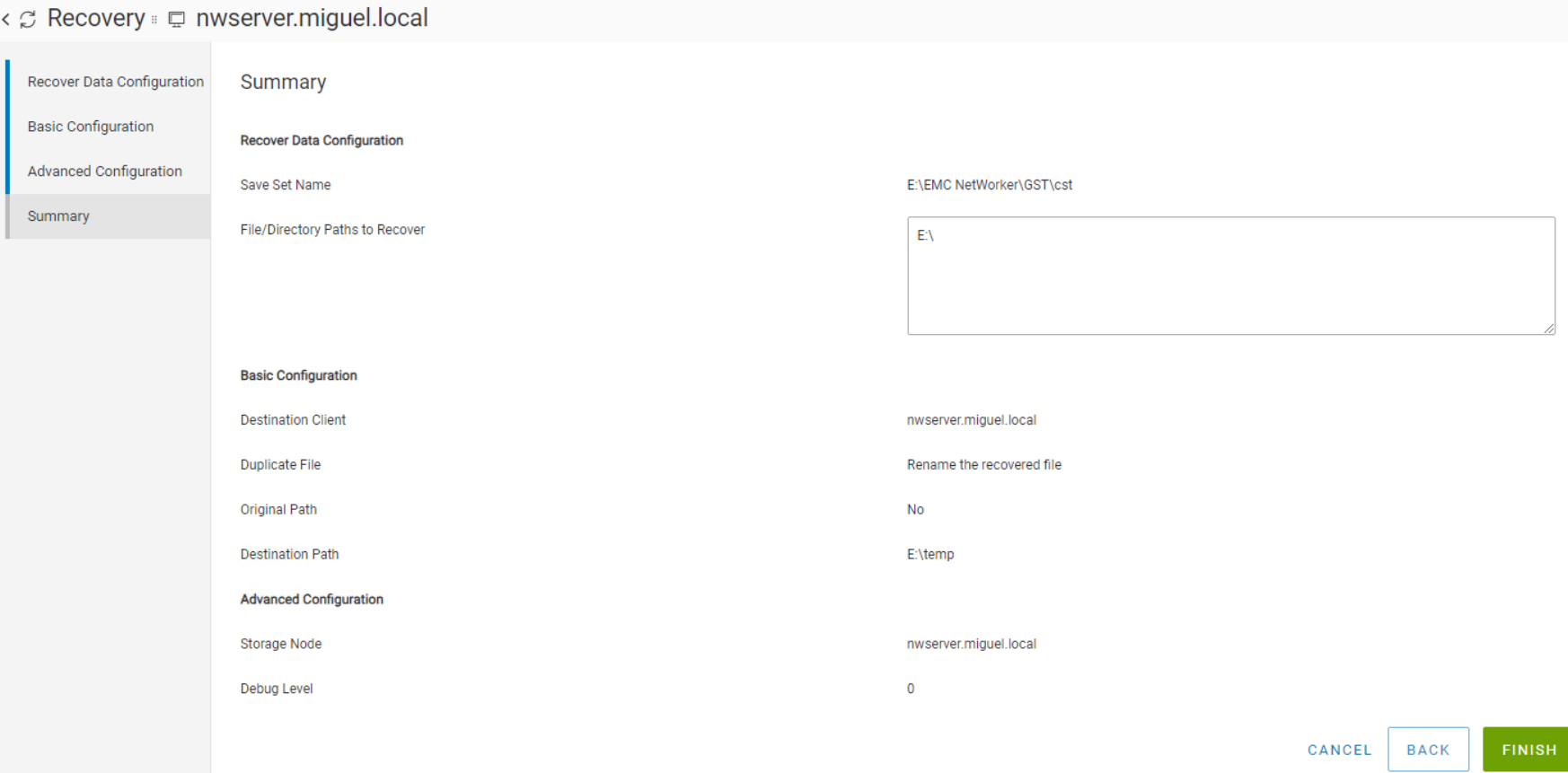
Figure 7: Recovery Wizard - Successful recovery when entering manually the paths to recover from/to.After click 'finish', we can check the 'recover jobs' tab shows it completed:
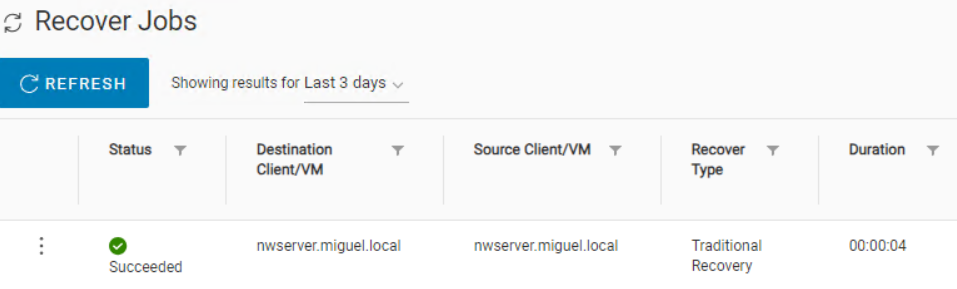
Figure 8: NWUI - Recover Jobs view showing our recovery entering manually the paths to recover from/to was successful.
Cause
This issue was caused by a code defect: NETWORKER-91941
Resolution
As of today, there is no version with the fix.
Article Properties
Article Number: 000222868
Article Type: Solution
Last Modified: 25 Apr 2024
Version: 2
Find answers to your questions from other Dell users
Support Services
Check if your device is covered by Support Services.