ECS: How to navigate to Migration tab on ECS GUI
Summary: How to navigate to Migration tab on ECS GUI
This article applies to
This article does not apply to
This article is not tied to any specific product.
Not all product versions are identified in this article.
Instructions
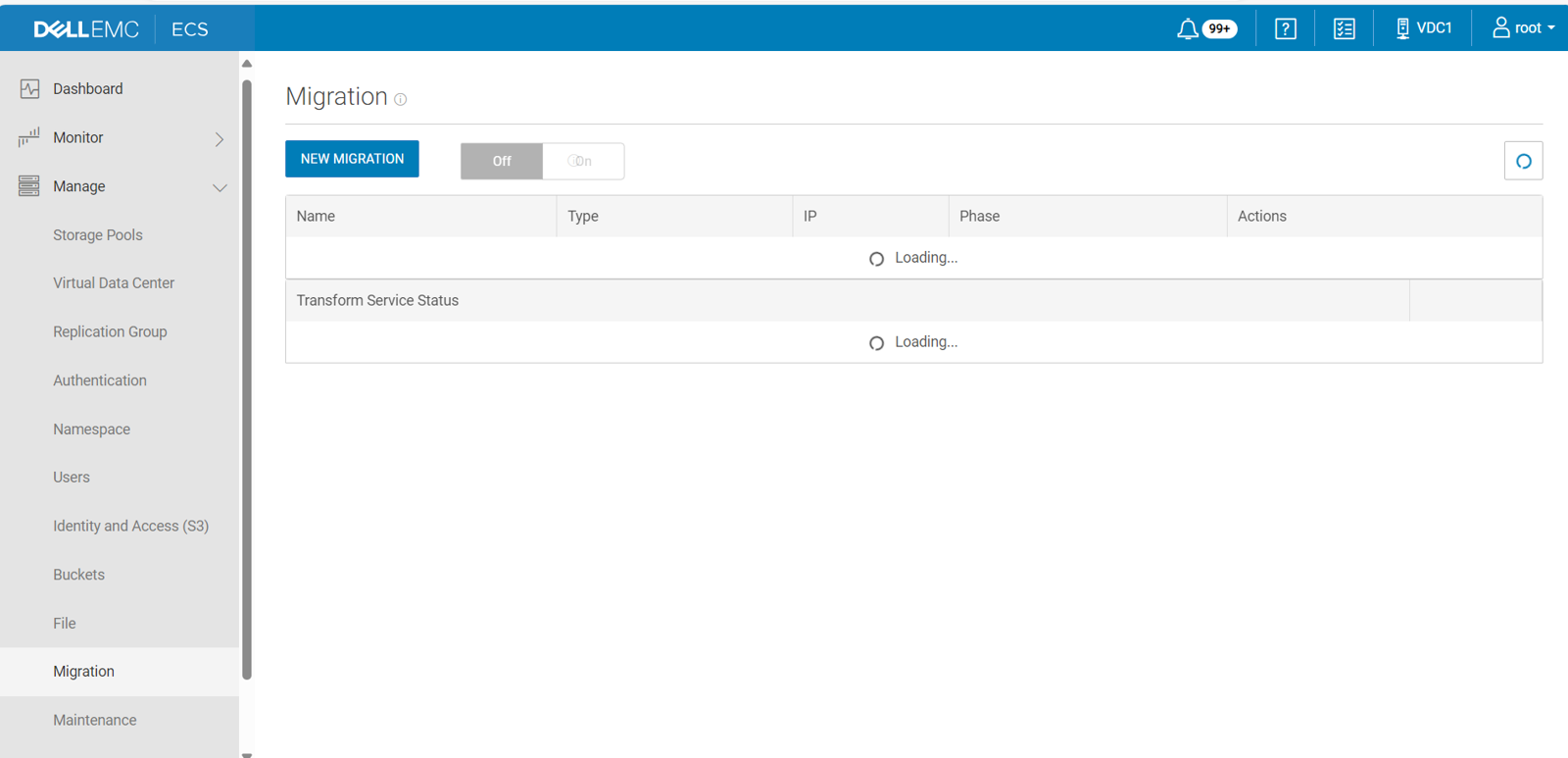
In ECS 3.1.0.3 and later, the ECS Portal includes an optional User Interface to aid in transforming data from Centera legacy storage into ECS. When you turn on the Migration menu, it appears on the Manage menu in the ECS Portal.
NOTE: The Migration menu does not appear by default, as it is intended only for use by EMC Professional Services personnel.
To expose the Migration menu in the ECS Portal, do the following:
Ctrl + Alt + Shift + M.
NOTE: If you use this command sequence to turn on the Migration menu while the Manage menu is open, you may have to close and re-open the Manage menu to see the Migration option.
Affected Products
ECSArticle Properties
Article Number: 000266553
Article Type: How To
Last Modified: 14 Feb 2025
Version: 2
Find answers to your questions from other Dell users
Support Services
Check if your device is covered by Support Services.