Data Domain: DD GUI에서 코어 파일을 수집하는 방법
Summary: 이 문서에서는 Data Domain System Manager(GUI)에서 코어 파일을 수집하는 방법에 대해 설명합니다. Core 파일은 클 수 있으며 더 작은 청크로 분할하여 수집할 수도 있습니다.
This article applies to
This article does not apply to
This article is not tied to any specific product.
Not all product versions are identified in this article.
Instructions
코어 파일 또는 코어 덤프는 일반적으로 파일 시스템과 같은 프로그램이나 서비스에서 충돌이 발생하는 특정 시점의 Data Domain 시스템 작업 메모리 상태를 캡처합니다. 상황에 따라 core 파일이 항상 생성되는 것은 아닙니다.
참고: Core 파일은 클 수 있으며 충돌이 발생한 후 시스템에서 파일을 생성하는 데 시간이 걸릴 수 있습니다.
DDOS 버전 6.2.1.30 이상의 최신 릴리스에서는 Data Domain System Manager에서 직접 코어 덤프를 분할 및 수집할 수 있습니다.
코어 파일을 분할하고 수집하는 단계:
- 관리자 자격 증명을 사용하여 Data Domain System Manager에 로그인합니다
- Maintenance로 이동하여 Support와 Cores를 차례로 클릭합니다
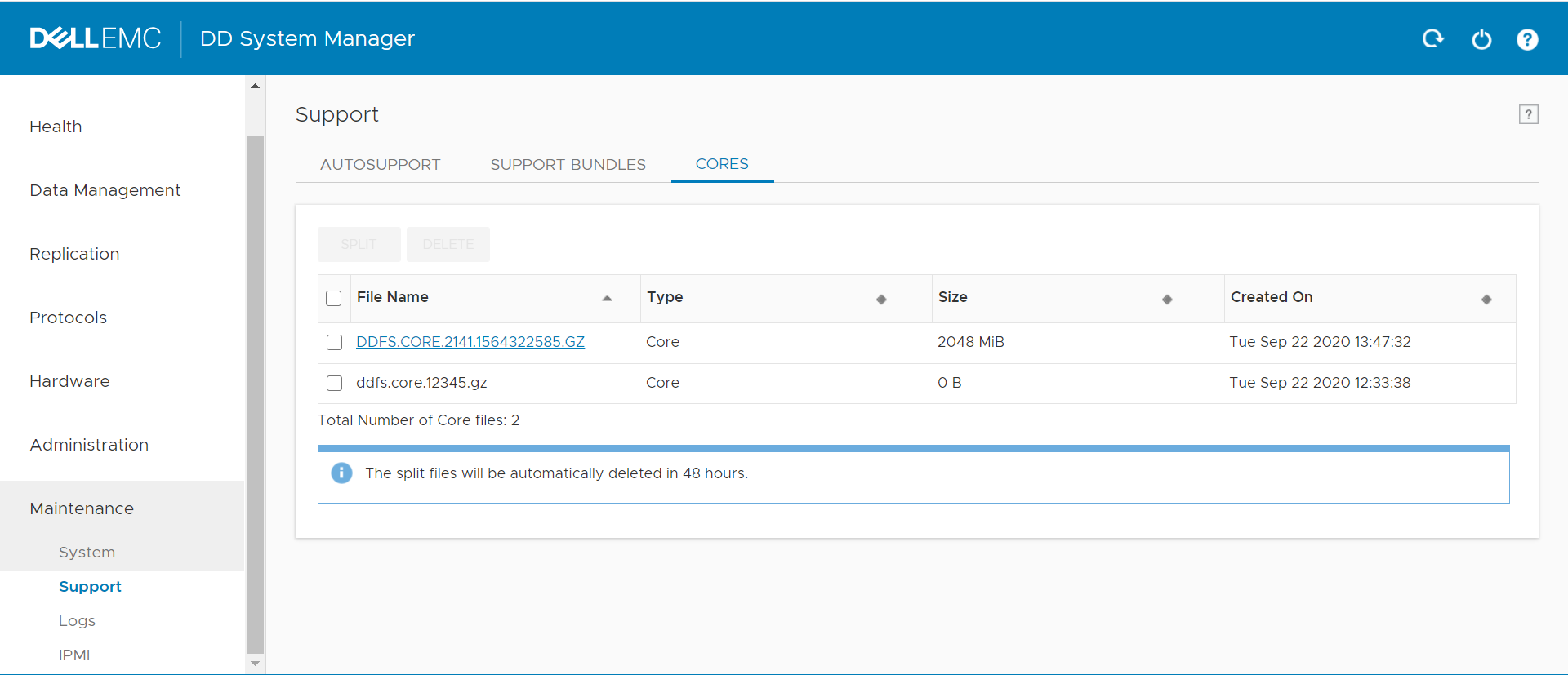
- 코어 파일이 큰 경우 더 작은 청크로 분할할 수 있습니다. 코어 파일을 선택하고 Split을 클릭한 다음 크기와 단위(MiB/GiB)를 선택합니다.
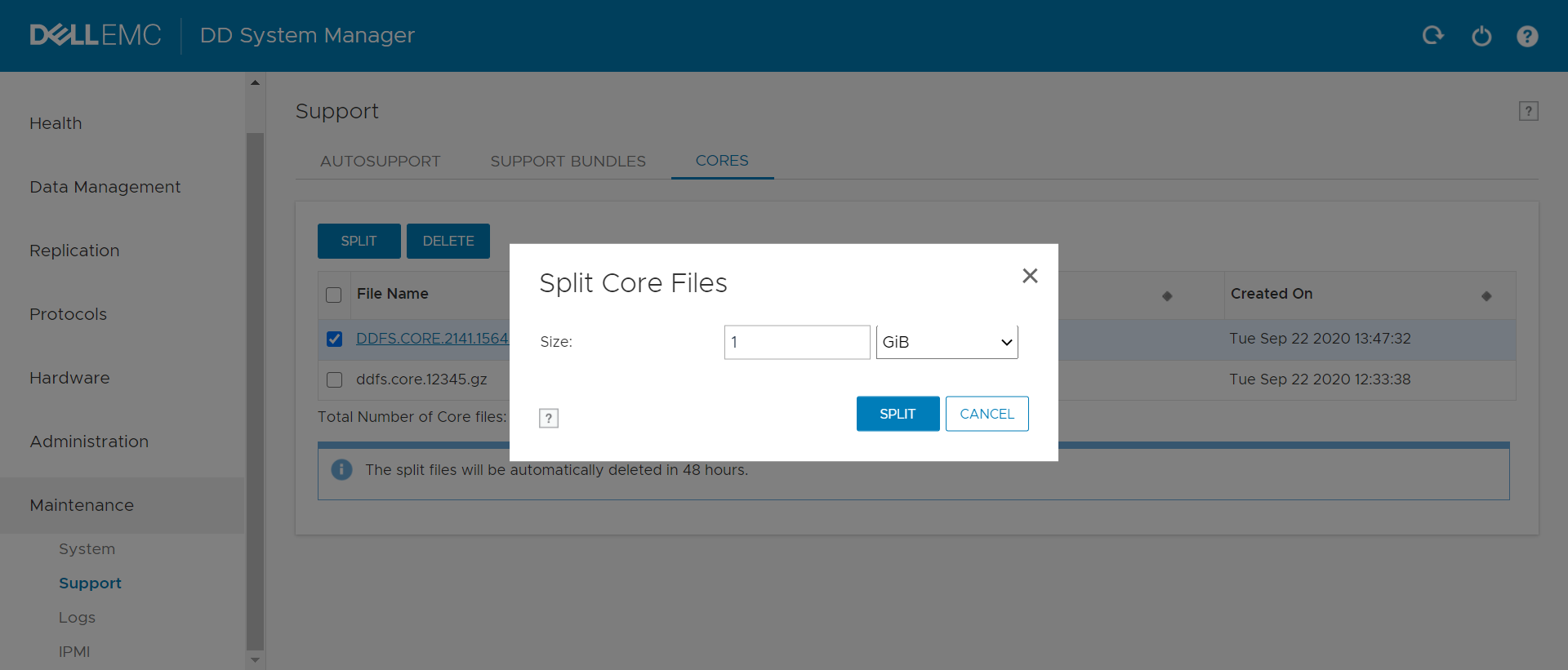
- 코어 덤프는 언급된 청크로 분할됩니다
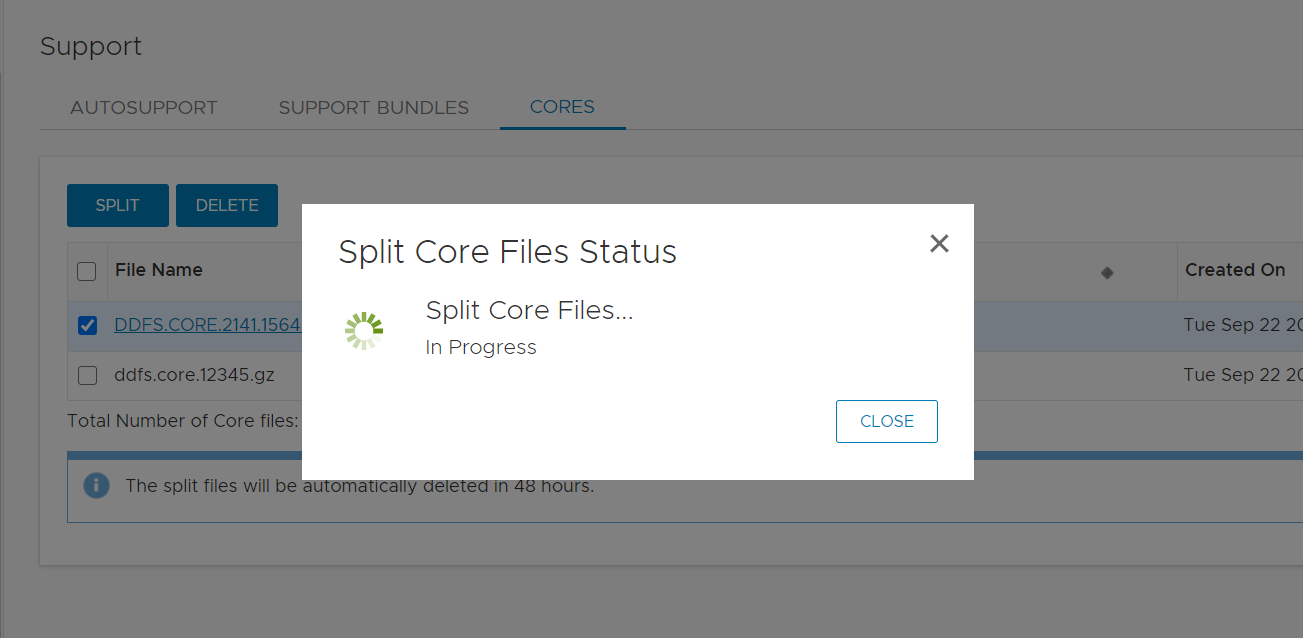

- 코어가 성공적으로 생성되었습니다.

- 파일을 클릭하고 로컬 시스템에 다운로드합니다.

Affected Products
Data DomainProducts
Data Domain Boost – File SystemArticle Properties
Article Number: 000180231
Article Type: How To
Last Modified: 17 May 2021
Version: 1
Find answers to your questions from other Dell users
Support Services
Check if your device is covered by Support Services.