如何获取 TechDirect 更新支持 - 管理目录 (DCCRM)
Summary: 本文介绍如何获取对 TechDirect 更新 - 管理目录(以前称为 DCCRM)的支持。
This article applies to
This article does not apply to
This article is not tied to any specific product.
Not all product versions are identified in this article.
Symptoms
受影响的产品:
- TechDirect 更新 — 管理目录 (DCCRM)
受影响的平台:
- Latitude
- OptiPlex
- Precision
- XPS
Cause
不适用
Resolution
TechDirect 更新 — 管理目录(以前称为 DCCRM)是基于云的应用程序,允许 IT 管理员为 Latitude、 OptiPlex、 Precision 和 XPS 平台创建和管理自定义目录。目录可以配置为包含 驱动程序、 固件、 BIOS 和部分 戴尔应用程序 更新。
警告:
- TechDirect 更新 — 管理目录 (DCCRM) 技术支持仅适用于具有 Latitude、 OptiPlex、 Precision 或 XPS 平台的商业客户。
- TechDirect 更新 — 管理目录 (DCCRM) 支持:
- Chrome 浏览器
自助选项
大多数技术信息可以通过参考以下项找到:
要获得支持:
- 转至 https://www.dell.com/support/home
- 在页面右侧,选择 联系我们 ,然后单击以下任一项:
- 如果您有可用的戴尔服务标签,请联系技术支持。
- Contact Order Support:如果没有戴尔服务编号且需要帮助才能访问软件。
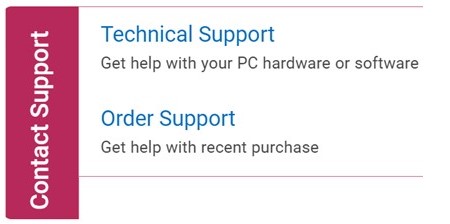
图 1:(仅限英文)单击“Contact Us”
- 单击 Enter service tag。
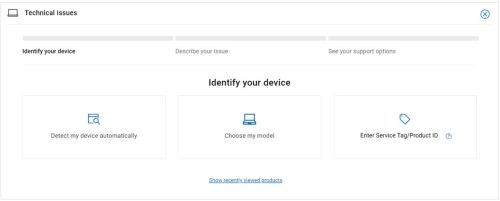
图 2:(仅限英文)识别您的设备
- 键入您的服务编号,然后单击 Submit。
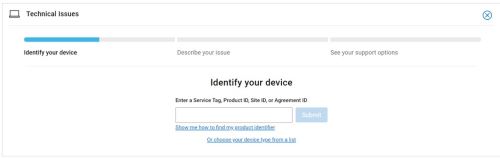
图 3:(仅限英文)输入您的服务编号并单击“Submit”
- 确认您的型号和服务编号,然后单击 Next。
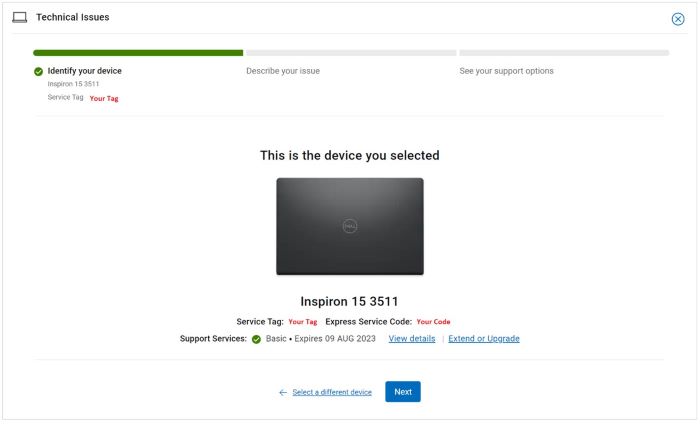
图 4:(仅限英文)确认您的型号和服务编号
- 从下拉菜单中,选择 Software and 3rd party applications,然后单击 Next。
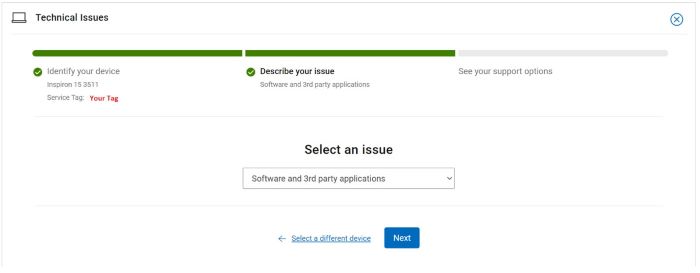
图 5:(仅限英文)选择“Software and 3rd party applications”
- 选择可用的联系人选项。
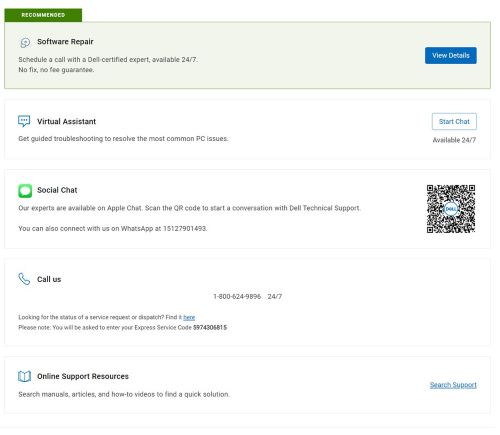
图 6:(仅限英文)选择联系人选项
- 键入您的订单编号,然后单击 Find My Order。
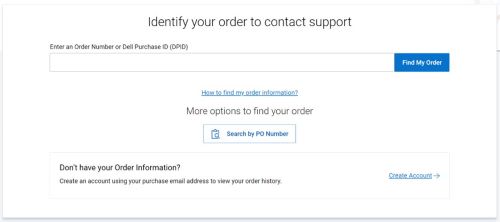
图 7:(仅限英文)单击“Find My Order”
- 在页面右侧,单击 Contact Customer Support。

图 8:(仅限英文)单击“Contact Customer Support”
- 从下拉列表中,选择 Missing Items。
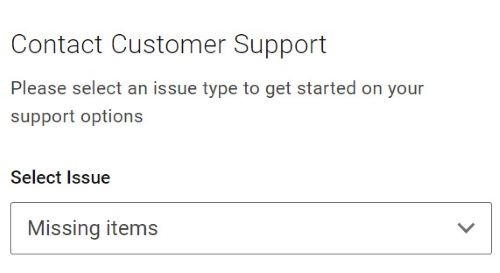
图 9:(仅限英文)选择“Missing Items”
- 选择可用的联系人选项。
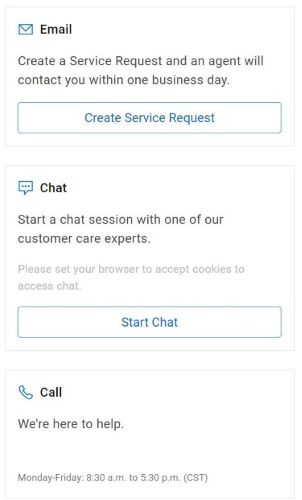
图 10:(仅限英文)选择联系人选项
提醒:
- 联系方式选项可能因地区而异。
- 联系技术支持时,请参阅本文(000180754)。
Additional Information
Videos
Affected Products
OptiPlex, XPS, Latitude, XPS, Fixed Workstations, Mobile Workstations, Manage Custom Update CatalogArticle Properties
Article Number: 000180754
Article Type: Solution
Last Modified: 22 Apr 2025
Version: 21
Find answers to your questions from other Dell users
Support Services
Check if your device is covered by Support Services.